So, what is this "revenue cycle management" that people in healthcare talk about?
Think of it as the financial pulse of your practice. Taking care of patients is the heart, but the revenue cycle is what keeps the lights on and the doors open. It’s the entire journey of getting paid, from the moment a patient calls for an appointment to the day their final payment is made. It’s how you get paid for the important work you do.
What Is Healthcare Revenue Cycle Management
Let's use a simple example. Imagine your medical practice is a car. The great care you provide is the engine, but the revenue cycle is the fuel. Without fuel, even the best engine won’t go anywhere.
Healthcare revenue cycle management (RCM) is the system that keeps your tank full. It’s not just one thing; it’s all the steps that happen from when a patient schedules a visit until their bill is paid off. This isn’t just about sending an invoice. It's a series of steps that have to work together perfectly.
More Than Just Billing
A lot of people think RCM is just a fancy term for medical billing. That's a common mistake. Billing is just one piece of a much bigger puzzle.
A healthy revenue cycle has three main parts:
- The Front-End: This is everything that happens before or during the patient's visit. We're talking about scheduling, checking their insurance, and getting their information right the first time.
- The Middle: After the patient leaves, your team starts working. This is where the doctor's notes are turned into special codes that insurance companies use. Then, the bill (or "claim") is created and sent out.
- The Back-End: This is the final part. It involves getting paid by the insurance company, dealing with any bills they refuse to pay, and sending the remaining balance to the patient.
Each step leads to the next. A small mistake at the start—like a typo in a patient's name—can cause an insurance company to deny the entire bill weeks later. Getting it right from the beginning is key.
The main goal of RCM is to create a simple, repeatable process for bringing money into your practice. When this system works smoothly, you can stop chasing payments and focus on what you do best: treating patients.
And getting this process right is more important than ever. The global market for revenue cycle management is expected to grow to $411.22 billion by 2033. That’s a huge jump, which shows how vital it is for healthcare providers to manage their money well. You can read more about these trends in this report from Precedence Research.
The 7 Steps of the Medical Billing Journey
The healthcare revenue cycle isn't just a theory; it’s the real path every single patient bill follows. Think of it like a package you order online. Each stop on its journey helps make sure it gets to your door. A small problem can cause a big delay.
Let's follow a patient's bill from the first phone call to the final payment. Imagine a boy named Alex breaks his arm playing soccer and goes to an urgent care clinic. His visit will show us the seven main steps of the process.
This simple workflow shows the journey from a patient needing care to the practice getting paid.
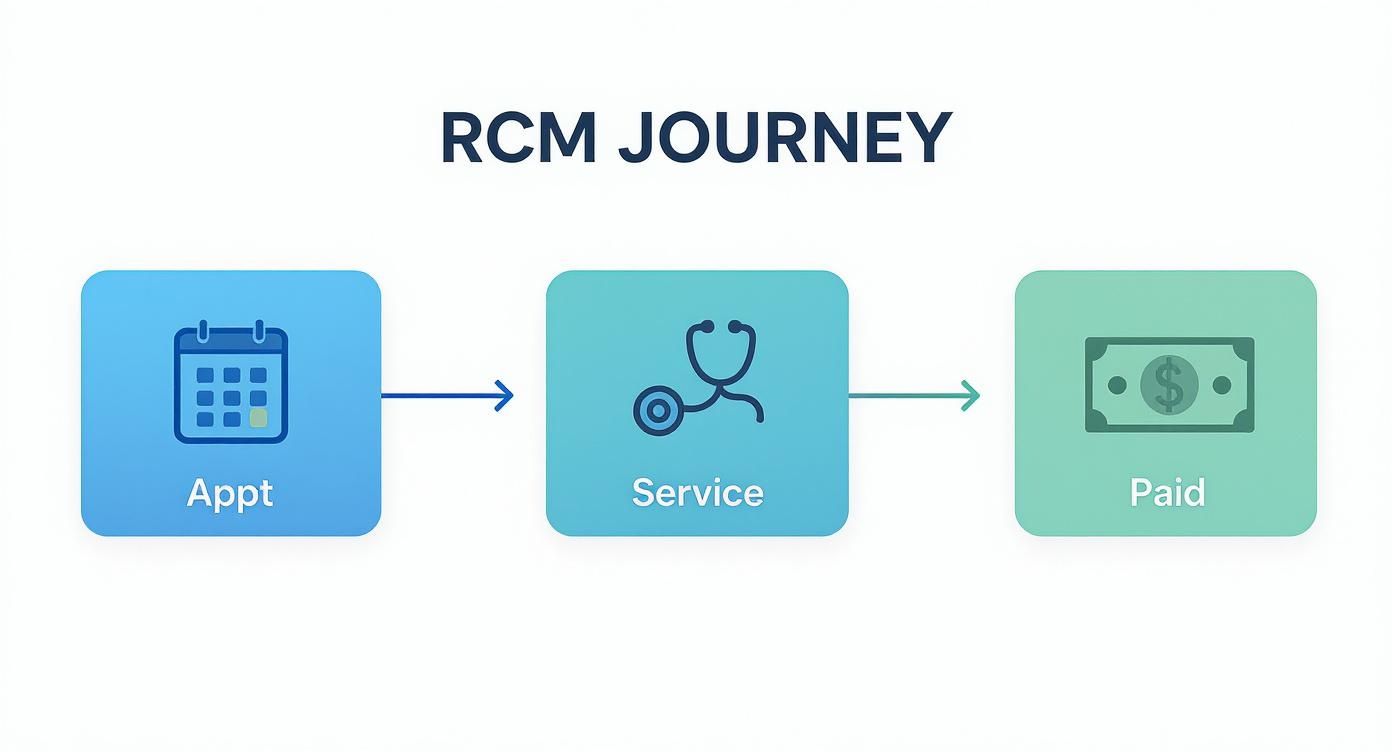
This picture breaks down the cycle into three simple phases: making the appointment, providing the care, and getting paid.
Step 1: Patient Registration and Scheduling
The journey starts when Alex’s mom calls the clinic to make an appointment. This first step is all about getting the right information. It’s like getting the right shipping address before you mail a package.
The front desk staff collects Alex's basic info: name, birthday, address, and phone number. Most importantly, they get his insurance details. A tiny mistake here—a misspelled name or a wrong policy number—can cause the bill to be denied later.
Step 2: Insurance and Eligibility Verification
Before Alex even sees a doctor, the clinic's team checks his insurance. They contact his insurance company to make sure his plan is active and find out what it covers. This is called eligibility verification, and it’s a must-do step.
They check things like:
- Is his insurance active? If not, the insurance company won't pay anything.
- What is his copay? This is the set amount Alex has to pay for the visit.
- Has he met his deductible? This is the amount he has to pay himself before his insurance starts paying.
Knowing this upfront is important. It lets the clinic tell Alex's family what to expect, which prevents surprise bills. For a broken arm, this is pretty simple. For a planned surgery, this step might also involve getting pre-authorization—which is like getting a permission slip from the insurance company ahead of time.
Step 3: Medical Coding and Charge Entry
After the doctor treats Alex's broken arm, the medical part is done. Now, the money part starts. The doctor's notes from the visit are sent to a medical coder.
The coder’s job is to translate what happened during the visit into a set of universal codes. Think of it like translating a story from English into a language that every insurance company understands.
- The diagnosis (a broken arm) gets an ICD-10 code.
- The services (the exam, the X-ray, setting the bone) each get a CPT code.
These codes are then put into the billing system with a price for each service. This is called charge capture. Being accurate here is crucial; the wrong code can lead to the bill being denied right away.
Step 4: Claim Submission
With all the codes ready, the clinic's billing team creates the official bill, called a claim. This digital form has all of Alex's information, the clinic's details, and the codes for his treatment.
The claim is then sent electronically to Alex's insurance company. The goal is to send a "clean claim," which means it has no errors and can be processed easily. Clean claims get paid about twice as fast as claims with mistakes.
A clean claim is what every billing department wants. It means all the steps before billing—from registration to coding—were done right, which leads to getting paid faster.
Step 5: Payment Posting
The insurance company gets the claim and checks it. If everything is correct, they pay the clinic. They also send a document called an Explanation of Benefits (EOB).
The EOB explains exactly what they paid, any discounts they took, and what part of the bill Alex's family now has to pay. The clinic's staff then records these payments in their system. This step, called payment posting, is important for keeping patient accounts accurate.
Step 6: Denial Management
But what if the insurance company doesn't pay? They might send back a denial, which means they refuse to pay the claim. This can happen for many reasons—a coding error, missing information, or they didn't think a service was needed.
This is where a good denial management process comes in. The billing team acts like a detective to figure out why the claim was denied. Then, they fix the error and send the claim again or file an appeal to challenge the insurance company's decision. This step helps recover money that would otherwise be lost.
Step 7: Patient Billing and Collections
After the insurance company has paid its part, there's usually a remaining balance. This is Alex's share of the bill—his copay, deductible, or other costs his plan doesn't cover.
The final step is to send a clear, easy-to-understand bill to Alex's family. The bill should show what he was treated for, what his insurance paid, and the final amount he owes. The clinic then follows up to make sure this final payment is collected, which completes the RCM journey for his visit.
How to Measure Your Practice's Financial Health
So, how do you know if your revenue cycle is working well? You wouldn't fly a plane without looking at the controls, and you shouldn't run a practice without measuring its financial health. You have to know your numbers.
These numbers are called Key Performance Indicators (KPIs). Think of them as your practice's financial report card. They tell you what you're doing well and where you need to improve. Without them, you're just guessing.

Watching these numbers helps you spot small problems before they become big ones. It’s like a coach watching game videos to find the team's strengths and weaknesses.
The Most Important Numbers to Watch
You don’t need to track dozens of numbers. A few key KPIs will give you a clear picture of how your revenue cycle is doing. Let’s look at the most important ones.
1. Days in Accounts Receivable (A/R)
This is a big one. It tells you, on average, how long it takes to get paid for your services. Think of it as the time from when you send a bill to when the money is in your bank. A lower number is always better.
- What it means: A high Days in A/R (like over 50 days) means you have a cash flow problem. Your money is stuck, waiting to be collected from insurance companies or patients.
- Industry goal: A healthy practice tries to keep this number under 40 days.
2. Clean Claim Rate (CCR)
This KPI measures the percentage of your bills that insurance companies accept on the first try. A "clean claim" has zero errors—no typos, no coding mistakes, no missing info.
A high CCR is a great sign. It means your front-desk and billing teams are doing a great job, which saves time and money that would be spent fixing denied bills. A rate of 95% or higher is an excellent target.
Your Clean Claim Rate directly shows how well the first part of your process is working. If this number is low, it’s a clear sign that something is wrong in the early stages of your revenue cycle.
3. Claim Denial Rate
This is the opposite of the clean claim rate. It shows you what percentage of your bills are being rejected. You’ll never get this number to zero, but you want to keep it as low as possible.
Every denial means a delayed payment and extra work for your staff. A denial rate that is always above 10% is a red flag that something is wrong in your coding or billing process. You want this number to be 5% or less.
Tracking Your KPIs for Better Decisions
Knowing these numbers is the first step, but the real power comes from tracking them over time. One month of data might not tell you much, but looking at trends over six months or a year can show you the real story of your practice's finances.
Are your Days in A/R slowly going up? Does your denial rate jump every time an insurance company changes its rules? These are the kinds of things that help you make smart decisions instead of just reacting to problems.
Making a simple dashboard or report to review these KPIs every month is one of the best things you can do for your practice's long-term health. If you aren't sure where to begin, check out our guide on how to get a handle on your business's key numbers. It's a great starting point for any business owner.
Common Roadblocks in the Revenue Cycle
Even the best-run systems run into problems, and the healthcare revenue cycle is no different. Think of it like mailing a package. You can have the right box and item, but if you write the wrong address or forget a stamp, that package isn’t going anywhere.
In your practice, these small mistakes are roadblocks that cause late payments, unhappy staff, and lost money. And they aren't just small problems; they add up to a huge issue for the whole industry. Research shows that problems in healthcare payment systems lead to about $315 billion in lost money each year.
That’s like losing 15 cents of every dollar you earn, often because of confusing rules and simple human error. You can look at the findings on RCM inefficiencies to see just how big the problem is.
Simple Errors with Big Consequences
Most revenue cycle problems don't start with huge failures. They start with small mistakes that grow into big money problems. Here are the most common things that trip up even well-run practices.
- Front-Desk Data Entry Mistakes: A misspelled name, a switched number in an insurance ID, or a wrong date of birth are the top reasons bills get denied. This is the classic "wrong address on the package" problem—the insurance company's computer will reject it instantly.
- Incorrect or Outdated Insurance Info: Patients change jobs or insurance plans and sometimes forget to tell you. If you don't check insurance eligibility before every single visit, you could send a bill to the wrong company, causing a denial and a long cleanup process.
- Missed Pre-Authorizations: Many treatments, especially expensive ones, need a "permission slip" from the insurance company beforehand. Forgetting to get this pre-authorization almost always leads to the bill being denied completely, forcing you to fight for a payment you should have already had.
Deeper Issues That Hurt Cash Flow
Besides simple data entry, some problems are hidden deeper in your billing process. These issues can be harder to find and fix, but they hurt your bottom line just as much.
A healthy revenue cycle isn't just about sending bills. It's about making sure those bills are correct, follow the rules, and are tracked until they are fully paid. Ignoring small problems is like ignoring a small leak in a boat—eventually, you'll sink.
One of the biggest deeper issues is incorrect medical coding. Using a code that doesn't match the doctor's notes or isn't specific enough will cause a denial. Another common problem is missing deadlines to send the bill. Insurance companies have strict time limits, and if you miss the window, you might not get paid at all.
Finally, a major roadblock is poor denial management. When a bill gets denied, some practices just give up on the money. A strong process means looking into every denial, fixing the problem that caused it, and appealing the decision. Without this, you're just leaving your earned money on the table. Fixing these issues can sometimes require a bigger plan, and looking at how fractional CRO firms transform business revenue can give you ideas for high-level strategies.
How Technology Is Making RCM More Efficient
Thankfully, managing a practice's money with paper and spreadsheets is becoming a thing of the past. Technology is making the entire healthcare revenue cycle management process smarter, faster, and less likely to have human errors.
Think of it like upgrading from a paper map to a GPS. Both can get you where you're going, but one does it with a lot less stress and guessing.
The Practice's Digital Command Center
The main tool in this change is Practice Management (PM) software. This is the digital hub for your practice's administrative and financial work. It’s one system that can handle everything from when a patient schedules an appointment to the day their bill is paid.
Instead of trying to use different tools for scheduling, billing, and reporting, a good PM system does it all. It lets your front desk check insurance instantly, your billers send claims with a few clicks, and lets you see your practice's financial health at any time.
The Rise of the Smart Assistant: AI in RCM
Beyond basic software, Artificial Intelligence (AI) is really changing the game. Don't worry about the term "AI." In RCM, it acts more like a very smart assistant that works in the background. It’s great at finding patterns and doing the boring, repetitive tasks that slow your staff down.
For example, AI tools can look at your old bills to predict which new ones might be denied before you even send them. This gives your team a chance to fix problems early, which can really improve your clean claim rate.

AI is also great for automation, taking over jobs like:
- Automated Follow-ups: Instead of staff manually checking on unpaid bills, AI can automatically send reminders and flag bigger issues based on rules you set.
- Code Suggestions: Some advanced systems can read a doctor's notes and suggest the right medical codes, which lowers the risk of coding mistakes.
- Patient Inquiries: AI-powered chatbots can answer common patient billing questions 24/7. This frees up your team to work on more difficult problems that need a human.
Why This Matters for Your Practice
This isn't just about getting new tools; it's about real results. By using technology to improve your RCM, you cut down on manual data entry mistakes—a top cause of denied bills. This means you get paid faster and more accurately, which improves your cash flow.
The biggest benefit of technology is that it frees up your most important resource: your people. When your team isn't buried in paperwork or chasing down simple bills, they can focus on what really matters—giving great patient care and handling the tough financial questions that need a human touch.
The move toward these smarter tools is happening fast. The market for AI in healthcare revenue cycle management is growing by 24.20% per year. This fast growth shows how many providers are using technology to work better. You can find more info on how healthcare providers are embracing automation to improve their finances.
Actionable Steps to Improve Your Revenue Cycle
https://www.youtube.com/embed/5VmNHQUfYbw
Knowing how your revenue cycle works is one thing. Actually taking steps to make it better is what really matters.
The good news is you don't have to tear everything down and start over. Improving your revenue cycle management is about making small, regular improvements that add up over time. Think of it like taking care of a garden. You don't just plant seeds and walk away. You have to water and weed to keep it healthy. Your practice's financial health needs that same kind of attention.
Let's start with a few simple improvements. These can strengthen your process and stop money from slipping away.
Start with a Simple Checklist
Here are a few things you can start doing today to build a stronger financial base for your practice. These aren't big projects; they're good habits.
Conduct Regular Audits: Once a month, grab a small sample of bills—maybe 10 or 15—and follow them through the entire process. Look for common mistakes in patient data, coding, or how they were sent. This simple check helps you catch problems before they affect hundreds of bills.
Provide Ongoing Staff Training: Insurance rules and medical codes are always changing. Hold short, monthly training sessions for your team. You could focus on one common denial reason or a new insurance policy. Keeping everyone's skills up-to-date is one of the best ways to protect your revenue.
Create a Patient-Friendly Billing Policy: Look at your patient bills. Are they easy to understand? You need to clearly show what insurance paid and what the patient owes. Offering clear payment options and having a kind collections process can make a big difference in how quickly you get paid.
The goal isn't to be perfect overnight. It's about building a habit of always improving, where your team is always looking for small ways to make the process better, faster, and more accurate.
Getting these basics right creates a solid foundation for financial health. Once you're comfortable with these habits, you might want an expert to help fine-tune your strategy. Professional help, like the kind from business advisory services, can give you an outside view to find opportunities for growth you might have missed.
RCM Questions We Hear All the Time
Even with a clear plan, it’s normal to have questions about managing your healthcare revenue cycle. It’s a complicated topic, and every practice is different.
Here are some simple answers to the questions we hear most often from practice owners and managers.
What Is the Most Important Stage in the Revenue Cycle?
While every step is connected, many experts agree that the "front-end" tasks are the most important. This includes everything from the first patient phone call to checking insurance before an appointment.
Think of it like building a house. If the foundation is weak, the rest of the house will be unstable. Getting patient details, insurance information, and any needed pre-authorizations right from the start prevents most of the problems, like denied bills, that happen later.
A strong start is your best defense against lost money. A mistake in the first five minutes with a patient can cost your team hours of work to fix weeks later.
How Can a Small Practice Improve RCM on a Budget?
You don't need to buy expensive software to make a real difference. The biggest improvements often come from focusing on your people and your processes, which doesn't cost much.
Start with these simple, effective actions:
- Create Checklists: Give your front-desk team a simple checklist for patient registration. This helps make sure they get every piece of information, every single time.
- Hold Mini-Trainings: Once a month, have a quick 15-minute meeting to go over one common billing mistake. This keeps good habits fresh in everyone's mind.
- Set a Follow-Up Schedule: Set aside a specific time each week to review and follow up on unpaid bills. Being consistent is the key to making sure old bills aren't forgotten and written off.
When Should a Practice Consider Outsourcing Its RCM?
Outsourcing is a good idea when you see a few key warning signs. The biggest one is when your team spends more time chasing payments than taking care of patients.
Other red flags include a high claim denial rate (anything over 10%) or a Days in A/R that keeps climbing past 50 days. If your staff seems overwhelmed by changing insurance rules, that's another sign. Bringing in an outside expert can provide the special skills and technology needed to get your finances back on track.
Ready to stop worrying about billing and start focusing on your patients? The team at MyOfficeOps provides expert bookkeeping and advisory services that bring financial clarity to your practice. Let's build a healthier revenue cycle together. Learn more at https://myofficeops.com.