To get a real handle on how your business runs, you first have to find the hidden problems buried in your daily routines. Only then can you use the right tools and processes to fix them. It’s all about working smarter, not just harder. This means mapping out how things get done and cutting out the wasted steps. This approach saves a ton of time and money, and you don't need a massive budget to do it.
Pinpointing Where Your Business Is Leaking Time and Money

Ever feel like your team is always busy but not really getting ahead? You're not alone. It’s a common feeling for business owners who are stuck in the day-to-day work, trying to keep everything going.
The first step isn't about buying fancy software or completely changing your business. It's much simpler. It’s about taking an honest look at where your resources—both time and money—are actually going.
Before you can fix a leak, you have to find it.
Starting with a Simple Workflow Audit
Think of this as making a map of your daily work. A workflow audit sounds complicated, but it’s really just about writing down every single step it takes to get something done. Pick one important part of your business to start with, like how you get a new client or what it takes to send the final bill.
For example, I worked with a small construction company that felt like they were always behind. By mapping their process, they were shocked to find they were losing almost 10 hours a week to filling out timesheets by hand and entering the same information in different places. That’s a whole workday, every single week, just gone.
Another client, a real estate agency, found that getting new clients set up was a messy mix of asking the same questions over and over and trying to find scattered papers. It was annoying for new clients and stressful for their agents. The problem wasn't that people weren't working hard; it was a broken process nobody had ever stopped to look at.
A workflow audit isn't about blaming people. It's about seeing the process for what it is—a bunch of steps that can almost always be made better. Your team knows best; they're the ones dealing with the tricky parts every single day.
How to Spot the Hidden Problems
You're looking for the small, annoying tasks that add up. These are the things that quietly eat up your profits and your team's energy. Ask yourself and your team these questions to start looking:
Where does work get stuck? Is there a person or a step that always slows things down? This is your bottleneck.
What tasks are boring and repetitive? Are people typing the same client info into three different computer programs? This is a huge sign of a problem.
What frustrates the team the most? The tasks people hate are usually the ones that are poorly designed and could be improved.
Where do mistakes happen over and over? Frequent mistakes usually point to a confusing or overly complicated step in the process.
Let's look at a typical company that provides services. Their steps for starting a new project might look like this:
A salesperson makes a deal.
They email the project details to a manager.
The manager manually creates a new project in their computer tool.
They then have to email the finance team to set up the billing.
Finally, they schedule a first meeting with the client.
Even in this simple process, work is handed off multiple times, and important information can easily get lost in an email. The manager is spending good time on busywork instead of focusing on the client. This is a classic problem.
By getting a clear, honest picture of how work actually gets done in your business, you can find these chances to do things better before you even think about changing anything.
Finding the Right Tools Without a Huge Budget
Once you've found the problems in how you work, it's easy to think the fix is expensive, complicated software. Good news: you don't need a giant budget to make a big difference. The real secret is to find tools that solve your specific problems.
Let’s focus on two areas that give you the most value: automating your money tasks and making your project management smoother. These are almost always where small, repetitive tasks waste the most time and cause the most headaches.
Think about a local dentist's office. They could connect their appointment calendar directly to their billing software. The moment a patient checks out, the system automatically creates a bill. That simple connection gets rid of manual work, leads to fewer billing mistakes, and frees up the person at the front desk to focus on patients. That's a real win.
Smart Automation for Your Finances
Your finances are like the blood of your business, but managing them can feel like a full-time job. This is where a little bit of automation can be a complete game-changer. It’s not about replacing people—it’s about letting computers handle the boring, repetitive work so your team can focus on what's important.
For example, just connecting your bank accounts to your bookkeeping software means your transactions show up automatically. No more hours spent typing in details from receipts. I’ve seen many small businesses save themselves from big headaches during tax time by connecting their payroll with their accounting system. When your books are always clean and up-to-date, you can make smarter decisions. If you want to learn more, check out our guide on how business bookkeeping services build strong financial health.
The goal is to find technology that fits your way of working, not the other way around. A tool is only useful if it makes your current process simpler, faster, and less likely to have mistakes.
This approach really works. Companies using automation have reported that their teams get 72% more done and are even happier in their jobs. It's not just for giant factories, either. Today, small businesses can use simple tools to connect apps and automate tasks—something that used to be possible only for huge companies. In one case, a major company used this kind of "hyper-automation" to lower its production costs by 30%.
Low-Code Tools Anyone Can Use
You don't need to be a computer programmer to build your own simple automations. This is where low-code or no-code platforms come in. Think of them like digital Lego blocks. You can connect the different apps you already use (like your email, calendar, and project manager) to create simple "if this happens, then do that" workflows.
Tools like Zapier or Make are perfect for this. Imagine setting up a rule that says, "When a new client signs a contract in DocuSign, automatically create a new project for them in Asana and a new bill in QuickBooks." Just like that, you’ve automated a three-step process that used to take time and could easily be forgotten.
This screenshot shows how you can visually link different apps to automate a workflow without writing a single line of code.
A Quick Checklist for Choosing Tools
It's easy to get distracted by cool features when you're looking at new software. Use this simple checklist to stay focused on what will actually help your business run better.
Does it solve a real problem? Does this tool fix one of the problems you found when you looked at your workflow?
Is it easy for my team to use? A complicated tool won't get used, no matter how good it is. Look for a simple, clear design.
Does it connect with my other tools? A tool that works all by itself can create more work than it saves. Check if it works with the software you already use.
Is the price right for the value? Don't just look at the monthly cost. Think about the time it saves. If a $50/month tool saves you five hours of manual work, it’s probably a great deal.
Streamlining How Your Team Actually Works
The best software in the world won’t fix a messy process. Once you’ve found the right tools, the real improvements in how your business runs come from the human side of things—how your team gets work done day after day.
This is all about creating simple, repeatable systems that everyone understands and can follow. I'm not talking about watching over everyone's shoulder or creating a giant, dusty binder of rules that no one ever reads. It’s about building a solid foundation so your business can run smoothly, even when you’re not there.
This is how you turn a bunch of individual efforts into a real team effort, making efficiency a normal part of how your company works.
Creating Simple Checklists, Not Giant Rulebooks
Let's talk about Standard Operating Procedures, or SOPs. That term sounds serious and boring, but it doesn't have to be. For a small business, a good SOP is often just a simple checklist. The goal is just to make sure important tasks are done the same, correct way every single time.
Think about it this way: a pilot has a pre-flight checklist for a reason. It's not because they don't know how to fly the plane. It's to make sure that a critical step is never, ever missed, no matter how many times they've done it.
Your business has important tasks that are just as critical. An SOP is your team's pre-flight checklist. It removes the guesswork from daily work, leads to fewer mistakes, and makes it much easier to train new people.
For example, a property management company can create a simple checklist for getting a rental unit ready for a new tenant. This list would include things like:
Check everything: Make sure all appliances, smoke detectors, and faucets work.
Fix things: Schedule someone to fix any problems (like patching a hole in the wall or touching up paint).
Clean up: Do a deep clean of the kitchen, bathrooms, and floors.
Change locks: Change all the locks and make two new sets of keys.
Welcome Packet: Leave a welcome packet with important info on the kitchen counter.
With this checklist, any employee can get a unit ready for a new tenant, and you know nothing important will be forgotten. It’s a simple document that makes things consistent.
The Power of Sharing Knowledge
What happens if the one person who knows how to do payroll goes on vacation for two weeks? Or gets sick? For many small businesses, the answer is chaos. This is what happens when important knowledge is stuck in one person's head.
The solution is cross-training. This just means teaching employees how to do parts of each other's jobs. It's one of the best, yet most ignored, ways to improve how your business runs and make it stronger.
When more than one person knows how to do a key task, your business doesn't stop when someone is out of the office. It also helps your team members by giving them new skills and a better understanding of how the whole business works.
You can start small with cross-training:
Write down key tasks: Have your go-to person write down the steps for their most important jobs (these are your new SOPs!).
Have people watch each other: Let one employee watch another do a task. Then, have them try it themselves while the other person watches.
Rotate simple duties: For tasks like sending out weekly bills or running a certain report, have two or three team members take turns doing it.
Building a team where knowledge is shared is a huge step. It may feel like you're slowing down at first, but you're actually building a much stronger, more flexible business for the future. If your back-office tasks are becoming too much for your team to handle alone, it might be time to think about getting help from a back-office partner. This can free up your key people to focus on growth while making sure your operations stay solid.
Measuring What Matters With Simple KPIs
So, you’ve started to change your processes and brought in a few new tools. That’s a great start. But how do you know if any of it is actually working?
You measure it. This is where most business owners get confused by fancy words, but the idea is really simple.
We need to talk about Key Performance Indicators, or KPIs. All a KPI is, is a number that tells you if you’re getting closer to a specific goal. It’s like the scoreboard in a basketball game—it doesn’t tell you the whole story, but it quickly tells you who’s winning.
The real trick is to ignore the numbers that just look good but don't actually mean anything for your company's financial health. We want to focus only on the numbers that directly affect your bottom line.
Choosing KPIs That Actually Matter
The right KPIs are different for every business, and that's the point. The key is to pick numbers that show the real, day-to-day health of your work. It’s all about connecting a number to a real-world result.
This isn’t about tracking dozens of numbers. It's about finding the two or three numbers that give you a quick, honest health check on your business. Focusing on a few important signs is much better than drowning in a sea of data.
To get started, here’s a quick look at some KPIs that small businesses in different fields can track to measure how well they are running.
Example KPIs for Different Industries
| Industry | Key Performance Indicator (KPI) | What It Tells You |
|---|---|---|
| Professional Services | Average Project Profit | Are your projects managed well and priced correctly? |
| Healthcare Clinic | Patient Wait Time | How quickly are you getting patients in and out of rooms? |
| Construction | Job Cost vs. Budget | Is your project staying on budget, or are costs getting too high? |
| Real Estate Agency | Average Days a House is for Sale | How quickly are you selling houses compared to your goals? |
As you can see, each KPI is directly tied to the main work of that business. It’s specific, measurable, and gives you a clear sign of how you're doing.
The point of a KPI isn’t just to have a number; it’s to have a number that makes you ask a good question. If your profit on projects drops, the immediate question is, "Why?" That's when you start looking for real answers.
This focus isn't just a small business thing; it's a top priority everywhere. A PwC survey of over 600 executives found that working more efficiently was the number one goal for 93% of companies in the energy industry. Also, a huge 96% of tech leaders said that using digital tools gave them a much better look into their costs.
Building a Simple Dashboard
You don’t need fancy, expensive software to track your progress. Seriously. You can build a perfectly good dashboard using tools you probably already have, like Google Sheets or even the built-in reports in your accounting software.
A dashboard is just a single place where you can see all your important numbers at a glance. It turns plain data into a clear picture, helping you make decisions based on facts, not just feelings.
Here’s a very simple way to start:
Open a spreadsheet. Create a new Google Sheet or Excel file.
List your KPIs. In the first column, list the 2-3 KPIs you’ve chosen to track.
Set your goals. In the next column, write down the target number you’re aiming for.
Update it weekly. At the end of each week, get the actual numbers from your systems and put them in. You'll quickly see if you're on track or falling behind.
This simple exercise forces you to get comfortable with your numbers. And when you know your numbers, you can run your business with confidence. It's a key part of building a stronger, better operation. For a deeper look, learn more about why it's so important to know your numbers in our detailed guide.
The picture below shows two main parts of a great team—clear procedures and shared knowledge—which are the foundation for hitting your KPIs.
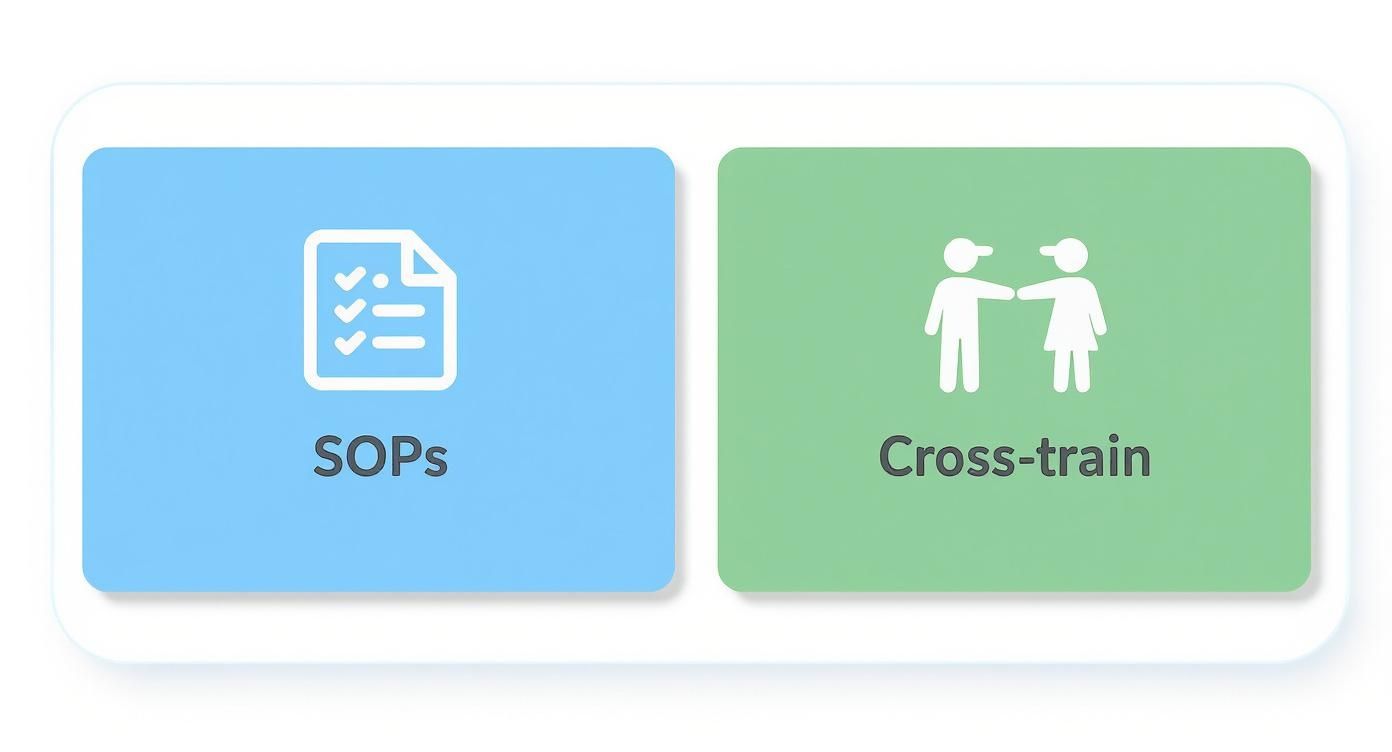
As the picture shows, having written-down SOPs and a cross-trained team work together to create a stronger and more efficient operation. This directly affects the numbers you’re tracking, making it easier to hit your targets and keep improving.
Building a Culture of Always Getting Better
Making a few smart changes is great. But making them stick—and then building on them—is what separates businesses that do well from those that just get by. The biggest improvements don’t come from a single project; they come from building a culture where everyone is always looking for a better, smarter way to work.
This isn’t about you telling everyone what to do. A true culture of improvement starts with you, the owner, but it’s powered by your team. They’re the ones doing the work every day, dealing with the confusing software and annoying problems you might not even see.
Think of efficiency less like a finish line and more like a way of thinking. It’s a way of working that makes your business stronger, more adaptable, and ready for whatever comes next.
Ask Your Team—They Have the Answers
Your employees see the problems up close. They know which software feature is a constant headache, which step in a process creates delays, and where communication always seems to break down. If you want to know what’s really broken, just ask them.
Of course, getting honest feedback can be tricky. Nobody wants to sound like they’re complaining, especially to the boss. You have to create a place where people feel safe to share what’s really going on, without any fear of being blamed.
One of the best ways I've seen this done is with a simple, relaxed monthly meeting. Call it the "What Can We Do Better?" meeting. The only rule? No idea is a bad idea.
The point isn't to solve every problem right away. It's to listen. You'll be amazed at the simple, game-changing ideas that come from the people actually doing the work.
I saw this work perfectly with a construction client. During one of these meetings, a project manager mentioned that his crew wasted 30 minutes every morning just waiting for a certain report to be emailed. A foreman then said he could easily put that same report in their shared computer folder the night before. Just like that, they saved over 10 hours of paid work time every single week with a fix that cost nothing.
Make Checking In a Regular Habit
So, you’ve started using new software and checklists. Great. Your work isn’t done; it’s just started. Those new processes need regular check-ins to make sure they’re actually working the way they should.
A workflow that was a huge help six months ago might be causing new problems today, especially if your business has grown or things have changed.
It’s like taking care of a garden. You can’t just plant seeds and walk away, expecting a perfect harvest. You have to water, pull weeds, and make sure everything is getting what it needs. Your business operations are no different.
Put a simple review schedule on the calendar:
Quarterly Process Review: Once every three months, take a good look at your main workflows. Is that new billing software still a time-saver? Is the new client checklist actually being followed?
Annual Tech Audit: Once a year, review the main software and tools you pay for. Are you still getting good value? Have your needs changed, or is there a better option available now?
This habit of checking in stops small annoyances from becoming huge problems. It keeps your processes clean and makes sure the improvements you worked for aren't slowly disappearing over time.
Celebrate Small Wins to Build Momentum
Changing a company's culture doesn't happen with a big announcement. It happens one small step at a time. When an employee comes up with an idea that saves the company an hour a week, celebrate it. Mention their contribution in a team meeting or a company-wide email.
This simple act does two very powerful things. First, it makes that employee feel appreciated, which encourages them to keep looking for ways to improve. Second, it sends a clear message to the rest of the team that you’re serious about this and their ideas really matter.
Momentum is a real thing in a business. Every small win makes the next one easier. Before you know it, you've created a positive cycle:
An employee suggests a small fix.
You use it and publicly give them credit.
Other employees see this and feel encouraged to share their own ideas.
More improvements are made, and the business runs more smoothly.
This success gets everyone more involved and invested in the company's future.
This is how you shift from simply putting out fires to building a strong, efficient business where every single person on the team feels like an owner. That's the real goal—creating a company that gets a little bit better, every single day.
Frequently Asked Questions
Starting to improve your processes can bring up a lot of questions. It's completely normal to wonder where to start or how to get your team on board. Here are some of the most common questions business owners ask when they start thinking about how to make their operations better.
Where Should I Start if I Have No Budget for New Tech?
Believe it or not, this is the best place to begin. A zero-dollar budget forces you to focus on your processes first, which is where the biggest and fastest improvements are hiding. You don't need fancy software to fix a messy workflow.
Start by grabbing a whiteboard or just a big piece of paper. Map out one of your main workflows, like how a new customer goes from their first call to their final payment. Then, ask your team a simple question: "What's the most annoying, repetitive part of your day?"
You'll quickly find problems you can fix with a simple checklist or by improving communication—no software needed. For example, creating a few standard email templates for common customer questions costs nothing and can save your team hours each week. Once you make these free process improvements, you'll have a much stronger reason for buying tech in the future because you'll know exactly what problem you're trying to solve.
How Do I Get My Team on Board with These Changes?
Getting your team on board is everything. If your people aren't with you, even the best changes will fail. The secret is to stop announcing changes from the top down and start including them from the very beginning.
When you're looking for problems, ask for their ideas. They are the ones living with the daily frustrations, so they often have the best solutions. You have to explain the changes as a way to make their jobs easier, not just as a way for the company to make more money.
Instead of saying, "We're getting new software to get more work done," try this: "We're getting a tool that will get rid of that boring data entry you all hate doing." See the difference? One is a command, and the other is a solution to their problem.
Start with a small test group. Pick a few of your most positive and open-minded employees to try a new process or tool. Once they see it works and start talking about how much better things are, their positive experience will be the most powerful way to convince everyone else. What people hear from their coworkers is much more effective than any memo you could ever write.
How Often Should I Review My Business Operations?
This isn't a "set it and forget it" kind of thing. Your business is always changing—you get new clients, your team grows, and the market changes. Your operations need to adapt along with it.
A good schedule is to do a light review every three months and a deeper look once a year.
Quarterly Check-In: This can be a quick, casual meeting. Look at your main KPIs and ask, "What's working well, and what's starting to feel a little clunky?" This lets you make small changes before they turn into big problems.
Annual Review: This is where you think bigger. It's time to ask the big questions. "Are the main tools we pay for still the right fit for us? Do our main processes still make sense now that we've grown 20%?"
This regular check-in makes sure your business stays lean and efficient as it grows. It turns improving operations from a one-time project into a core part of how you run your business, making sure you're always ready for what's next.
Ready to stop guessing and start building a more profitable, efficient business? The team at MyOfficeOps provides the bookkeeping, payroll, and CFO-level advice you need to gain true financial clarity. Schedule your discovery call today and let's build a stronger back office together.