
You've just finished a three-week bathroom remodel. The client is happy, the work looks good, and your crew has already moved to the next site. You know what you billed, but you're still unsure whether the job made money after materials, payroll, subcontractors, and an unexpected equipment rental.
That uncertainty is a bookkeeping problem, but it's also a management problem. Accounting for trades should show more than whether your tax return is ready. It should tell you which jobs are profitable, where cash is tied up, and when a project is starting to drift.
For trades contractors, the gap between billing and cash collection can run 30-90 days, and poor job costing can hide an unprofitable project until it's too late, according to cash-flow guidance for trades contractors. The practical answer is to turn your books from a rearview mirror into a working forecast for the business.
Stop Guessing If You Are Making Money
A contractor can finish a job, collect a strong invoice, and still lose money. The trouble usually starts when costs sit in broad categories instead of being tied to the project that caused them.
Suppose the remodel looked profitable at the estimate stage. The original material allowance seemed reasonable, labor hours appeared manageable, and the price left room for overhead. Then the tile order came in higher than expected, the plumber needed extra time, and a rental company charged for equipment that wasn't in the first estimate. If those costs land in general expense accounts, the business owner sees activity, but not the true job result.
Revenue is not the same as cash
A completed invoice may increase revenue without increasing the bank balance. The client may not pay until later, while payroll, suppliers, and subcontractors need payment now. That timing gap can leave a profitable company short of cash.
The same problem appears during active work. A job can show a healthy contract value while costs arrive faster than invoices. Owners who only check the bank account may cut useful spending because cash looks tight, or accept another project without seeing the pressure it will place on payroll and vendors.
Practical rule: Track every job by both profit and cash timing. One tells you whether the work is worth doing. The other tells you whether the business can keep operating while you do it.
Use accounting as a job warning system
A useful system answers simple questions before a project ends:
- What have we billed? Separate approved contract revenue from pending change orders.
- What have we spent? Assign materials, labor, permits, rentals, and subcontractors to the correct job.
- What remains? Compare costs incurred with the estimate and the work still left to complete.
- When will cash arrive? Match invoice dates with customer payment terms and expected collections.
The point isn't to create reports nobody reads. It's to catch a shrinking margin while the crew can still change the outcome. If labor is running ahead of the estimate or a supplier bill was coded to overhead, the owner can investigate immediately instead of discovering the issue after final payment.
Build Your Financial Foundation Right
Your chart of accounts is like a well-organized toolbox. If every wrench, screw, and fitting sits in one large drawer, finding anything takes time and mistakes become likely. A trade contractor needs financial “drawers” that separate the costs of doing the work from the costs of running the company.
At the top level, accounting systems use assets, liabilities, equity, revenue, and expenses. Your software may create these categories automatically, but the detail underneath needs to reflect how your company earns and spends money.
Separate direct job costs from overhead
Start with revenue accounts that describe the work you sell. Depending on your business, that might include remodeling, plumbing, electrical, service calls, maintenance, or project management. Avoid putting every type of income into one vague sales account if you need to compare different lines of work.
Then create cost accounts that show what each job consumes:
- Direct materials: Lumber, drywall, tile, fixtures, wire, pipe, fasteners, and other items used on a named project.
- Direct labor: Wages for employees working on customer jobs, tracked with job codes and time records.
- Subcontractors: Payments to outside crews or specialists, kept separate from employee payroll.
- Permits and rentals: Costs that belong to a particular site, rather than to the business as a whole.
- Shop and small tools: Supplies used across jobs or kept in the shop, unless a cost clearly belongs to one project.
- Overhead: Rent, insurance, office payroll, software, vehicle costs, professional fees, and other operating expenses.
The distinction matters because a job's gross profit should reflect the costs required to deliver that job. Rent and office software still matter, but placing them inside direct job costs can make project performance hard to read.
Keep balance-sheet accounts clean
Your operating bank account, credit cards, equipment, accounts receivable, accounts payable, loans, and owner equity should also have clear homes. Reconcile the bank and card accounts regularly, and don't use owner draws or personal purchases as a general-purpose suspense account.
A construction company considering financing may also need a clean record of debt, cash flow, and existing obligations. For background on financing structure, see this guide to SBA 7(a) loan rates and terms. The accounting lesson is simple. A lender, owner, or advisor can only make a sound decision when the accounts show what the business owns, owes, earns, and spends.
Master Job Costing and Change Orders
Job costing means attaching each meaningful cost to the job that created it. That includes materials, employee time, subcontractor invoices, permits, rentals, and other project-specific charges. Without that connection, the profit and loss statement can tell you how the company performed, but not which work helped or hurt the result.
A kitchen remodel makes the process clear. Start with the estimate, then record actual activity as it happens.
Follow one job from estimate to result
Assume the contract includes cabinets, flooring, electrical work, plumbing, and installation. The estimate should create cost codes or categories for each major part of the work. The field team then needs a simple way to identify the job on purchase orders, supplier bills, time sheets, and subcontractor invoices.
A practical job file might include:
| Job area | What to track |
|---|---|
| Materials | Supplier invoices, delivery charges, returns, and credits |
| Labor | Employee hours, regular wages, overtime, and payroll-related costs |
| Subcontractors | Approved bills, scope, insurance records, and payment status |
| Equipment | Job-specific rentals and usage-related charges |
| Revenue | Original contract, approved changes, deposits, and progress invoices |
Suppose the tile supplier sends an invoice for materials used in the kitchen. Code it to the kitchen job, not to a general materials account. When the plumber submits a bill, assign it to the plumbing cost code for that project. Employee time should follow the same rule, with hours entered against the actual site rather than left in an unassigned labor bucket.
This is the working meaning of job costing for contractors. The system only helps if people use the job code at the moment the cost is created.

Keep change orders out of the shadows
Change orders create confusion because they alter both scope and price. The common mistake is to perform extra work immediately, wait for approval, and then bury the related costs in the original job.
Use a separate change-order code or subproject. Record the customer's approved price, the added materials, the extra labor, and any subcontractor charges against that code. If approval is still pending, mark the revenue as unapproved or pending rather than treating it as earned contract revenue.
That gives you two useful views. The original contract shows whether the first estimate was sound. The change-order record shows whether the added work is priced well enough to cover its own costs.
Read the job-level profit report
At any point, the basic calculation is:
Job revenue minus direct job costs equals job gross profit.
The report should show the original contract separately from approved changes, then list actual costs by category. Compare those costs with the estimate and with the work remaining. If the project has used most of its labor budget but still has substantial installation work left, the report should trigger a conversation with the project manager.
A spreadsheet can work for a small operation, but only if someone updates it consistently. Software can automate imports, yet it won't fix missing job codes, late time sheets, or invoices that never enter the system.
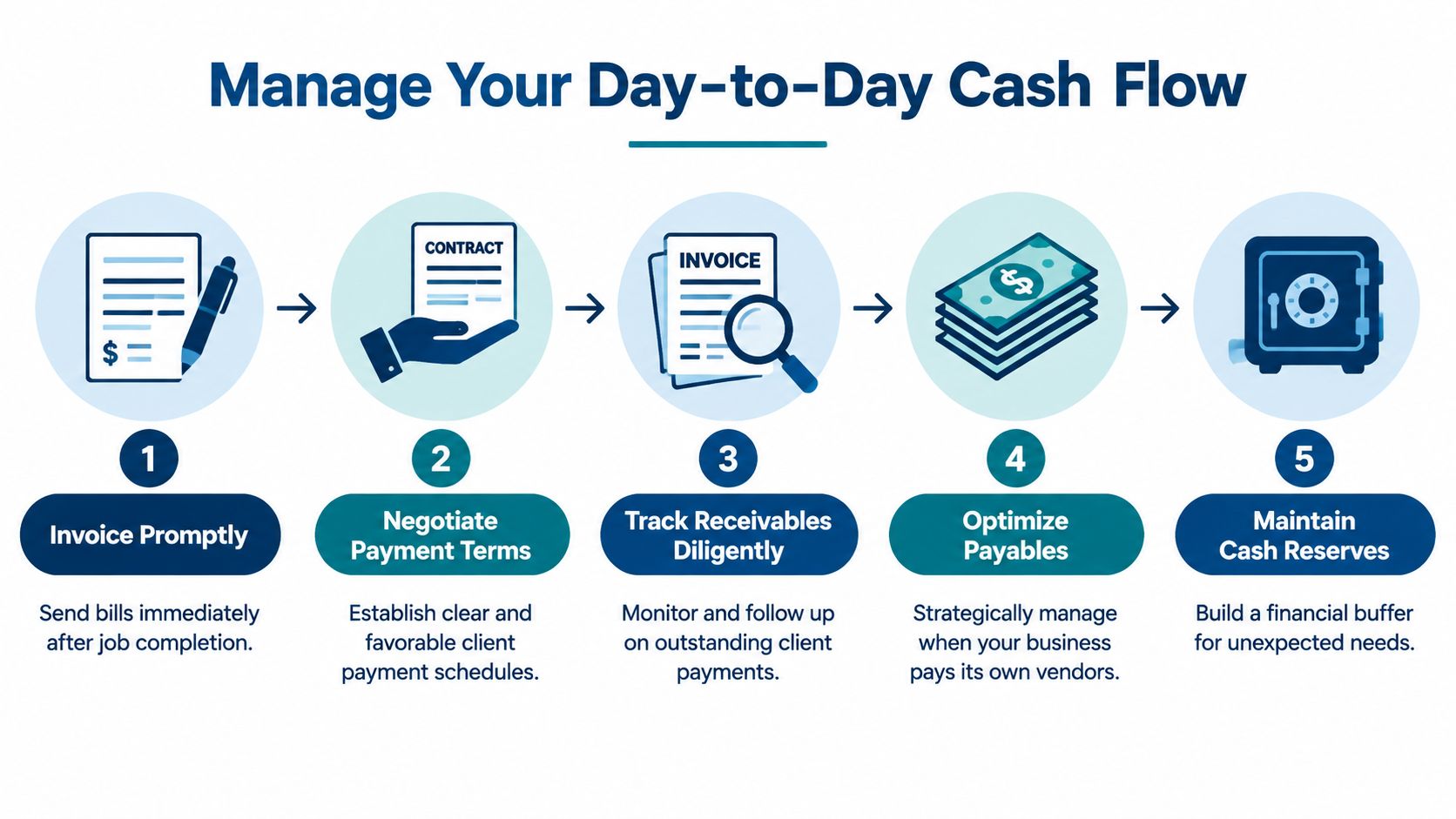
Manage Your Day to Day Cash Flow
Profit on paper doesn't pay a supplier. Cash in the bank pays the supplier. A trade business can have strong work booked and still struggle if customer invoices go out late or collections don't match the timing of payroll and material purchases.
Waiting until a job is completely finished to bill creates unnecessary pressure. The contractor funds the work, the customer receives the benefit, and the invoice arrives only after the largest costs have already been paid.
Bill around completed work
Progress billing links invoices to visible milestones. A schedule might use deposits, material delivery, rough-in completion, installation, inspection, or final completion, depending on the contract and local practice. The important point is to define the trigger before work begins and make sure the customer understands what documentation supports the bill.
Send the invoice as soon as the agreed milestone is reached. Don't let completed work sit in an inbox while the crew moves to another site. Owners should review open invoices regularly and assign responsibility for follow-up.
For a more detailed planning process, use a construction cash flow forecasting resource to map expected receipts against payroll, supplier bills, loan payments, and other obligations.
Treat retainage as a separate receivable
Retainage, sometimes called holdback, is money the customer withholds until a later project condition is met. It shouldn't disappear from your records just because it isn't available in the operating account.
Record the billed amount, the cash received, and the retainage receivable separately. Track the release condition and expected collection date in the job file. During each close, review outstanding retainage by customer and project. A completed job with uncollected retainage can make the aging report look healthier than the cash position really is.
Control payroll and subcontractor payments
Payroll needs a predictable rhythm. Before each payroll run, compare approved time sheets with job assignments, then check whether unusual hours or missing codes need correction. This protects job profitability and reduces cleanup later.
Subcontractor payments need their own process. Keep signed agreements, invoices, approval records, insurance documentation, and payment details together. Don't treat every worker as a subcontractor because that classification feels easier. Worker classification can carry tax and legal consequences, so consult a qualified tax professional when the facts aren't clear.
A basic payment checklist should include:
- Confirm the payee: Use the correct legal name and payment details.
- Match the invoice: Tie the bill to the contract, purchase order, or approved change.
- Assign the job: Code the cost before payment, not after the project closes.
- Review duplicates: Check whether the same invoice was entered or paid already.
- Prepare year-end records: Keep the information needed for required contractor reporting.
The best cash process balances speed with control. Pay vendors according to agreed terms, collect customer invoices promptly, and keep a rolling view of what is due rather than relying on the bank balance alone.
Turn Your Numbers Into Smart Decisions
Once transactions have job codes and dates, the reports become useful for decisions. The owner's job isn't to memorize accounting terms. It's to ask a few direct questions and act on the answers.
What did each job really earn?
Calculate job gross profit by subtracting direct labor, materials, subcontractors, rentals, and other assigned costs from job revenue. Compare the result with the estimate. A job that finished below its expected profit may point to underpriced labor, waste, missed change orders, or weak purchasing control.
Review the result by type of work. A service call may produce a different cost pattern from a full remodel. The comparison can help you decide which work to pursue, which work to price differently, and where a project manager needs support.
What does each employee really cost?
Labor burden is the full employment cost beyond the wage shown on the time sheet. Include employer payroll costs, benefits, paid nonproductive time, and other payroll-related expenses that belong in your internal calculation. Divide that total by productive job hours to get a more useful hourly cost.
This number helps with pricing and scheduling. Using only the wage rate can make a bid look profitable when the actual cost of putting a worker on site is higher.
How long does cash stay tied up?
The cash conversion cycle asks how long money remains committed between paying for inputs and collecting from the customer. Review supplier payment timing, work-in-progress, invoice dates, customer terms, and actual collection behavior.
A project can have a healthy margin and still create a cash problem if materials and payroll are paid well before customer receipts arrive. Use a simple spreadsheet with opening cash, expected customer receipts, payroll, supplier payments, taxes, debt payments, and closing cash. Update it when a job changes, not only at month-end.
Are equipment costs visible?
A new truck, excavator, or specialized tool affects more than the bank account. Record the asset correctly, track any related loan, and account for depreciation under the method your tax and accounting professionals approve. Your internal reports should also show equipment use by job where that cost is meaningful.
The best forecast uses real commitments. Include signed work, approved purchases, known payroll, scheduled debt payments, and realistic collection dates. Don't count unsigned opportunities as cash. Don't ignore costs because they haven't been paid yet.
Find the Right Tools and Partners
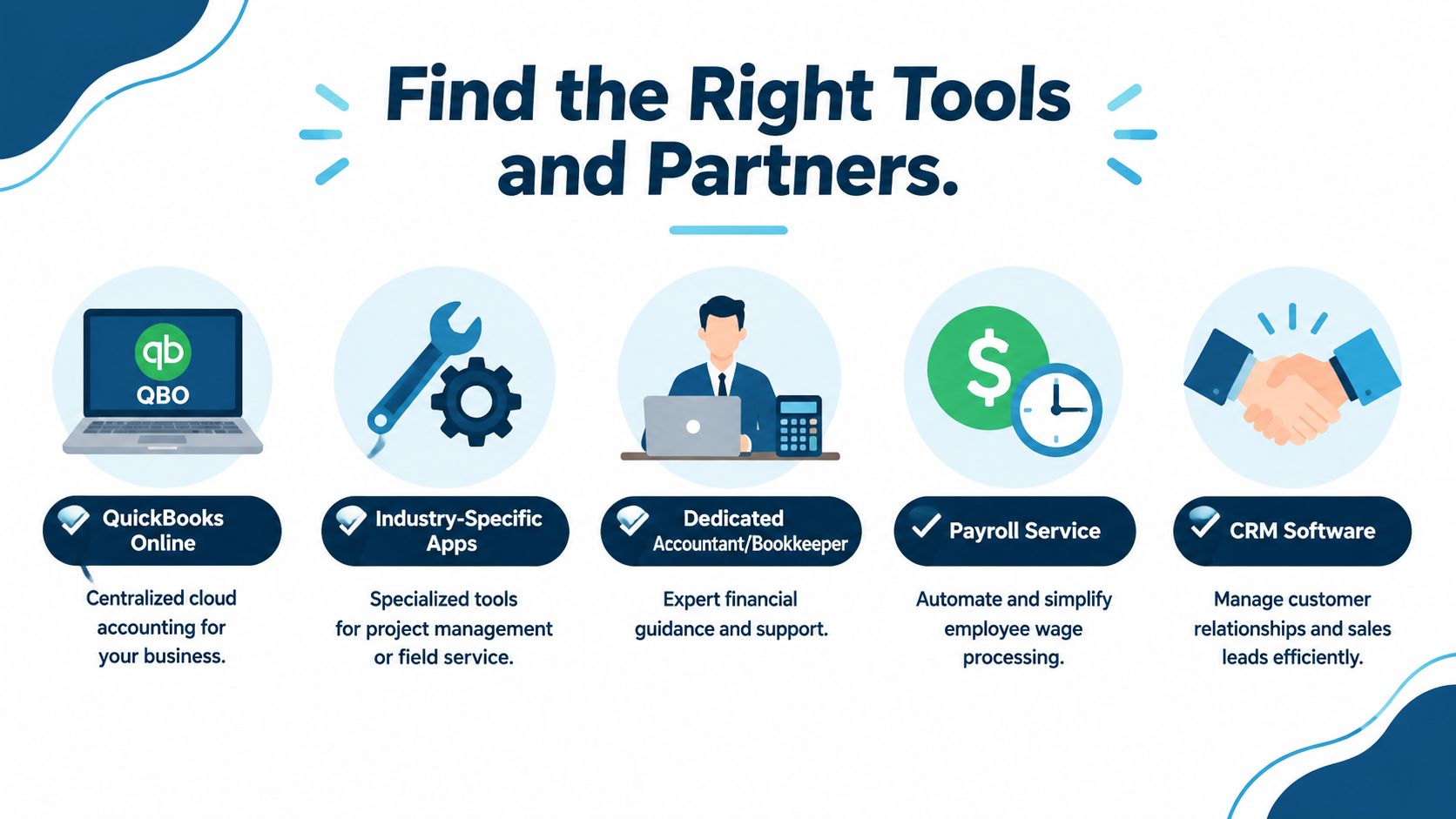
Paper records can work at a very small scale, but they become fragile when jobs, crews, suppliers, and change orders multiply. QuickBooks Online can serve as the central accounting system, while field-service, estimating, time-tracking, project-management, and customer relationship management tools provide information from the worksite.
The connection between systems matters more than the number of subscriptions. A field app that captures hours is useful only when those hours reach payroll and job costing. An estimating tool helps only when approved work and changes flow into invoicing. A payroll service reduces manual entry, but someone still needs to review the coding.
Use this bookkeeping software guide for contractors to compare the functions your business needs before choosing a setup.
Software won't interpret a bad process
Automation can import transactions and reduce data entry. It can't decide whether a supplier bill belongs to a specific job, whether a change order is approved, or whether a margin problem comes from pricing or production.
That's where an outsourced bookkeeping and advisory partner can help. MyOfficeOps provides bookkeeping, accounting, payroll integration, financial reporting, forecasting, KPI analysis, and CFO-level advisory for small and midsize businesses, including construction and trades companies. The value comes from keeping records current and helping the owner use them.
A clean onboarding process should include:
- Discovery call: Explain your services, jobs, staff, systems, and current reporting problems.
- Custom plan: Define the accounts, job codes, payroll workflow, close schedule, and reports.
- Secure access: Connect bank, credit, payroll, accounting, and field systems safely.
- Reporting rhythm: Set regular deadlines for reconciliations, job reviews, cash forecasts, and owner meetings.
You don't need a complicated finance department to improve accounting for trades. You need accurate coding, timely records, job-level reporting, and someone who can turn the results into a decision before the cash or margin problem grows.
MyOfficeOps can organize your bookkeeping, integrate payroll, build job profitability reports, and create cash-flow forecasts that match how your trade business operates. Visit MyOfficeOps to schedule a discovery call and discuss a practical accounting system for your jobs, crews, and cash.