
Every Friday afternoon, the owner of a mid-sized services firm opens QuickBooks and starts typing payroll totals by hand. Then she compares revenue from the CRM, finds that closed deals don't match the invoices, and spends another hour tracing duplicate customers and missing project codes. The tools work. The business process around them doesn't.
That's the problem with accounting software integration. Connecting two systems is usually easier than getting people, data, approvals, and accounting rules to agree. A reliable integration starts with discovery, clear ownership, clean records, and controlled testing. The technical connection comes after those decisions.
Why Most Accounting Software Integration Projects Stall
The owner's problem was buying separate tools that each made sense on their own. Payroll calculated wages, the CRM tracked sales, and QuickBooks held the books. Nobody documented which system controlled customers, revenue dates, departments, or payroll liabilities.
That gap created work every week. The bookkeeper retyped payroll totals, the sales manager corrected customer names, and the owner treated Friday reconciliation as part of running the business. The project stalled because staff treated integration as a small technical task that someone could handle between other jobs. The work required decisions about ownership, definitions, approvals, and accountability.
The same pattern appears across smaller firms. A major SMB survey found that 92% of SMBs had at least some integration between financial applications, but only 41% said all or most applications were integrated, while 51% had only partial integration. The survey also found that 61% still relied on manual data entry through Excel or batch file uploads, compared with 45% using custom code, 29% using third-party integration tools, and 17% using pre-built vendor integrations (SMB financial management survey).
The stall points I see most often
- Nobody writes down the workflow. Staff know what they do, but the business has not recorded when an invoice becomes revenue, who approves expenses, or how payroll gets coded.
- Systems use different definitions. One application calls a customer “active,” while another calls the same record “open.” A CRM may track a project by salesperson, while accounting needs a class, department, or job code.
- Cleanup gets pushed aside. Duplicate customers, old accounts, inactive products, and inconsistent tax codes remain until the new sync spreads the mess across every connected system.
- The wrong person owns the project. An IT vendor can configure access, but finance must decide what the numbers mean. Assigning the work to whoever has spare time guarantees slow decisions.
- Security arrives late. A connector may need permission to create journal entries or read payroll data. Starting the security review after configuration can delay launch.
Practical rule: Treat integration as an organizational change project first and a technical wiring project second.
A historical comparison makes the shift clear. In a 2017 U.S. survey, 18% of SMBs weren't using accounting software, only 21% had integrated accounting software with invoicing and payments, and 27% had no near-term plan to streamline payments integration (CPA Practice Advisor). Adoption has moved forward, but partial integration still leaves owners doing work the software should handle.
Even specialized organizations face the same design gap. A church or nonprofit managing restricted funds may need a different account structure and approval path than a standard business. Guidance on accounting for multi-fund congregations helps when several funds, ministries, or programs must remain distinct in the books. That example reinforces the broader lesson: industry rules belong in the process design before anyone connects an application.
Planning the Integration Before You Touch Any Software
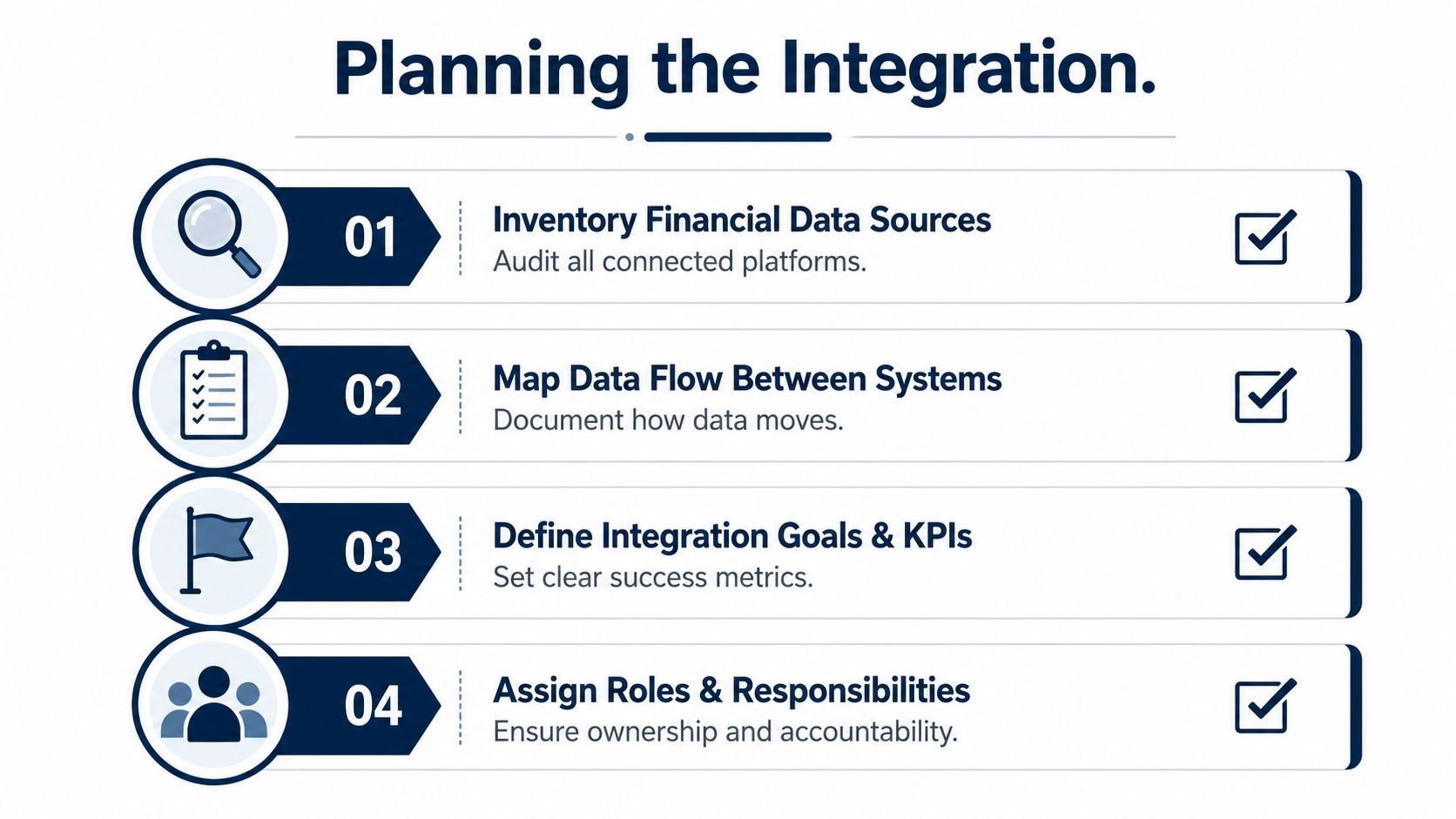
A payroll system may calculate wages correctly while the ledger uses the wrong departments. A CRM may mark a customer as active while billing still sends invoices to an outdated account. These failures come from unclear ownership and business rules, so plan the organization's decisions before configuring any connection.
Start by listing every system that creates, changes, or receives financial data. Include payroll, CRM, e-commerce, expense management, bank feeds, time tracking, project software, payment processors, and spreadsheets used for important calculations.
Record the owner of each system and the data it controls. Payroll may own employee wages and tax calculations, the CRM may own customer status, and the accounting system may own the chart of accounts and posted journal entries. If two systems appear to control the same field, assign one source of truth before building anything.
The practical sequence in NetSuite finance integration guidance is sound: map systems and data flows, define success measures, involve the people who approve financial processes, then schedule cleanup and testing. Treat its example of reducing accounting close time by 50% as a planning benchmark, not a promised outcome.
Decide what success means
Set targets around business results. Track reconciliation time, manual journal entries, close-day count, unmatched transactions, and corrections made after posting. Record each measure before the project starts, or the team will have no reliable baseline.
Assign one accountable owner, usually the controller, bookkeeper, or operations lead. A technical vendor can build the connection, but the finance owner must approve field definitions, posting rules, and exception handling. Give that person authority to pause the rollout when totals fail to match.
Schedule cleanup before configuration begins. The guidance above calls out data cleanup and testing, and customer records, account codes, and historical transactions often need focused attention. Set aside at least two weeks when that work is substantial. Confirm which spreadsheet is current before anyone imports its contents.
Use a written readiness checklist
- Stakeholder interviews: Speak with the controller, payroll lead, and the person who owns month-end close.
- System inventory: Record platforms, owners, data objects, credentials, and current export or import methods.
- Written scope: State which data moves, in which direction, how often, and who approves exceptions.
- Success measures: Set targets for reconciliation effort, manual entries, close timing, and error resolution.
- Cleanup plan: Assign owners to duplicate records, inactive accounts, tax codes, and missing dimensions.
- Timeline buffer: Add time for security review, testing, vendor questions, and staff training.
Use this overview of integrated accounting solutions to compare planning considerations before selecting a workflow. Connect the processes that remove the greatest risk and repeated work first, then expand after the initial results reconcile.
Choosing the Right Connection Method
The connection method should match how your business works. A native connector comes from the software vendors and usually handles a defined workflow between their products. Middleware, such as Zapier, Make, or Workato, moves data through configurable rules. A direct API build gives a developer control over the connection, validation, and business logic.
Each method has tradeoffs that depend on transaction volume, team size, and process complexity. A native connector may cover a stable payroll-to-ledger flow. Middleware fits a small team that needs CRM data to trigger notifications or approvals. A direct API becomes reasonable when transaction volume, complex mapping, or two-way updates exceed what a pre-built tool can safely support.
Compare the tradeoffs
| Factor | Native Connector | Middleware, such as Zapier, Make, Workato | Direct API Build |
|---|---|---|---|
| Cost range | Usually the lowest starting cost, though the vendor may charge for the feature | Subscription and possible per-task or per-record fees | Highest upfront cost because development and testing are required |
| Implementation time | Fast when the exact workflow is supported | Fast for simple workflows, slower as rules grow | Longer, because the business rules must be designed and built |
| Maintenance effort | Low until a vendor changes the connector or supported fields | Moderate, with workflow monitoring and platform changes | Ongoing responsibility for authentication, errors, updates, and support |
| Customization depth | Limited to the vendor's available settings | Moderate, with filters and transformations | Deep, including custom logic, validation, and exception handling |
| Ideal company profile | Small or midsize company with a standard, stable process | Small team needing flexible automation without a development project | Higher-volume or more complex business with technical support |
Choose native when the workflow is simple, stable, and fully supported. Middleware suits teams that need flexibility without commissioning a development project. Direct API work earns its place when the business has complicated account mapping, large transaction flows, or strict control over validation and retry behavior.
Review the downside before approving any option. Native connectors can create vendor lock-in and may fail when an application changes its fields. Middleware can add per-record fees, another login, and another point of failure. A direct build provides control while creating upgrade risk and a continuing maintenance obligation.
Real estate teams often need several applications to share contacts, listings, leads, and transaction details. A resource covering integrations for agents and teams can help owners check whether a CRM's existing connections support the actual workflow, rather than relying on a list of compatible app names.
If you can describe the workflow in one sentence and it stays stable, choose native. If the workflow changes each quarter, choose middleware or an API for greater flexibility.
For payroll, confirm the connector's scope before signing off. A one-way sync can send payroll journal entries into the ledger, while a two-way setup can also send employee, department, or job information back to payroll. Review this payroll integration overview to clarify the direction of data and the responsibilities assigned to each system.
Mapping Data So the Numbers Actually Match
Most failed accounting software integration projects don't fail at the connection screen. They fail when one system sends a valid value that means something different in the other system.
Start with three groups. Customers and vendors must use stable identifiers, not just names. Items and SKUs need consistent descriptions, units, tax treatment, and revenue or expense categories. Chart of accounts codes must map to the correct general ledger accounts, classes, departments, locations, jobs, or funds.
A CRM might contain “Acme Consulting LLC,” while QuickBooks contains “Acme Consulting.” If the connector matches on names, it may create a duplicate. If a product system uses “Implementation” and the ledger maps that item to “Software Revenue,” the books may be technically complete but financially wrong.
Put payroll in the right place
Payroll journals should normally separate gross wages, employer taxes, deductions, and benefit liabilities. The goal is to make the general ledger match the totals calculated by the payroll system, not to make the accounting team type those totals again. Payroll integration guidance recommends mapping expense categories to the right accounts, running a parallel test for a full payroll cycle, and reconciling payroll registers to the ledger each month (payroll bookkeeping integration checklist).
Consider a 15-person professional services firm with two cost centers, consulting and administration. The payroll system may hold each employee's department, while the accounting system needs salary expense split between the two cost centers. The mapping must decide where wages, employer taxes, and benefits land. If an employee works across both groups, the company needs a documented allocation rule instead of a guess made during close.
| Payroll Source Field | Accounting Target Account | Notes |
|---|---|---|
| Gross wages | Salary and wage expense by cost center | Use department or job dimensions where available |
| Employer payroll taxes | Employer tax expense | Keep separate from employee withholdings |
| Employee tax withholding | Payroll tax liability | This is a liability, not an expense |
| Benefit deduction | Benefit liability or clearing account | Match the payroll provider's settlement process |
| Employer benefit contribution | Benefits expense and liability | Confirm the account treatment with the accountant |
| Payroll date | Posting date or payroll period date | Document whether the ledger follows payment or accrual timing |
Dates create another common break. The CRM may record a deal close date, the invoicing tool may use invoice date, and accounting may recognize revenue based on delivery or service period. Don't force one date into every system just because it makes the mapping easier.
Tax codes and currencies need the same care. A tax code can look identical across platforms while producing a different treatment. Currency rounding can create small differences that become hard to trace across many transactions. When two systems disagree, document which system controls the final accounting result and why.
Keep the mapping in a shared sheet with field names, source values, target values, transformation rules, owner, and approval date. Future audits and new hires shouldn't depend on the memory of the person who built the first sync.
Security, Compliance, and Accounting Standards to Respect
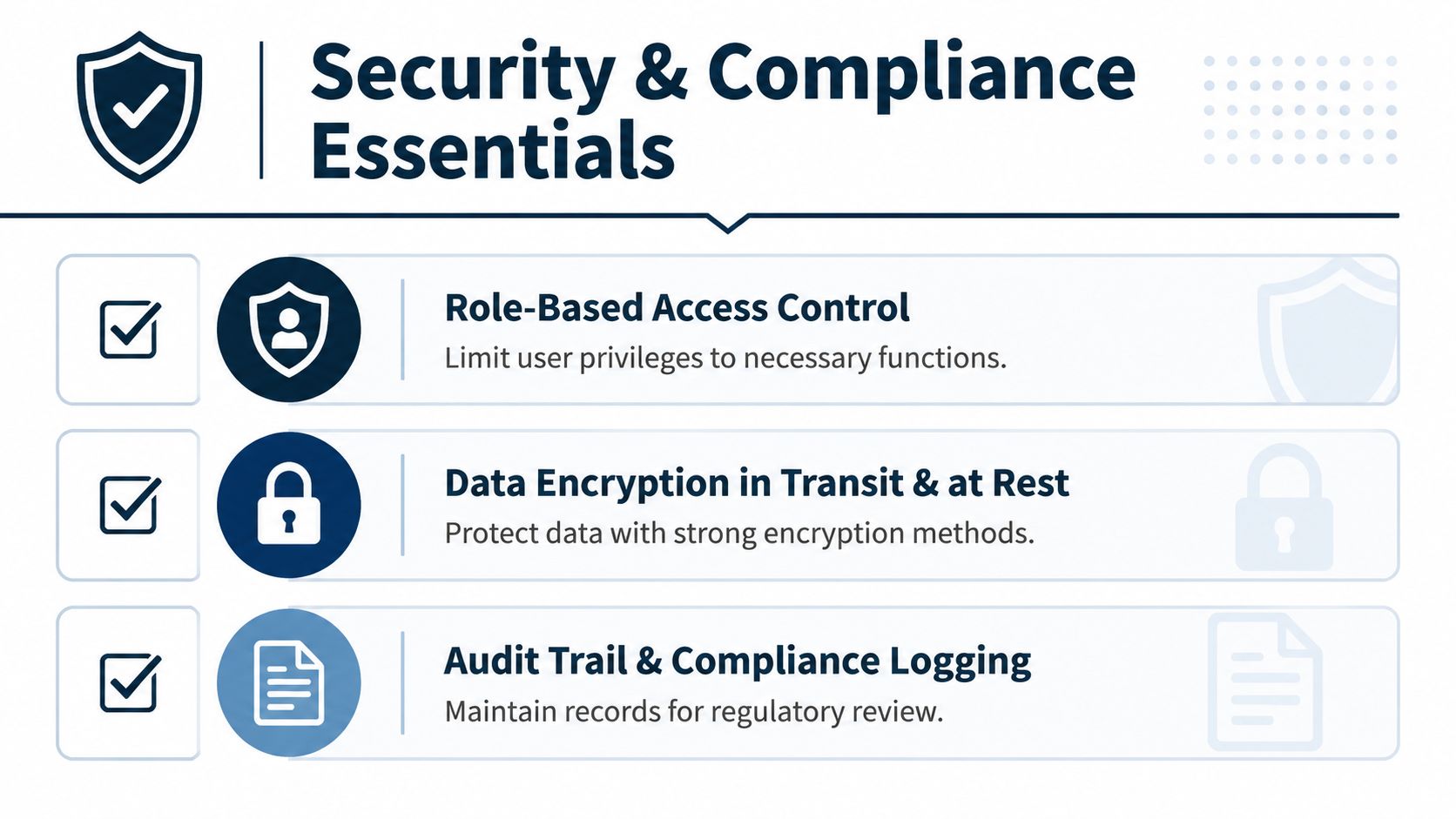
Once systems exchange financial data automatically, security becomes part of the accounting control environment. Give each user and connector only the access required for its job. Limit API keys to the smallest useful scope, use IP allowlists when available, and rotate credentials on a fixed schedule.
A payroll connector should not be able to change the chart of accounts. A CRM connector that sends approved invoices may need permission to create or update invoices, but it should not receive unrestricted journal-entry access. If a connector can post entries, add approval and timing rules. Blocking automated write-backs outside business hours can prevent an unexpected batch from changing the ledger overnight without review.
Accounting rules still control the result
Revenue timing is governed by standards, not by the integration. ASC 606 in the United States and IFRS 15 in many other countries govern revenue recognition. If a CRM pushes a closed deal into accounting, the accounting team must still decide whether the revenue is earned, deferred, or recognized over the service period.
Foreign currency requires separate review. ASC 830 and IAS 21 affect how exchange rates apply to transactions and balances. A connector that copies the transaction currency without applying the correct rate or account treatment can produce a clean-looking but incorrect result. Accounts receivable also falls under standards including ASC 310 and IFRS 9. See this reference on accounting standards and integrations for related implementation considerations.
Industry rules can add another layer. SOC 2 matters when a technology provider handles access, logs, or financial data. HIPAA matters when a healthcare workflow includes protected health information. Neither certification replaces your own controls, and neither confirms that a journal entry is mapped correctly.
Verify these controls before live sync
- Permissions: Confirm each connector can read or write only the required objects.
- Encryption: Check that data is encrypted in transit and at rest where the provider stores it.
- Credential rotation: Record who rotates credentials and when.
- Audit trails: Confirm every automated sync records the time, user or connector, transaction, and result.
- Exception alerts: Route failed syncs to a named owner instead of a shared inbox nobody checks.
- Recovery: Document how to pause the connector, correct a transaction, and rerun it safely.
Review data privacy and compliance requirements alongside access, retention, and incident-response procedures. A control that exists only in a vendor questionnaire will not protect the books during a failed sync or unauthorized change.
Testing, Validation, and Going Live Without Surprises
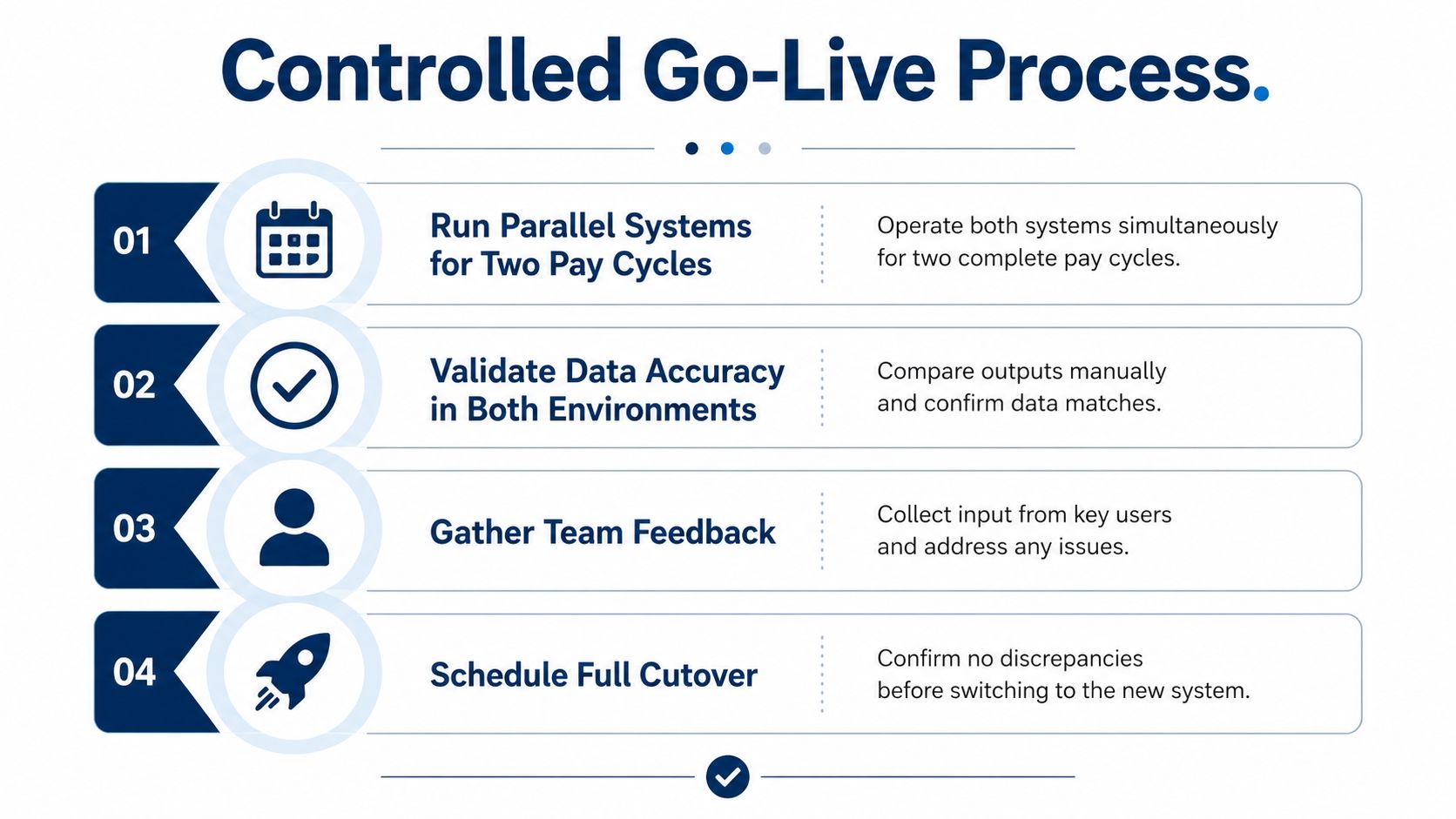
Going live should be a controlled handoff with parallel testing and documented rollback steps. Start in a sandbox whenever the platforms provide one. Use mock data that resembles real customers, departments, products, tax codes, currencies, and transaction volume. A clean test with three records proves very little.
Run the manual process beside the automated sync for at least two pay cycles or one full close, depending on the workflow. Compare totals down to the cent. For payroll, reconcile the payroll register, journal entry, bank withdrawal, tax liabilities, and benefit liabilities. For sales, compare CRM deals, invoices, payments, credits, and revenue accounts.
Check the balances that expose hidden errors
- Opening balances: Confirm the starting ledger agrees with the source system.
- Period-end accruals: Check that earned costs and revenue land in the right period.
- Intercompany eliminations: Test entities separately and together if the company uses more than one entity.
- Tax liabilities: Match payroll and sales tax totals to the supporting reports.
- Duplicates: Search for repeated customers, invoices, payments, and journal entries.
- Dimensions: Confirm departments, classes, locations, jobs, and funds survive the transfer.
Set a tolerance before testing begins. If the finance owner requires every unexplained difference to stop the rollout, the team will not debate whether a mismatch is “close enough” after launch. Write the rollback plan in operational terms. Name who pauses the sync, how incorrect entries are reversed, and how staff resume the old process.
Require written approval at each phase. Finance should approve the accounting result, while a department lead confirms that the operational workflow still works. A status showing “integration ran successfully” is not enough. The records must reconcile, and staff must know how to handle exceptions.
Deployment checklist
- Name owners: Assign finance, operations, technical, and vendor contacts.
- Set dates: Record testing windows, approval deadlines, cutover time, and rollback time.
- Freeze changes: Avoid changing account structures or workflows during final comparison.
- Train staff: Show people how to review sync status, correct source data, and escalate failures.
- Monitor daily: Review errors, duplicates, unmatched items, and unusual posting patterns.
- Review after 30 days: Compare the original success measures with actual results and correct drift.
ERP projects carry serious execution risk. One research summary reports that about 50% of ERP implementation projects fail the first time, 64% go over budget, and 30% take longer than expected. It identifies data quality at 44% and data integration at 41% as leading problem areas, followed by configuration issues at 37% and internal resistance to change at 36% (ERP implementation risks). The practical lesson is clear: test the accounting results, prepare staff for exceptions, and give the owner authority to stop the rollout when the evidence does not match.
Industry Examples, ROI, and Where MyOfficeOps Helps
The right integration depends on how a business earns money, pays people, and measures work. A consulting firm, dental practice, and contractor can all use QuickBooks, but they don't need the same data flow.
The examples below are planning scenarios, not reported client case studies. The ROI column shows the right kind of measure to track, not a guaranteed result.
Professional services
A 12-person consulting firm might connect QuickBooks Online to a professional services automation tool and payroll. The PSA system can hold projects, time, billing status, and cost centers. Payroll can send a journal entry split between consulting teams and administration, while approved billing data moves into QuickBooks.
The firm should track manual payroll entries, time spent reconciling project revenue, invoice turnaround, and corrections after month-end. Its main risk is mapping employee departments and project codes correctly. If the PSA system says a consultant belongs to one project and payroll says another cost center, the finance owner needs a rule for which field controls the posting.
Dental healthcare
A four-provider dental practice may connect its practice management system to accrual-basis books. The difficult part isn't posting deposits. It's handling production, collections, insurance receivables, co-insurance splits, adjustments, and timing differences between treatment and payment.
The practice should measure the time needed to reconcile daily deposits, unmatched insurance balances, aging accuracy, and the number of manual corrections. HIPAA controls may apply if protected health information travels through the integration, so the practice must keep financial mapping separate from unnecessary patient data.
Residential construction
A residential contractor may link project software, job costing, payroll, and QuickBooks. The accounting team needs labor, materials, subcontractors, change orders, and progress billing to land against the right job and phase.
Track billing-cycle time, unbilled work, job-cost corrections, and the difference between estimated and actual costs. The common failure is ignoring job dimensions during setup. A connector can post every invoice successfully while still making project profitability impossible to trust.
| Industry | Systems Connected | Time-to-Value | Quantified ROI | Biggest Pitfall |
|---|---|---|---|---|
| Professional services | QuickBooks Online, PSA, payroll | Measure after parallel payroll and close testing | Hours reclaimed from payroll and project reconciliation | Conflicting employee, project, and cost-center codes |
| Dental healthcare | Practice management, payroll, accrual accounting | Measure after deposit and insurance reconciliation testing | Fewer manual adjustments and faster receivables review | Mishandled co-insurance and privacy controls |
| Residential construction | Project software, job costing, payroll, QuickBooks | Measure after a complete billing cycle | Reclaimed billing time and fewer job-cost corrections | Missing job, phase, and change-order dimensions |
Across all three, the same mistakes return. Owners underestimate cleanup, ignore multi-entity or job-class dimensions, and treat go-live as the finish line. The businesses that get lasting value monitor failed syncs, review reconciliation reports, and update mappings when the operation changes.
MyOfficeOps offers bookkeeping, payroll integration, financial reporting, and advisory support for small and midsize businesses. In practice, that can include discovery, cloud accounting implementation support, payroll posting to the general ledger and chart of accounts, and ongoing review of the numbers after launch. Owners comparing software and workflow options may also find this resource on QuickBooks quote workflow help useful when billing and operational data need to stay aligned.
The ROI case should stay practical. Count hours no longer spent re-keying data, days removed from the close, billing delays avoided, corrections prevented, and management decisions made from current information. Don't claim savings before you establish the baseline. A clean baseline makes the result credible and shows where the next integration should focus.
If your payroll, CRM, project, or practice systems don't agree with your books, MyOfficeOps can map the workflow, support the accounting setup, and help validate the sync before it goes live. Visit MyOfficeOps to schedule a discovery conversation and build an integration plan with clear owners, controls, and measures.