Picking the right accounting software is like hiring a new team member. It's not just a program for crunching numbers; it's the control center for your business's money. It does everything from sending bills and tracking what you spend to running payroll and getting ready for tax season. When you get it right, everything is clear and you feel in control. Get it wrong, and you’re stuck with annoying extra steps and messy records.
This guide is here to help you cut through the confusion. We've put together a list of the top accounting tools to help you find the best accounting software for your small business. We’ll skip the fancy marketing talk and give you an honest look at what each one really does. Whether you run a marketing agency in Philadelphia, a healthcare clinic in West Chester, or a construction company with lots of job sites, the right program for you is on this list.
Inside, you'll find a simple breakdown of each software, including:
- Who it's really for: We'll tell you what kind of business this tool is perfect for.
- What it can do: A simple list of its most important features.
- The good and the bad: What we like, what we don't, and what to look out for.
- Price and connections: How much it costs and if it works with other tools you use.
Each review has pictures and direct links so you can see the software for yourself. Our goal is to give you everything you need to make a good choice without spending hours searching online. While we're focused on tools for U.S. businesses, the basic ideas for picking a good program are the same everywhere. For example, this helpful guide on choosing a guide to accounting software for businesses in other countries has a lot of similar tips. Let's find the perfect money control center for your company.
1. Intuit QuickBooks Online: The One Everyone Uses
If accounting software was a car, QuickBooks Online would be a Honda Civic. It's super popular, almost every accountant knows how to use it, and it works well for pretty much any kind of business. Because so many people use it, QuickBooks has become the go-to choice, making it one of the best accounting software for small business owners who want something that's been tested and trusted.
Its main strength is that it can do almost anything and connects to tons of other apps. You can send invoices, track expenses, manage bills, and get detailed money reports all in one place. It also connects to thousands of banks to automatically pull in your transactions, which makes matching everything up much easier.
Why It Stands Out
QuickBooks' real power is how many other programs it works with. It connects to over 750 apps for things like payroll, customer management, and online stores. This means you can build a system that's perfectly set up for your business. It also means the software can grow with you as your business gets bigger.
Pricing and Onboarding
- Pricing: Plans start at Simple Start ($30/month) for the basics and go up to Advanced ($200/month) for businesses that need more detailed reports and more users.
- Onboarding: The setup walks you through the steps, but all the features can be a lot to take in at first. We often see new users get stuck setting up their accounts and bank rules, which is super important for keeping your records straight.
MyOfficeOps Pro Tip: Spend some time setting up bank rules when you first start. For example, you can make a rule that automatically labels any payment to "Verizon" as a "Utilities: Phone Bill" expense. This will save you from having to do it by hand every month.
Website: quickbooks.intuit.com
2. Xero: The Modern Team Player
If QuickBooks is the old, established giant, Xero is the cool, new kid on the block. It's really popular with businesses that sell services and have growing teams. Xero was built for the internet, and its design is clean and easy to use. Many people find it less scary than QuickBooks. Xero is all about making things simple and easy for teams to work together, making it a great pick for the best accounting software for small business owners who want something that looks good and is easy to use.
It handles all the important stuff like invoicing, matching up bank transactions, and managing expenses. It even has a tool called Hubdoc that lets you take pictures of receipts. The main screen gives you a simple, visual look at how much money you have, which our clients love. For more ideas, we have some extra small business accounting tips that can help you get the most out of it.
Why It Stands Out
Xero's best feature is that you can have unlimited users on every plan. This is a huge deal for businesses with a few partners, a bookkeeper, and an outside accountant. You don't have to pay more every time you add someone to the team. This, plus the fact that it connects to over 1,000 other apps, makes it super flexible.
Pricing and Onboarding
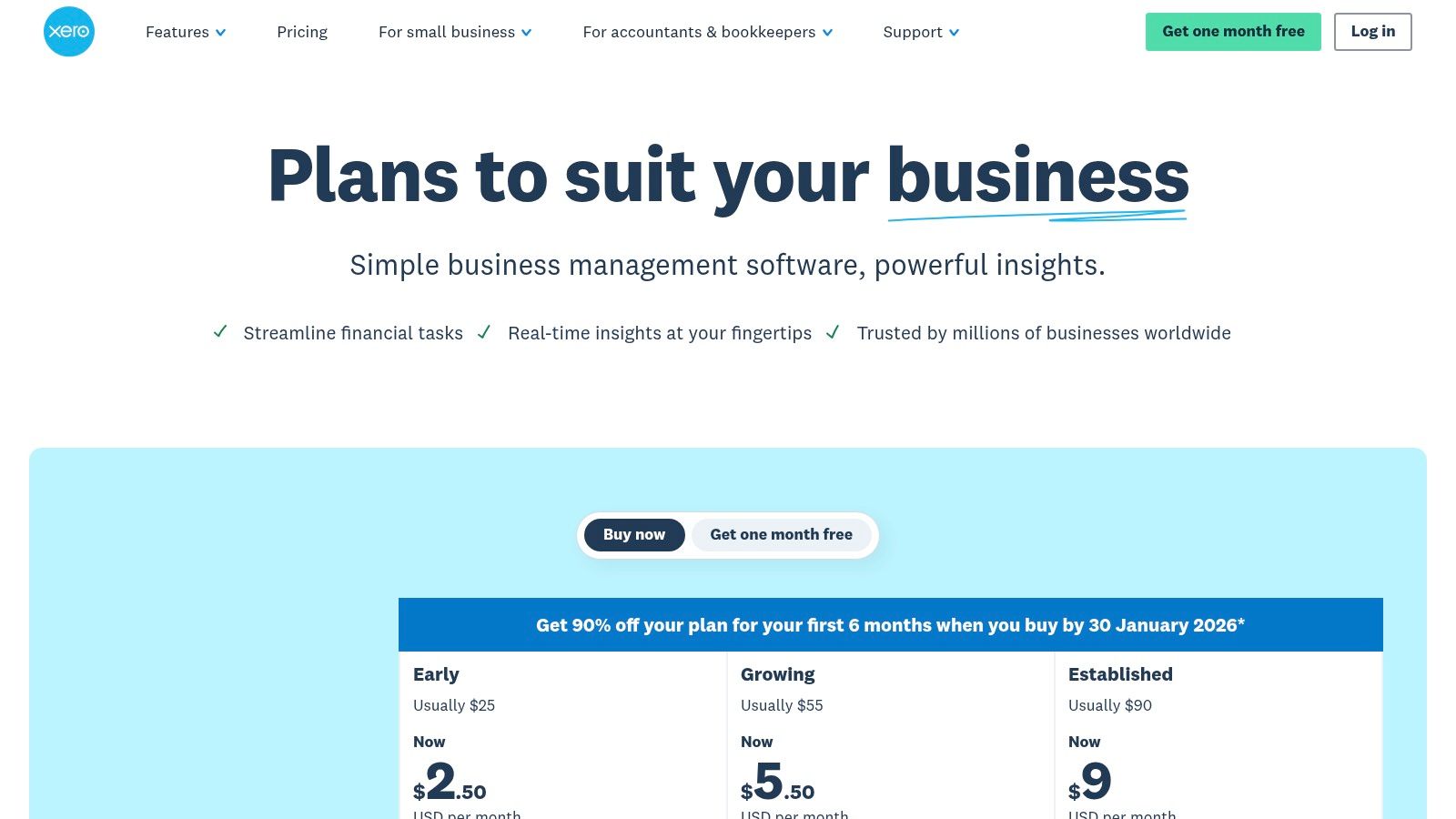
- Pricing: The Early plan is $15/month but has tight limits on how many bills and invoices you can send. The Established plan is $78/month and adds things like handling different currencies and tracking projects.
- Onboarding: It's pretty easy to get started, but sometimes connecting it to your bank can be a bit tricky. We've also found that its automatic suggestions for matching transactions aren't always as smart as QuickBooks.
MyOfficeOps Pro Tip: Use the Hubdoc feature that comes with Xero. You can have your suppliers email bills directly to a special Hubdoc email address. It will read the bill, grab the information, and create a bill for you in Xero. It saves a ton of typing.
Website: www.xero.com
3. FreshBooks: The Best Friend for Service Businesses
If QuickBooks is the family sedan, FreshBooks is a two-seater convertible. It’s made for people who sell their time and skills, like freelancers, consultants, and designers. FreshBooks is really, really good at the things these businesses do all the time: sending invoices, tracking hours, and getting paid. Its simple design makes it one of the best accounting software for small business owners who hate confusing accounting programs.
The whole system is built around working with clients. You can create nice-looking estimates, turn them into invoices with one click, and keep track of conversations with clients all in one spot. It avoids confusing accounting words and focuses on helping you see how much money your projects are making.
Why It Stands Out
FreshBooks is awesome because of its super simple tools for invoicing and time tracking. You can track the hours you work for each client or project, add those hours right to an invoice, and even set up automatic payments. It also sends automatic reminders to clients who haven't paid, which helps you get your money faster. It’s built for regular people, not accountants.
Pricing and Onboarding
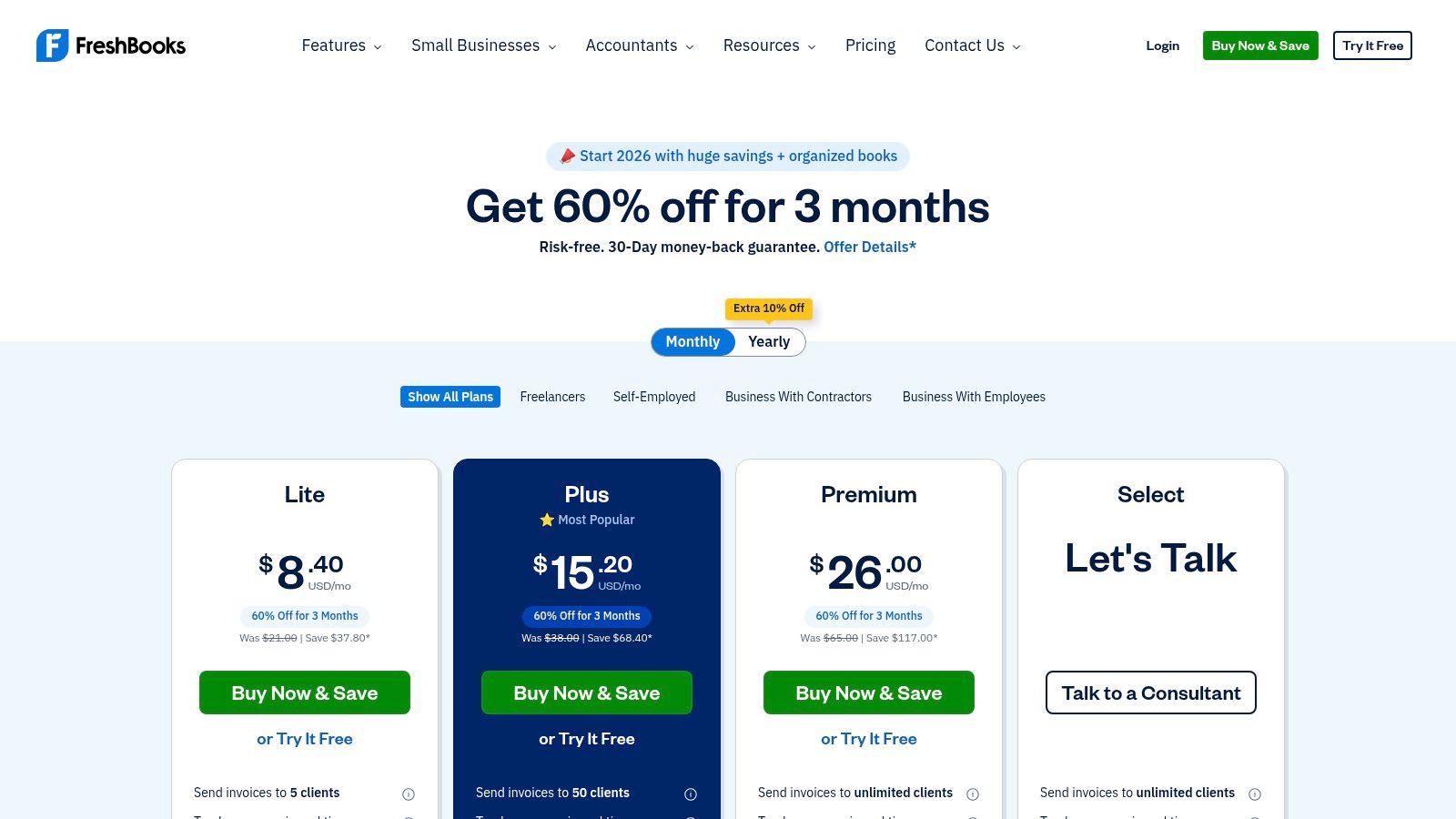
- Pricing: The Lite plan is $19/month and is for people with up to 5 clients. The Premium plan is $60/month and lets you have unlimited clients.
- Onboarding: It's one of the easiest programs to set up. But, as your business gets bigger, you might find that it can't create all the detailed reports you need. That's when some people look for help with outsourced accounting for your small business.
MyOfficeOps Pro Tip: Use the "Projects" feature to see how much money each job makes. You can link your income and expenses to a project to figure out which clients are your best ones.
Website: www.freshbooks.com
4. Zoho Books: The All-in-One Value Choice
Zoho Books is like a toolkit that has way more tools than you expected for the price. It's a great choice for businesses that already use other Zoho apps, like for managing customers or projects. It's a complete accounting program that can do some advanced tricks, like automating tasks, that you usually only find in more expensive software. This makes it one of the best accounting software for small business owners who want to get a lot for their money.
Zoho Books does all the basics well, like invoicing, expense tracking, and matching bank records. It also has extra features like special web pages for your customers and vendors to log into, which is cool. The whole point of the program is to have it do boring, repetitive tasks for you so you can focus on your business.
Why It Stands Out
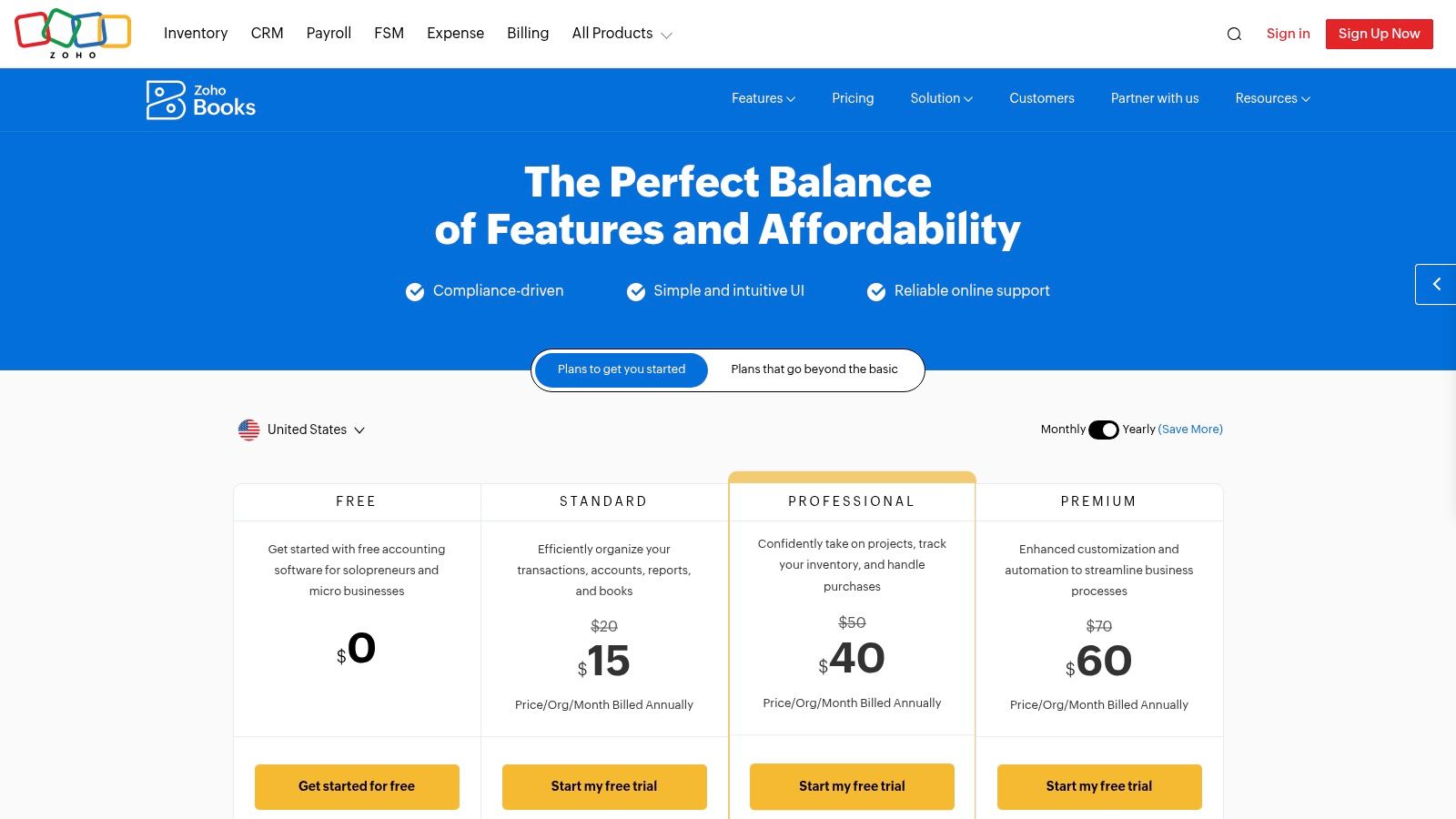
The best thing about Zoho Books is how perfectly it works with all the other Zoho apps. If you use Zoho for everything, it all connects together into one powerful system. It's also really good at automation. You can set up your own rules to handle tasks with multiple steps, like getting an invoice approved. Plus, it has a free plan for U.S. businesses that make less than $50,000 a year.
Pricing and Onboarding
- Pricing: Zoho has a Free plan for small businesses. Paid plans start at Standard ($20/month) and go up to Ultimate ($275/month), which gives you more users and advanced tools.
- Onboarding: The program looks clean and is mostly easy to figure out. But to use its best automation features, you'll need to spend some time learning how they work. Most people can do the basic setup easily but miss out on the cool stuff.
MyOfficeOps Pro Tip: Check out the "Workflow Rules" in the settings. You could set up a rule that automatically emails your project manager every time a new invoice is made for a client. This keeps everyone informed without you having to do anything.
Website: zoho.com/books
5. Sage 50 (Sage 50 Cloud and Desktop): The Heavy-Duty Workhorse
Think of Sage 50 as a big pickup truck. While other software is like a regular car for daily driving, Sage is built for businesses that handle heavy stuff, like lots of inventory or complicated construction jobs. It's a mix of old-school and new-school: it's a program you install on your computer, but it connects to the internet for things like bank updates and remote access.
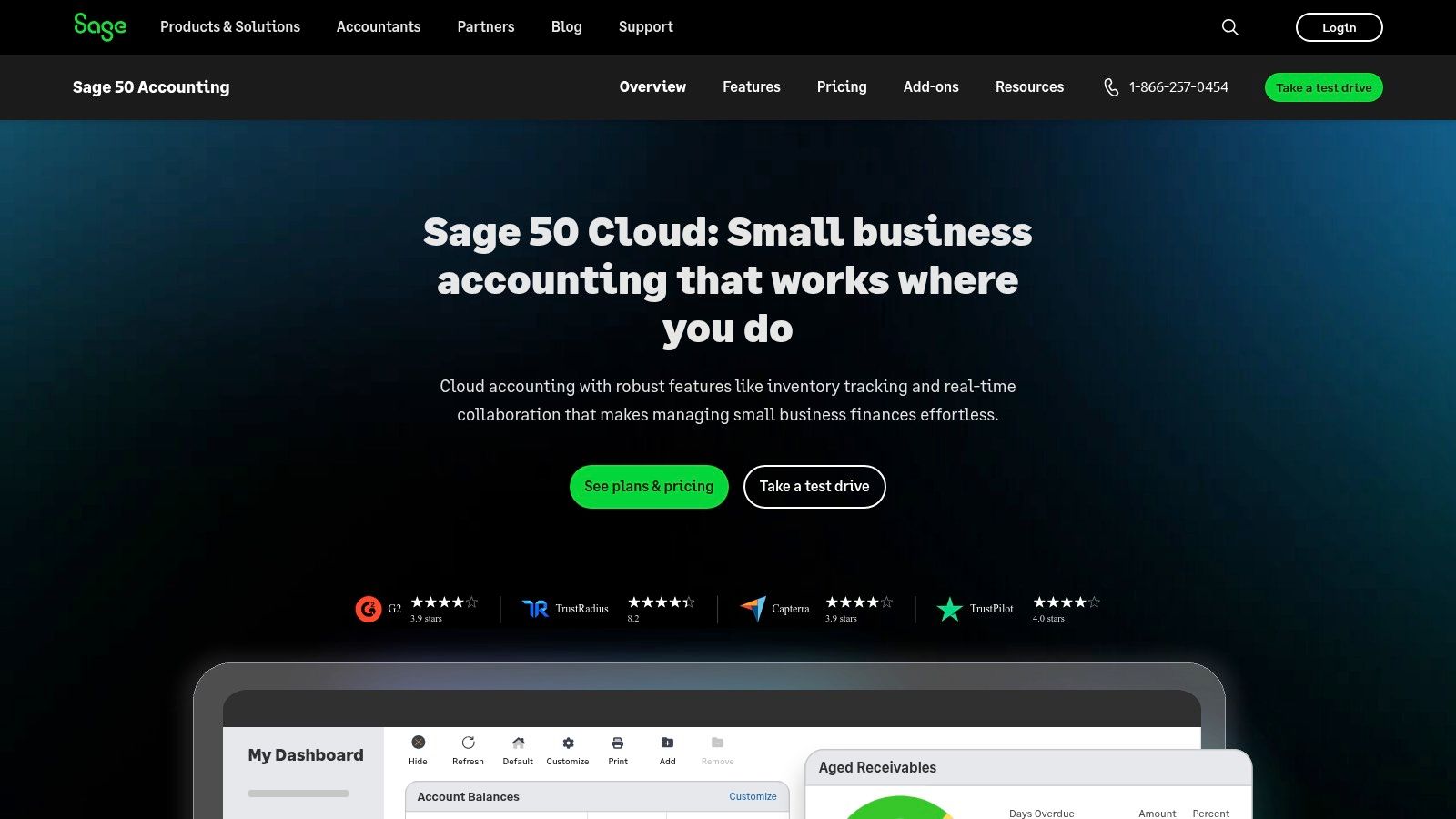
For businesses in construction, wholesale, or manufacturing, Sage 50 is often the best accounting software for small business because it goes deeper. Its tools for managing products are very strong. For example, it can track all the parts needed to build something. Its job costing lets builders track every dollar spent on a project to see if it’s actually making money.
Why It Stands Out
What makes Sage 50 different is that it’s a powerful desktop program with some online features. This gives you more control and more detailed records than you get with purely online software. It's perfect for businesses that have gotten too big for simple tools but aren't ready for a super-complex, expensive system.
Pricing and Onboarding
- Pricing: Plans are paid monthly, starting with Pro Accounting at $58.92/month for one user and going up from there for more advanced features.
- Onboarding: It looks more like older software and can be harder to learn than the newer online tools. Setting up things like inventory or job costing takes careful planning and a good understanding of accounting.
MyOfficeOps Pro Tip: If you're using job costing, come up with a clear numbering system for your projects from the start. For example, you could use a format like
2407-ClientName-001. This will make your reports much cleaner and easier to read later on.
Website: www.sage.com/en-us/products/sage-50-cloud/
6. Wave: The Free Choice for One-Person Shops
Wave is the best free option out there, making it a top pick for the best accounting software for small business owners who are just starting out, like freelancers. The main parts—accounting, invoicing, and receipt scanning—are actually free. Wave makes money from other services you can choose to pay for, like processing credit card payments and running payroll.
This is great for tiny businesses that need to look professional and track their money without paying a monthly fee. If your needs are simple, you can manage your finances without ever paying for a subscription.
Why It Stands Out
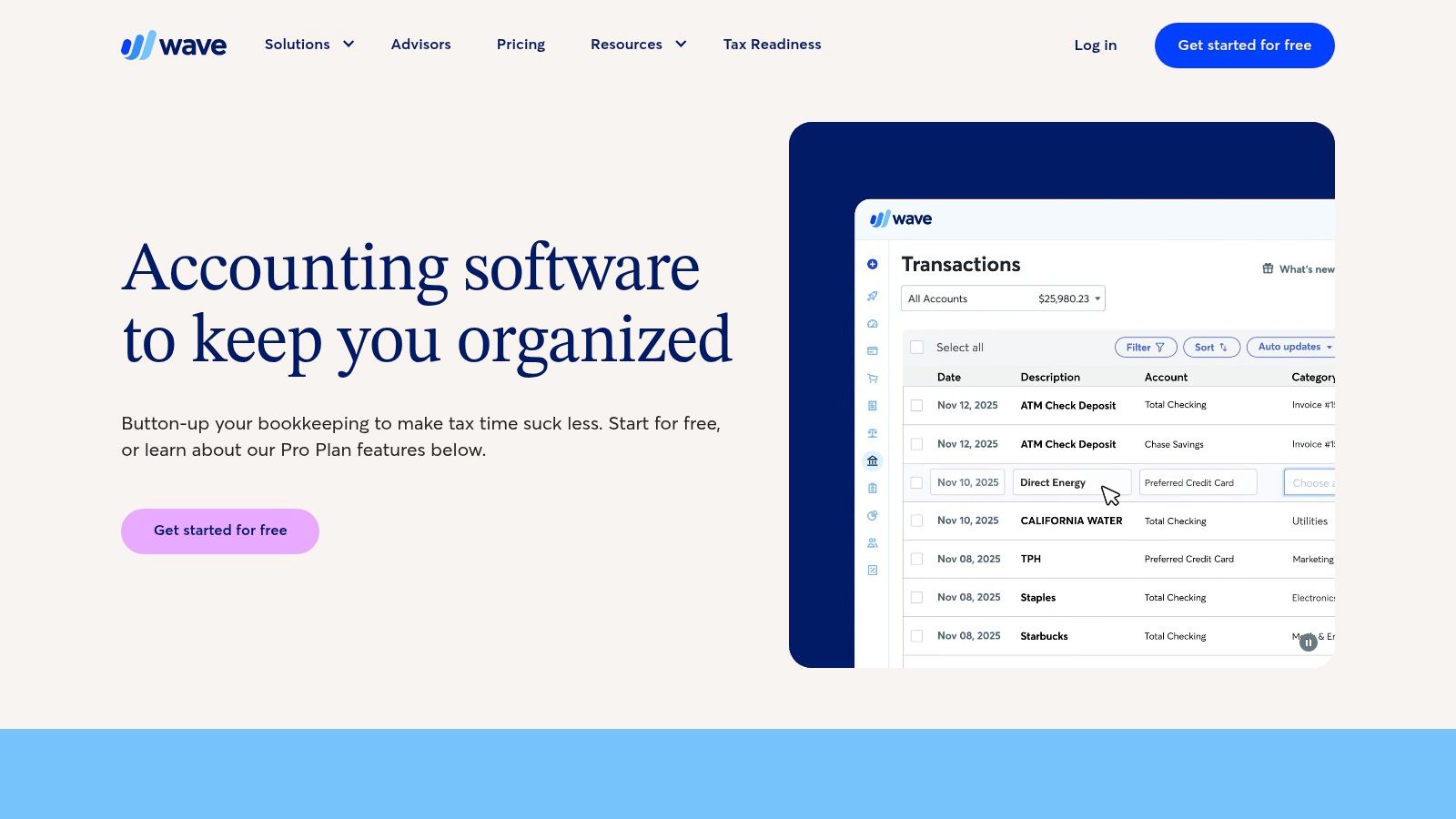
The best thing about Wave is that it costs zero dollars. For a new consultant or freelance artist, being able to send unlimited professional invoices and track money for free is amazing. The program is clean and much simpler than bigger platforms, so it doesn't feel overwhelming.
Pricing and Onboarding
- Pricing: The basic accounting and invoicing are free. A Pro Plan ($16/month) adds automatic bank connections. Payroll and payment processing are extra services you can add.
- Onboarding: It's super easy to get started. You can make and send your first invoice in just a few minutes. The only catch is that with the free version, you have to upload your bank transactions by hand, which can get old if you have a lot of them.
MyOfficeOps Pro Tip: Use Wave to get your business started, but have a plan to switch later. Once you have more than a couple dozen transactions each month, the time you spend uploading them yourself is probably worth more than the cost of a paid tool that does it for you.
Website: waveapps.com
7. Patriot Software: The Simple, All-American Option
Patriot Software is like a friendly, local hardware store. It's based in the U.S., it's easy to understand, and it does the important jobs well without a lot of extra fluff. It was built for American small business owners and offers a clean program that works great with its popular payroll service.
It's great at the basics: making invoices, tracking expenses, and running key financial reports. For businesses that just need solid bookkeeping and a good payroll system that work together, Patriot is one of the best accounting software for small business options because it's a great value.
Why It Stands Out
Patriot's biggest plus is how simple it is and how well it works with Patriot Payroll. If you're already using their payroll, adding their accounting feels natural. The company is also known for its clear, affordable prices and its helpful, U.S.-based customer support team, which is a big relief for owners who aren't money experts.
Pricing and Onboarding
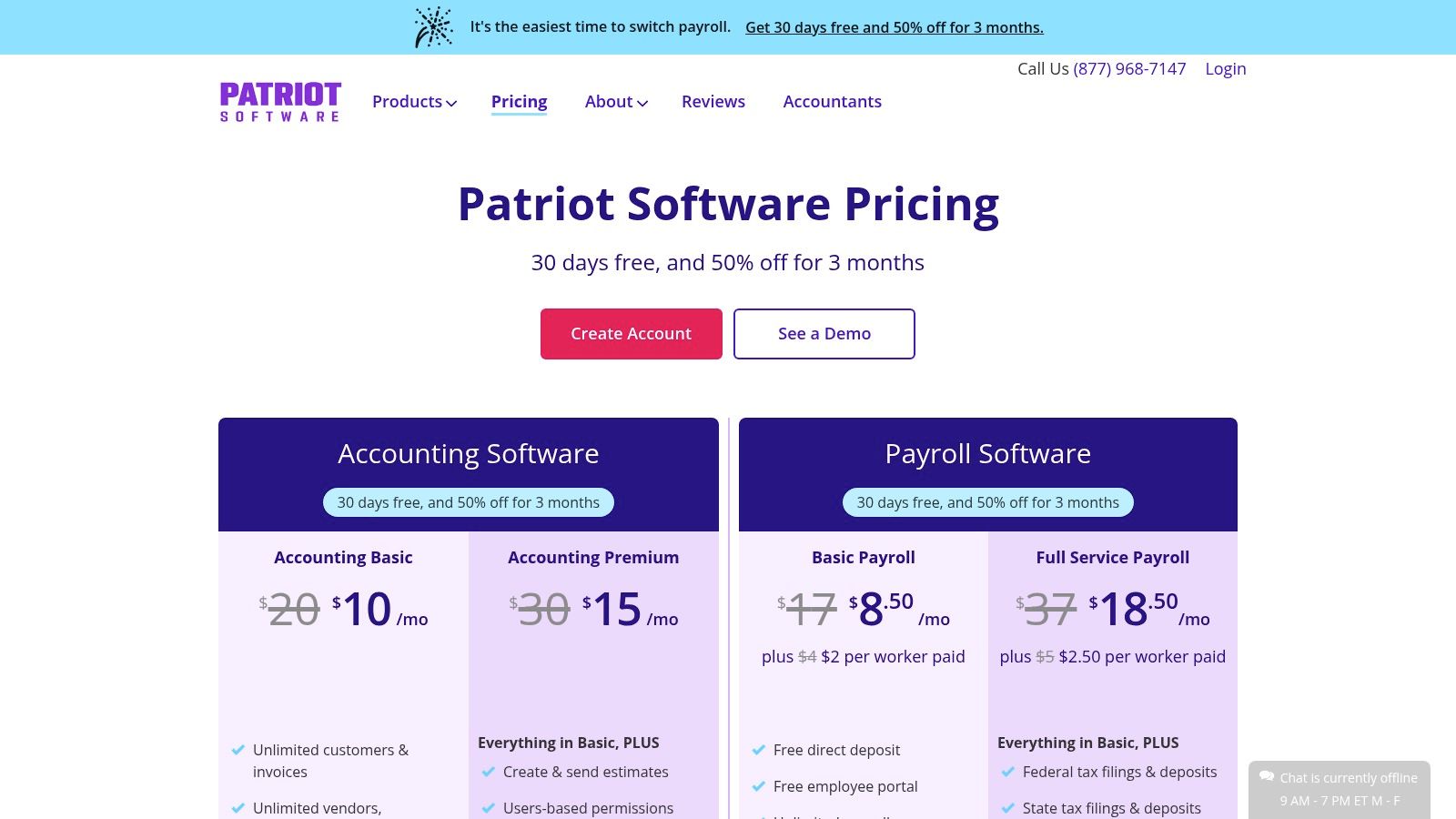
- Pricing: The Basic plan is $20/month for just accounting. The Premium plan is $30/month and adds features like automatic recurring invoices.
- Onboarding: It's easy to get started because it doesn't have a million features. Most people can connect their bank accounts and get set up without much trouble or needing to hire a pro.
MyOfficeOps Pro Tip: Patriot is a great place to start for new service businesses or people working for themselves. It's cheap and easy to use, so you can build good money habits without a big headache or a high price.
Website: www.patriotsoftware.com
8. ZipBooks: The Easy, Low-Cost Starter
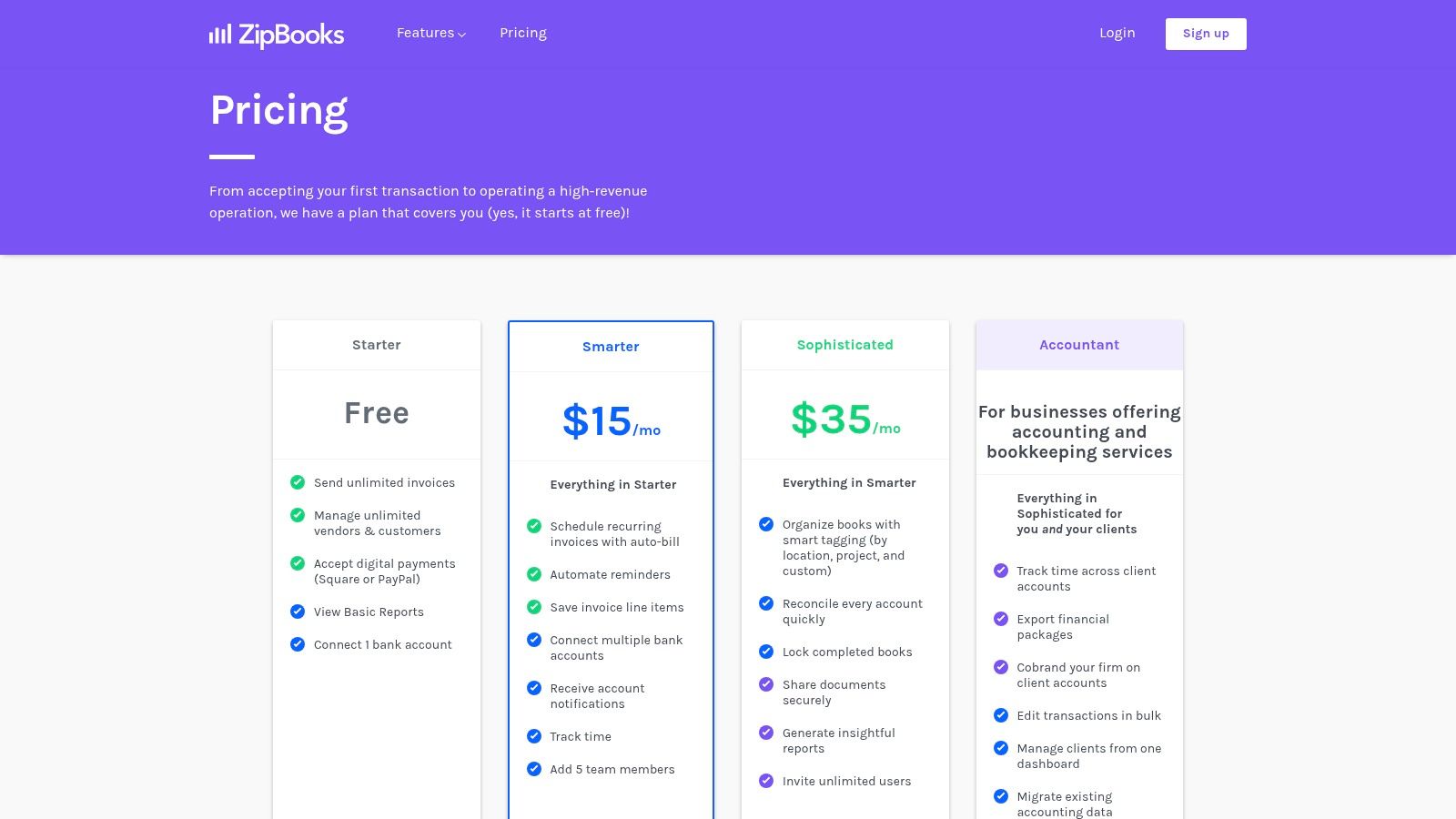
ZipBooks is like a basic, reliable car. It's not fancy, but it’s super easy to get started with and doesn't cost a lot. For freelancers and new businesses, ZipBooks has one of the best free plans around, which makes it perfect for managing money when you don't have much to spend.
Its strength is its simplicity. The program focuses on the main tasks, like making and sending unlimited invoices, tracking your time, and getting paid through services like Square or PayPal. It gets rid of all the extra clutter you find in bigger systems, so it’s easy for anyone to use.
Why It Stands Out
ZipBooks stands out because of its awesome free plan. While other free tools limit how many invoices you can send, ZipBooks lets you send as many as you want. This is a big deal for new businesses that depend on invoicing. When you're ready to upgrade, the paid plans are simple and affordable.
Pricing and Onboarding
- Pricing: The Starter plan is totally free. Paid plans are cheap, with the Smarter plan at $15/month adding important features like connecting to your bank account.
- Onboarding: The design is clean and simple, so setup is a snap. You can connect your bank account and get going in less than an hour without feeling lost.
MyOfficeOps Pro Tip: Use the free plan for as long as you can. Once you find yourself needing to match up your bank records often, paying the small monthly fee for the Smarter plan is an easy choice. It will save you a lot of time.
Website: zipbooks.com/pricing
9. Oracle NetSuite: The All-in-One Powerhouse for Big Growth
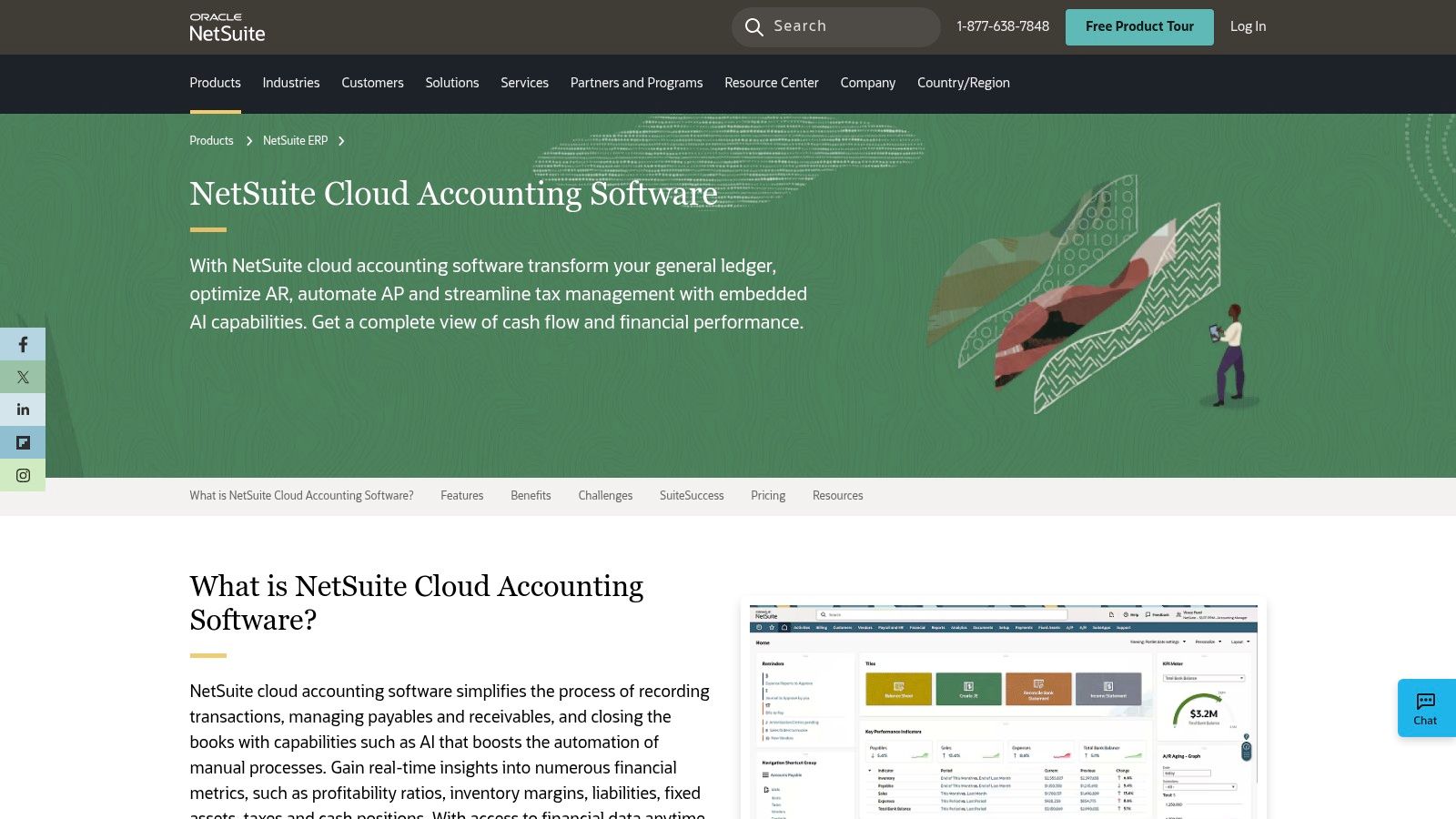
If most accounting software is a car, Oracle NetSuite is a freight train. It’s not just for simple trips; it’s built to manage huge, complicated businesses. NetSuite is a true Enterprise Resource Planning (ERP) system, which is a fancy way of saying it combines accounting, inventory, customer management, and even e-commerce all into one giant program.
It’s one of the best accounting software for small business candidates that are growing super fast and finding that simple tools can't keep up. If your business has multiple locations, complicated inventory, or special rules for tracking sales, NetSuite gives you the power and control that other programs don't have.
Why It Stands Out
NetSuite's biggest advantage is that everything is in one system. Instead of adding different apps for inventory or sales, all your information is in one place. This is super important for complex businesses, like a company that has both physical stores and a big online shop. It gives you a single, true picture of what's happening.
Pricing and Onboarding
- Pricing: NetSuite doesn't have a set price. They give you a custom quote based on your company's size and what you need. It costs a lot more than typical small business software.
- Onboarding: Setting up NetSuite is a big project, not a quick sign-up. It usually takes a team of experts several months to get it running. You can't do this one yourself.
MyOfficeOps Pro Tip: Don't think of NetSuite as just an accounting tool. Think of it as the operating system for your entire business. If you think your company might one day be sold or expand to other countries, starting with a system like NetSuite early can save you a huge headache later.
Website: https://www.netsuite.com/portal/products/erp/financial-management/finance-accounting.shtml
10. Amazon Business
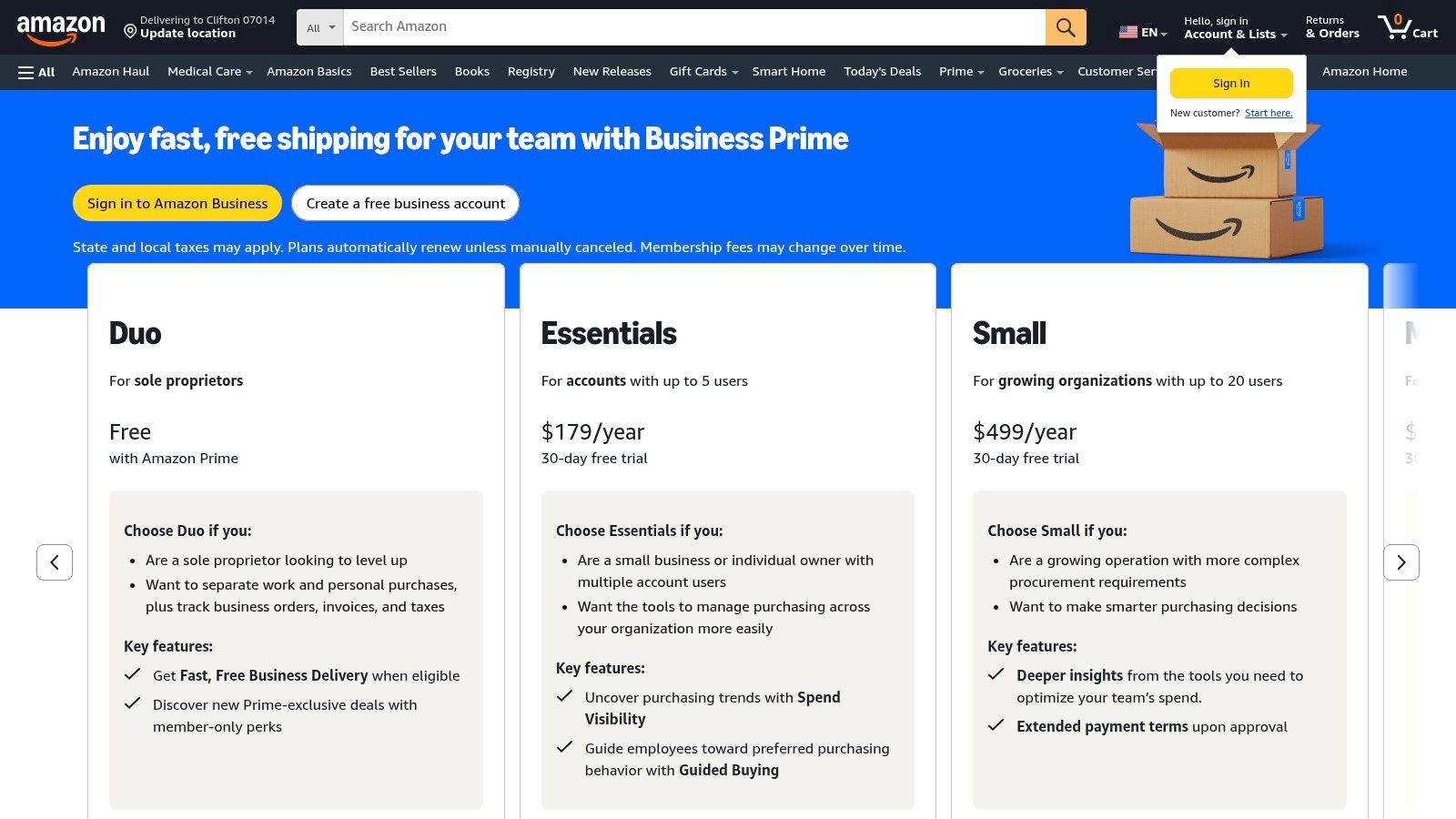
This might seem like a weird choice, but for businesses that already buy a lot from Amazon, Amazon Business can be a smart place to start. It's not actually accounting software. It's a shopping platform for businesses that sometimes offers big discounts on QuickBooks Online subscriptions for its Prime members. It's a good idea to check here before you buy a plan somewhere else.
Its main job is to be a one-stop shop for company purchases, from paper clips to software. For a small business trying to find the best accounting software for small business at a lower price, getting a deal here can save you some much-needed money in your first year.
Why It Stands Out
The special thing here is using your existing Business Prime membership to save money on software. Instead of talking to a salesperson, you can just buy a QuickBooks subscription the same way you'd order a box of pens. This makes billing easier since it all goes on one Amazon invoice.
Pricing and Onboarding
- Pricing: You need an Amazon Business Prime membership (which starts at $69/year). The QuickBooks deals are special offers and can change.
- Onboarding: Be careful when buying a voucher here. You might be stuck with the plan you choose for a whole year without being able to upgrade or downgrade. Also, the deals are usually only for people who are brand new to QuickBooks.
MyOfficeOps Pro Tip: Always read the details on Amazon's QuickBooks deals. Make sure the discount is for the plan you actually need and understand how to activate it. Sometimes the codes can be tricky, so follow the instructions carefully.
Website: www.amazon.com/business
11. Capterra: Your Research Starting Point
Think of Capterra as a giant library where you can look at all the different accounting books before picking one. It’s not a software itself, but a huge online directory where you can see what real people think about almost every program out there. For a business owner trying to find the best accounting software for their small business, this is a great place to start your search.
The website lets you filter software just for small businesses, read reviews from real users, and compare features side-by-side. This helps you look past the advertising and see how these tools really work for people. You can quickly get an idea of which ones are easy to use and which ones are more complicated.
Why It Stands Out
Capterra is great because it has so many options and tons of fresh user reviews. You can even filter the reviews by your industry or company size, so you can read opinions from businesses that are similar to yours. This helps you create a short list of programs to try out.
Pricing and Onboarding
- Pricing: Capterra is free to use. The software companies on the site pay to be listed there.
- Onboarding: The site is easy to use. The only trick is to know that some of the top results are paid ads. Don't just look at the star ratings; take the time to read what people actually wrote.
MyOfficeOps Pro Tip: Use the "Compare" feature to pick your top three or four choices, like QuickBooks, Xero, and Zoho Books. It will make a simple chart that shows you the biggest differences in features and price, making your final decision much easier.
Website: capterra.com/accounting-software/s/small-businesses/
12. G2: The Best Place for Real User Opinions
Think of G2 as the "Yelp" for business software. It’s not a program itself, but a website where real users share their honest experiences, both good and bad. When you can't decide between two or three final options, G2 gives you the opinions from other business owners you need to make a choice. This makes it a must-visit site when looking for the best accounting software for your small business.
Its real value is all the feedback from actual users. You can see how thousands of other small business owners rate a program's ease of use, customer support, and specific features. The site even has helpful charts that show you which programs are the most popular and have the happiest users.
Why It Stands Out
G2's superpower is its detailed reviews that you can sort and filter. Instead of just a star rating, you can read about the pros and cons and even look at reviews only from businesses your size. This helps you find common problems or hidden benefits that you won't see in an ad.
Pricing and Onboarding
- Pricing: Looking at reviews and charts is completely free for you. The software companies pay to have their products listed.
- Onboarding: Using the site is simple. Just go to the "Accounting" section and choose the "small business" filter. Be aware that some listings are sponsored, but they are clearly marked. Focus on what the real users are saying.
MyOfficeOps Pro Tip: Use G2 to make a short list of software, then sign up for free trials to check them out. Pay close attention to the "What do you dislike?" part of the reviews. If lots of people complain about bad customer service or a buggy feature, you'll know exactly what to ask about when you talk to the company.
Website: g2.com/categories/accounting/small-business
Top 12 Small-Business Accounting Software Comparison
| Product | Key features ✨ | UX & quality ★ | Price/value 💰 | Best for 👥 | Standout 🏆 |
|---|---|---|---|---|---|
| Intuit QuickBooks Online | Core GL, invoicing, bills, payroll add-ons, 800+ integrations, Intuit Assist | ★★★★☆ — industry standard, large advisor network | Tiered plans; add-ons raise total cost 💰 | US SMBs, accountants, scaling firms 👥 | 🏆 Vast ecosystem & accountant familiarity |
| Xero | Invoicing, Hubdoc receipt capture, bank reconciliation, unlimited users, ecommerce apps | ★★★★☆ — clean UI, reliable mobile | Simple tiers; cost-effective for teams 💰 | Professional services, multi-user teams, ecommerce 👥 | 🏆 Unlimited users + strong ecommerce integrations |
| FreshBooks | Invoicing-first, time tracking, payments, proposals, client communication | ★★★★☆ — very approachable for non-accountants | Lower tiers limit clients; add-ons increase price 💰 | Freelancers, agencies, service businesses 👥 | 🏆 Best invoicing & client workflow |
| Zoho Books | Invoicing, expenses, reconciliation, automation, analytics add-on, free tier eligibility | ★★★★☆ — feature-rich for price | Competitive pricing; free if ≤$50k revenue (US) 💰 | Very small US businesses & value-focused SMBs 👥 | 🏆 Workflow automation + free plan option |
| Sage 50 (Cloud/Desktop) | Inventory management, job costing, multi-company, advanced reporting | ★★★☆☆ — robust but traditional UI | Higher subscription/implementation cost 💰 | Construction/trades & inventory-heavy SMBs 👥 | 🏆 Deep inventory & job-costing capabilities |
| Wave | Free core accounting & invoicing, payments, optional Pro & payroll | ★★★☆☆ — simple setup; limited support | Zero starter price; pay for Pro/payments 💰 | Microbusinesses and solo service providers 👥 | 🏆 Free core bookkeeping for microbusinesses |
| Patriot Software | Unlimited customers/vendors, invoicing, bank imports, pairs with Patriot Payroll | ★★★★☆ — approachable UI, strong US support | Transparent, low pricing; frequent promos 💰 | US SMEs wanting simple payroll/accounting pair 👥 | 🏆 Tight payroll-accounting integration |
| ZipBooks | Unlimited invoices (free), basic reports, time tracking, simple upgrades | ★★★☆☆ — easy to learn for non-accountants | Clear, low pricing; usable free tier 💰 | Startups & very small businesses 👥 | 🏆 Budget-friendly with simple upgrade path |
| Oracle NetSuite | Full GL, multi-entity consolidation, revenue recognition, ERP modules | ★★★★☆ — powerful but complex; enterprise-grade | Customized/high pricing; significant implementation 💰 | Scaling SMBs with complex ops/multi-entity 👥 | 🏆 Comprehensive ERP & consolidation features |
| Amazon Business | Centralized procurement, Business Prime QuickBooks promos, retail vouchers | ★★★☆☆ — familiar procurement workflow | Promo-driven savings; voucher limitations 💰 | Ops teams centralizing software & supplies 👥 | 🏆 Access to Business Prime QuickBooks offers |
| Capterra | SMB-filtered rankings, side-by-side comparisons, verified user reviews | ★★★★☆ — broad vendor coverage for shortlisting | Free research; vendor pricing links 💰 | Buyers shortlisting accounting vendors 👥 | 🏆 Verified reviews & comparison tools |
| G2 | Leader grids, satisfaction scores, aggregated pros/cons, peer reviews | ★★★★☆ — high review volume & sentiment insights | Free research; vendor promos visible 💰 | Decision-makers validating vendor fit 👥 | 🏆 Leader grids & detailed peer sentiment |
Software is a Tool, Not the Whole Toolbox
We've just looked at a dozen different programs, from big names like QuickBooks and Xero to special tools like FreshBooks. You've seen the prices, the features, the good, and the bad. But finding the best accounting software for small business isn't about picking the one with the most bells and whistles. It's about finding the right tool for your job.
Think of it this way: a giant, professional power saw is an amazing tool. But if you just need to hang a picture, a simple hammer and nail works better and is a lot less trouble. In the same way, a huge system like NetSuite is way too much for a freelance writer, while a free tool like Wave won't be able to handle a growing construction company.
The biggest mistake we see business owners make is picking a software and then just expecting it to work on its own. Accounting software is like a very smart calculator and organizer, but it can't make big decisions for you, tell you what the reports mean, or catch a mistake that could cost you money on your taxes. It only works if you put the right information into it, the right way, all the time.
Your Next Steps: From Reading to Doing
So, what should you do now? Don't get stuck trying to find the "perfect" choice. Picking a tool is a big step, but you can always change it later. Use this guide to narrow down your choices and then take action.
- List Your "Must-Haves": Before you get excited about cool features, write down the 3-5 things your software absolutely has to do. Is it connecting easily to your payroll? Is it tracking exactly how much money each of your construction jobs in West Chester is making? Is it sending bills in different currencies? This list will be your guide.
- Take a Test Drive: Almost every program we talked about has a free trial or a demo. Use it! Don't just click around. Try to do a real task. Make an invoice for a real client. Connect your real business bank account. See how it feels to match up a few transactions. Does it make sense to you, or does it feel like a struggle?
- Think About Your Team (and Yourself): Who will be using this software every day? If it's you, be honest about how much time you want to spend learning it. If you have a team, is it simple enough for them to use without a lot of training? A complicated system that no one uses correctly is worse than a simple one that everyone uses.
- Plan for the Switch: Changing accounting software is not like changing your brand of coffee. You need a plan. You’ll have to move your old data, set up your accounts, and connect your bank. It's really important to get this right from the beginning to avoid problems later. A bad setup can lead to messy books that cost a lot of time and money to fix.
In the end, the best accounting software is the one that you actually use correctly and that gives you clear, accurate information to make smart decisions. It should make your life easier, not harder. Whether it's QuickBooks for being the one everyone knows, Xero for its clean design, or Zoho Books for being part of a bigger system, the right tool will feel less like a chore and more like a helpful partner. The goal is to spend less time staring at numbers and more time helping your customers and growing your business.
Feeling overwhelmed by the options or the setup process? You don't have to go it alone. The team at MyOfficeOps specializes in taking the accounting burden off your plate, pairing the right software with expert bookkeeping and financial guidance so you can focus on what you do best. Visit MyOfficeOps to learn how we help businesses in Greater Philadelphia thrive.