
You're on a Mac. Your calendar is full. Invoices need to go out. Receipts are sitting in your inbox. And every accounting software page you open sounds the same.
One tool says it's “built for small business.” Another says it's “easy and intuitive.” Then you log in and find out it either feels like a clunky browser spreadsheet, or it's so simple that it falls apart the minute you need job costing, time tracking, or decent reporting.
That's the main problem with accounting software for small business mac users. It's not just about finding something that technically works on a Mac. It's about finding something that fits how your business runs.
Why Finding Mac Accounting Software Is So Frustrating
If you use a Mac for work, you probably care about clean design, speed, and not fighting your tools all day. Then you start shopping for accounting software and suddenly the experience changes. A lot of products “support Mac,” but that can mean anything from a polished web app to a system that clearly started somewhere else and got dragged over.
I've seen this play out with agency owners, consultants, contractors, and small practice managers. They start with one simple question: “What's the best accounting software for my Mac?” What they really mean is, “What will help me stay on top of money without creating more work?”
What usually goes wrong
A few common patterns show up again and again:
- The software looks good but stops short. It handles invoicing and expense tracking, but not the day-to-day mess of a growing business.
- The software is powerful but awkward. It can do a lot, but the interface feels slow, crowded, or disconnected from how Mac users expect software to behave.
- The system works alone but not with your other tools. Your team tracks time in one app, manages projects in another, and bills clients somewhere else. Accounting becomes the cleanup job after the main work is done.
Good accounting software shouldn't make you build a second job around keeping it updated.
The better way to think about it
The goal isn't to find the prettiest dashboard. It's to build a financial system that gives you clarity, control, and fewer manual steps.
That means asking different questions:
- Does it help you invoice quickly?
- Can it keep up when you add staff, locations, or projects?
- Will your bookkeeper or CPA want to work in it?
- Can it connect to the tools your business already depends on?
Those are practical questions. They matter more than slick screenshots.
If you're choosing between “Mac-friendly” and “business-ready,” pick business-ready every time. A clean interface is nice. A system that helps you understand cash flow, profitability, and what's happening in the business is better.
The Main Contenders for Mac Users in 2026
Most Mac business owners end up looking at the same shortlist. That's not a bad thing. A small group of tools tends to come up because they're accessible, widely used, and built for businesses that need more than a spreadsheet.
QuickBooks Online
If you want the safest default pick, this is usually it. QuickBooks holds a dominant market position in small business accounting software, including for Mac users, with over 7 million global customers according to Setapp's Mac accounting software guide. The same source says that by 2026, QuickBooks Online is projected to power approximately 80% of U.S. small business accounting needs, and that its AI-driven transaction categorization can reduce manual entry by up to 90% by learning user patterns and auto-matching bank feeds.
That matters for one simple reason. If you hire a bookkeeper, accountant, controller, or fractional CFO later, there's a good chance they already know QuickBooks.
QuickBooks is the industry standard for a reason. It covers the basics well, has a large app ecosystem, and is usually strong enough for a business that's growing past the owner-does-everything stage.
Xero
Xero tends to attract Mac users who care about interface and a more modern feel. It often feels cleaner than older accounting platforms. For some owners, that matters because the easier it is to use, the more likely they are to stay current.
Xero is worth a serious look if you want cloud access, a tidy interface, and a platform that feels less rigid. But software that feels cleaner on the front end can still require careful review on the back end. A nice user experience doesn't replace good accounting habits.
FreshBooks
FreshBooks started strong with invoicing and service-based billing, and that background still shows. If you're a solo consultant, freelancer, or very small service business, it can feel simpler than a full accounting platform.
That simplicity is the selling point. It's often easier to learn, especially if your biggest needs are sending invoices, tracking expenses, and keeping basic records in order.
Zoho Books
Zoho Books makes more sense when you already use other Zoho products. If your CRM, projects, or internal workflows already live there, staying inside one ecosystem can reduce friction.
That said, choosing Zoho Books just because it's part of a broader suite isn't always the right move. The accounting tool still has to fit how your business bills, reports, and closes the month.
A quick reality check
These tools aren't different because one is “good” and the others are “bad.” They're different because each one fits a different kind of business owner.
- QuickBooks Online usually fits businesses that want depth, standardization, and broad support.
- Xero often appeals to teams that care about design and cloud collaboration.
- FreshBooks is often easiest for service businesses with simple needs.
- Zoho Books can make sense if the rest of your operations already run in Zoho.
The best choice depends less on your Mac and more on your workflow.
A Side-by-Side Comparison of Top Accounting Software
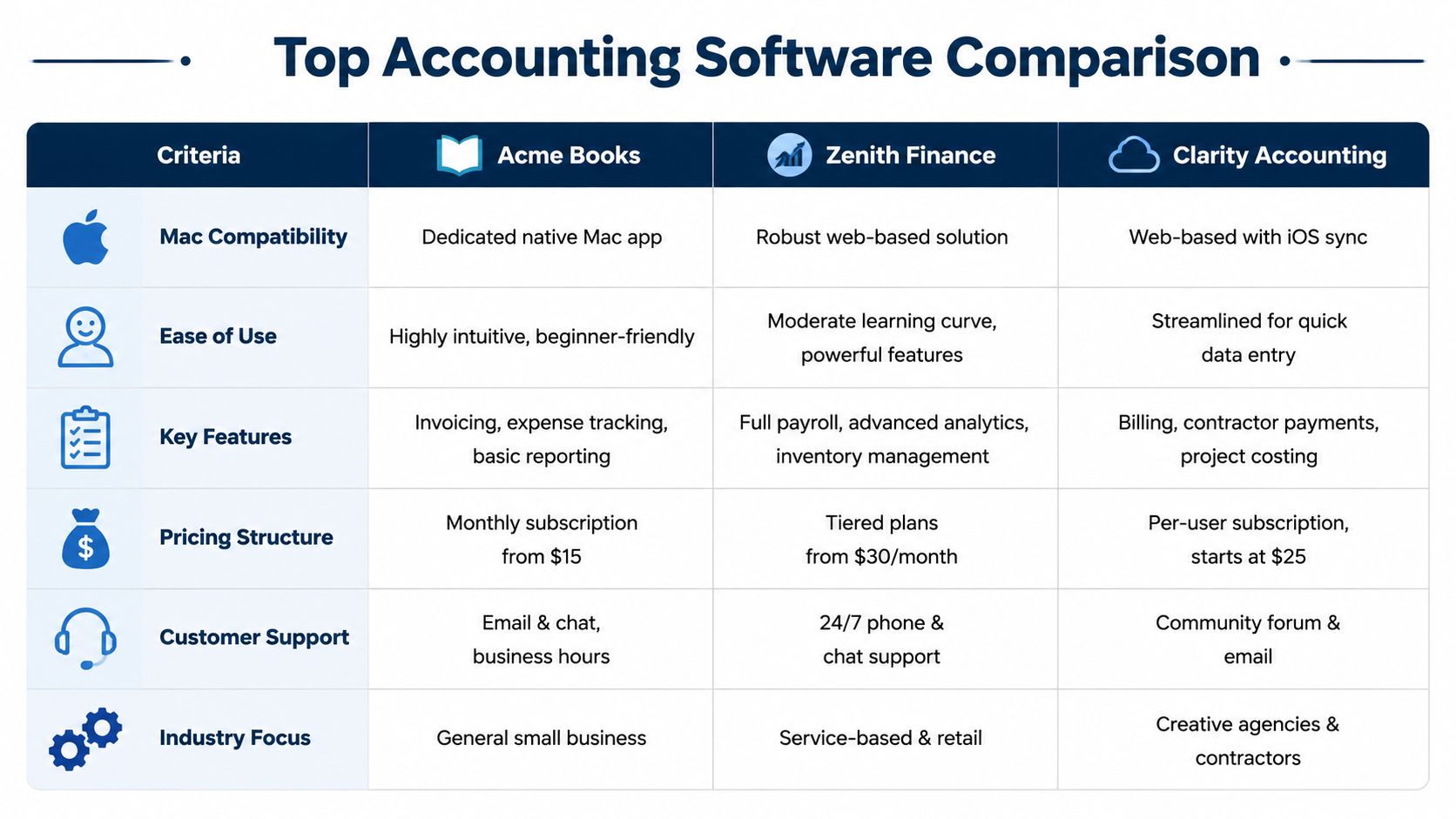
If you're trying to narrow the list quickly, start here. This isn't a “winner takes all” ranking. It's a practical comparison based on what owners usually care about once they get past the marketing copy.
| Software | Best fit | Mac experience | Accounting depth | Billing and payments | Reporting and advisor support |
|---|---|---|---|---|---|
| QuickBooks Online | Small and midsize businesses that need room to grow | Browser-first, solid on Mac, widely used across devices | Strong for day-to-day bookkeeping, payroll integration, and more complex workflows | Strong invoicing and collections tools for many business types | Strong reporting and easy to hand off to outside accountants |
| Xero | Teams that want a cleaner cloud experience | Often feels more polished to Mac users | Good core accounting, but fit depends on your workflow complexity | Good for standard invoicing | Good visibility, especially if your setup stays clean |
| FreshBooks | Freelancers and service businesses with simpler books | Friendly and approachable | Lighter accounting depth than more established general-ledger platforms | One of its strongest areas | Good enough for basic visibility, less ideal for deeper management reporting |
| Zoho Books | Businesses already using Zoho tools | Cloud-based and accessible on Mac | Can work well when paired with the wider Zoho stack | Good for standard billing workflows | Useful if you want your business apps in one ecosystem |
What matters more than the feature list
A lot of owners compare software the wrong way. They line up checkboxes. In reality, your choice usually comes down to one main pressure point.
Most important differentiator for QuickBooks Online: It's the easiest platform to build around if you expect to work with outside accounting help later.
Most important differentiator for Xero: It tends to appeal to owners who want cloud collaboration without giving up a cleaner user experience.
Most important differentiator for FreshBooks: It's often the least intimidating option for service businesses that invoice for their time and want to keep admin light.
Most important differentiator for Zoho Books: It can reduce friction if your operations already depend on other Zoho apps.
The trade-off most reviews skip
A lot of software roundups talk about features but ignore context. If you want another perspective on how accounting platforms are compared in training and career settings, this review of top UK accounting platforms for graduates is useful because it shows how different tools are positioned in the broader accounting world.
That matters because software isn't just a tool you buy. It's a system other people may need to step into. Your bookkeeper, tax preparer, office manager, and operations lead may all touch it.
My practical take
If you run a growing business and need a safe, widely supported choice, QuickBooks Online is usually the most practical answer.
If your business is still simple and service-based, FreshBooks may feel easier.
If your team cares a lot about cloud collaboration and user experience, Xero deserves a real test drive.
If your company already lives inside Zoho, Zoho Books may be the path of least resistance.
But don't confuse “easy to start” with “good long-term fit.” A lot of cleanup projects begin with software that felt easy in month one.
Your Mac Accounting Software Buyer's Checklist
A lot of bad software decisions happen because owners shop by brand name or monthly price. That's backwards. Start with your workflow, your team, and the kind of reporting you need.
Ask how your business really runs
Before you choose anything, answer these questions thoughtfully:
- Who needs access? Just you? Your office manager? Your bookkeeper? A project manager? A remote team?
- How do you bill? Flat fee, recurring, hourly, by project, by phase, by job?
- What do you need to see every week? Cash, unpaid invoices, project margins, labor costs, or all of it?
- What already exists? Payroll software, CRM, payment processor, scheduling software, or time tracking tools?
If you don't answer those first, you'll end up buying software based on demos instead of needs.
Decide how much the Mac experience matters
Many Mac users find themselves in a challenging position. They want software that feels native and smooth. That makes sense. But there's a real trade-off.
According to Xero's Mac accounting guide, no source really examines the tension that cloud-based Mac apps often sacrifice offline functionality, while desktop tools lack team collaboration. For growing firms with distributed teams, that creates a hidden cost because you depend on internet connectivity and vendor uptime.
That's not a small issue. If your team works remotely, cloud access can be a huge advantage. If you value local control and offline reliability, a browser-only setup may annoy you more than you expect.
Practical rule: Don't ask whether a tool is “Mac-native enough.” Ask whether your team needs local control or shared access more.
Use a simple decision filter
Try this three-part filter:
Today fit
Can the software handle your current invoicing, expenses, bank feeds, and reporting without workarounds?Next-stage fit
Will it still work when you hire more people, add locations, or bring in outside accounting help?Integration fit
Can it connect to the rest of your business without duplicate entry?
If a tool fails one of those three, keep looking.
For a deeper framework, this guide on how to choose accounting software is worth reviewing before you commit.
Don't ignore setup reality
The wrong software creates friction. The wrong setup creates chaos. Even a solid platform won't help much if the chart of accounts is messy, bank rules are sloppy, or invoice workflows are inconsistent.
That's why the buyer's checklist matters. You're not buying an app. You're choosing how money moves through your business.
Best Software Choices for Your Specific Industry
The fastest way to pick the wrong accounting software is to shop like every business operates the same way. It doesn't.
A law firm, a therapy practice, and a construction company may all send invoices and pay bills. After that, the similarity drops fast.
Professional services
Agencies, consultants, law firms, and IT firms usually need more than bookkeeping. They need to connect time, projects, staff effort, and client billing.
The problem is that most reviews don't focus on this. As noted in Wise's review of Mac accounting software, most Mac accounting software content focuses on general invoicing and misses the way service firms depend on time tracking, project workflows, and billing connections. When those systems don't connect, teams end up with manual entry, delayed invoices, and poor visibility into project profitability.
That's exactly what I see in practice. If your team tracks time in one tool and invoices from another, someone has to clean up the gap.
For professional services, look for software that supports:
- Time-based billing
- Project or client-level reporting
- Simple handoff from operations into accounting
- Clear visibility into work in progress
Healthcare practices
Healthcare owners often think first about billing and compliance, which makes sense. But there's also an operations side to this. You need a system that helps the business side stay clean even when the clinical side is busy.
The accounting tool has to support reliable processes, clean categorization, and a reporting setup that your outside accountant can trust. If the practice uses specialized operational systems, integration matters even more.
What usually does not work is trying to force a general small business setup onto a more regulated, more process-heavy environment.
Construction and real estate
Construction and real estate businesses live and die on detail. General bookkeeping isn't enough if you can't track costs by job, phase, or property.
Many owners find themselves outgrowing simpler tools. You may still use a mainstream accounting platform, but you need stronger setup and tighter integration with estimating, project management, payroll, and cost tracking.
A contractor who only looks at monthly profit and loss often misses the full picture. One job can be profitable while another erodes the margin.
If you're in that world, this guide to the best accounting software for construction companies is a useful next read.
If your software can't show you where a job is making money or losing it, you're not managing the job. You're just recording the result after the damage is done.
The practical match
Here's the short version:
- Professional services usually need stronger links between time, projects, and invoicing.
- Healthcare needs cleaner controls and dependable reporting structure.
- Construction and real estate need job or property visibility, not just general bookkeeping totals.
That's why one-size-fits-all advice usually falls short. The right software isn't the one with the longest feature list. It's the one that matches the financial rhythm of your industry.
Making Your New Software Work: Migration and Integration
Picking the software is the easy part. Getting it to work in real life is where most businesses stumble.
I've seen owners spend weeks comparing platforms, then rush the setup in a weekend. That's how you end up with duplicated accounts, bad opening balances, messy customer lists, and bank feeds that import junk you have to clean up later.
Start with the move, not the login
Before you import anything, decide what deserves to come over.
Some data should move exactly as-is. Some should be cleaned first. Some old detail is better left in the prior system for reference. If you bring over years of bad structure, the new software just becomes a nicer-looking version of the old mess.
Use a short migration checklist:
- Review your chart of accounts so you're not carrying forward categories nobody understands.
- Clean your customer and vendor lists before importing duplicates and old records.
- Choose a real start date for the new system and stick to it.
- Reconcile opening balances before day-to-day activity begins.
Build the connections that save time
Software creates value when it talks to the rest of your business.
That usually means connecting accounting to payroll, payment processors, ecommerce tools, project systems, or time tracking apps. The key is to avoid duplicate entry. If your team enters the same information in two places, one of those places will end up wrong.
A good integration setup should answer simple questions fast:
- Has this invoice gone out?
- Has the client paid?
- Which hours are billable?
- Which costs belong to which project?
- Did payroll hit the books correctly?
A clean integration removes admin work. A bad integration hides mistakes until month-end.
Set rules early
Even the best software falls apart without basic operating rules.
Decide who enters bills. Decide who approves invoices. Decide how expenses are categorized. Decide when accounts are reviewed. None of this is glamorous, but it's what turns software into a working system.
If no one owns the process, the owner ends up owning all of it by default. That's usually when evenings and weekends start disappearing into bookkeeping cleanup.
When Software Is Not Enough Finding an Accounting Partner
There's a point where buying better software stops solving the problem. The books may be technically up to date, but you still don't trust the numbers, don't understand the cash flow, or don't know what decisions to make from the reports.
That's when software has done its job and reached its limit.
The signs you've outgrown DIY
You don't need an accounting partner just because your business is busy. You need one when financial work starts pulling you away from running the company.
Common signs include:
- You're doing reconciliations on nights or weekends
- You don't feel confident in the reports
- Your invoicing is late because operations are disconnected
- You need help with cash flow, pricing, hiring, or profitability
- Your CPA gets messy books and asks too many cleanup questions
At that stage, the issue usually isn't the app. It's that no one is turning raw transactions into usable insight.
What a partner does that software can't
Software records activity. A real accounting partner helps you interpret it.
That might mean structuring the books correctly, tightening close processes, building useful dashboards, or helping you understand whether growth is profitable. If you're not sure where to look for support, directories like Hire Bookkeepers can help you understand the kinds of bookkeeping help available.
For a more detailed look at what outsourced support can do for a growing company, this guide to outsourced accounting for small business is a solid resource.
The key difference is simple. Software tells you what happened. An advisor helps you decide what to do next.
If you're tired of guessing at your numbers or wrestling with software that doesn't fit how your business runs, MyOfficeOps can help you build a cleaner accounting system, connect the right tools, and turn your books into something useful for real decisions.