Think about your business finances like a giant Lego castle. Every month, you have to find all the right pieces—sales numbers, expense receipts, payroll records—and spend days snapping them together. Financial reporting automation is like having a robot that finds all the bricks for you and builds the castle in seconds, giving you a perfect view of everything.
What Is Financial Reporting Automation Anyway?
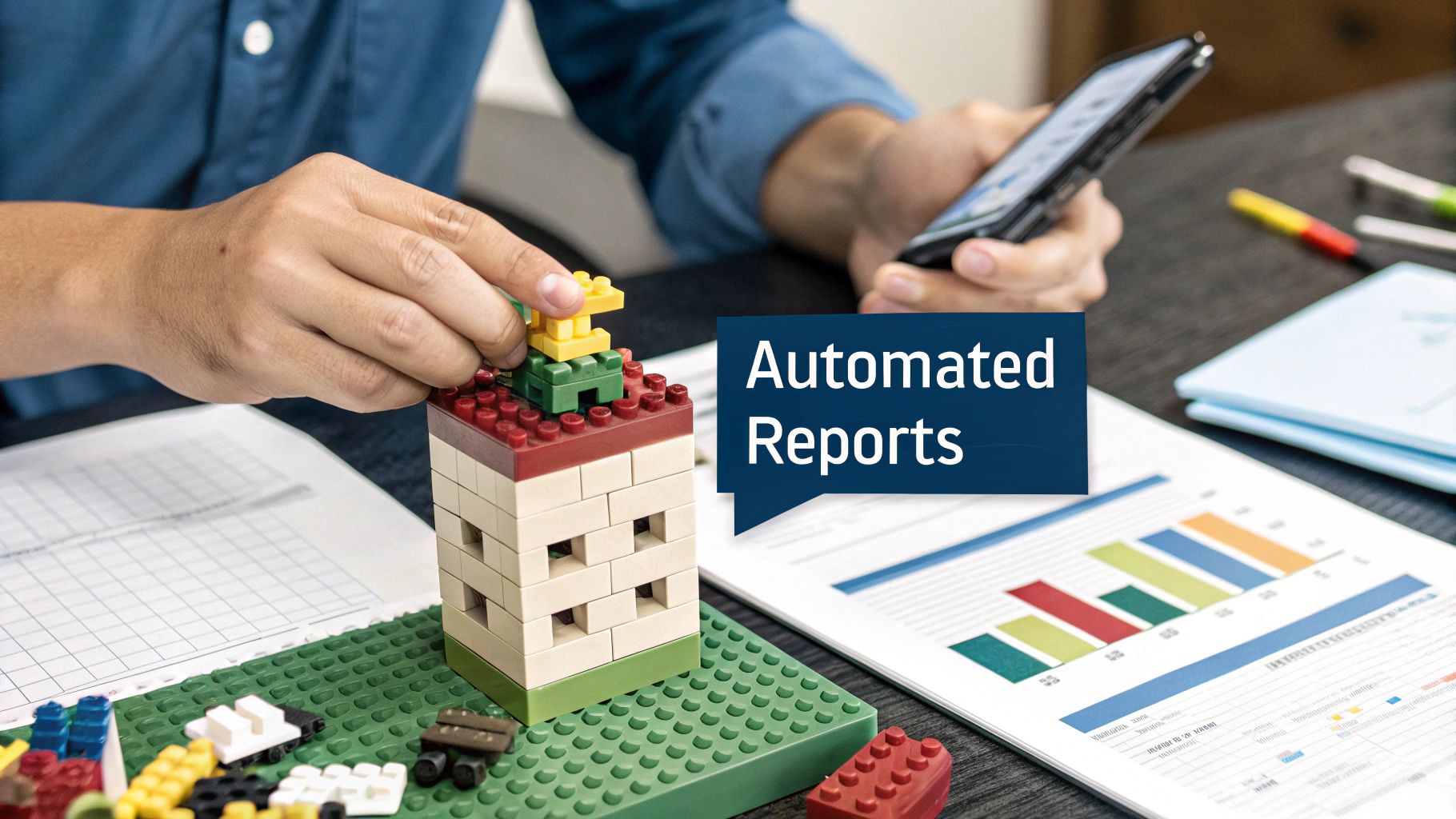
At its core, financial reporting automation means using software to do the heavy lifting that people used to do by hand. Instead of manually downloading data from your bank, your sales software, and your payroll system, this technology connects to all of them automatically.
It pulls the information, organizes it, and builds your financial reports—like your income statement or balance sheet. This isn't about replacing your finance team; it's about giving them a superpower.
Instead of just putting the castle together piece by piece, your team can spend its time looking at the castle's design, finding weak spots, and figuring out how to make it stronger.
How It Works in the Real World
Let's imagine Maria, who owns a small cafe. She used to spend the first week of every month buried in spreadsheets, just trying to figure out if she’d made a profit. By the time she had the answer, it was old news.
After switching to an automated system, everything changed. Her new software connects to her cash register, her bank account, and her employee schedule. Now, she can check a simple screen on her phone in the morning and see exactly how much profit she made the day before.
This helps her make smarter decisions, faster. If she sees that Tuesday sales are always low, she can run a "Two-for-One Tuesday" special and see the results almost immediately. That’s the power of having numbers right when you need them.
The Building Blocks of Automation
For automation to work, the software needs a clear map of your finances. This is where a well-organized money system comes in. The software is pulling data from all these different places, and it needs to know where each piece of information belongs.
A key part of this is having a solid list of categories for all your income and expenses. To get this right, it helps to understand what a chart of accounts is and why it's so important for clear reports.
Setting this up correctly ensures that when the software gathers data, it sorts everything into the right bucket, giving you reports you can trust. For another look, you can also explore this resource on Unlocking Financial Reporting Automation, which talks more about its impact.
The Real-World Benefits for Your Business

Let’s skip the jargon and talk about what financial reporting automation actually does for a business. Instead of big words, let's look at the real changes you can expect. Think of it like a chat with someone who’s already made the switch.
Three big benefits come up again and again: getting your time back, trusting your numbers, and getting answers right away.
Win Back Your Most Valuable Asset Your Time
How much time does your team spend just copying and pasting numbers from one spreadsheet to another? Or downloading bank statements and typing them in by hand? It might seem like just a few minutes here and there, but those minutes add up.
Over a year, many businesses lose weeks of good work time to these boring tasks. Automating these steps frees up your team to focus on work that actually grows the business. This is a huge part of learning how to improve operational efficiency and making your company run smarter.
Instead of being data entry clerks, your people can become problem solvers, spotting trends and helping you make better decisions.
Achieve Near-Perfect Accuracy
Let’s be honest, people make mistakes. It’s human, especially when doing the same boring task over and over. A misplaced decimal point or an extra zero in a spreadsheet can lead to bad decisions based on wrong information.
A machine, on the other hand, doesn't get tired. It does the exact same calculation perfectly, every single time. This means you get reports you can actually trust.
When your numbers are solid, your decisions become solid. You can confidently invest in a new project or hire a new person because you know the data you're using is right.
This isn't a small thing; it's the foundation of a healthy business. Good numbers lead to smarter moves and fewer costly surprises.
Get Instant Insights to Act Faster
Imagine trying to drive a car by only looking in the rearview mirror. That's what running a business with old financial data is like. You're making decisions based on where you've been, not where you are right now.
Financial reporting automation changes that. Instead of waiting until the end of the month to see how you did, you can get a clear picture of your financial health today.
Here’s a real-world example:
- The Business: An online store selling handmade jewelry.
- The Problem: They spent a lot on Facebook ads but only checked how they were doing at the end of the month. If an ad was a flop, they wasted money for weeks.
- The Solution: With automated reporting, they got daily updates on how much they spent on ads versus how much they sold. They could see which ads were working and which weren't, right away.
- The Result: By moving money from the bad ads to the good ones, they increased their profits by 20% in one quarter.
Being able to see what's happening now—not last month—helps you fix problems early and grab opportunities before they're gone. This is why more businesses are making the change. In fact, the financial process automation market is projected to grow from USD 12.3 billion in 2025 to USD 20.7 billion by 2029. Discover more insights about this growing market on researchandmarkets.com.
Your Practical Roadmap to Getting Started

The idea of automating your finances can feel big, so let's make it simple. This isn't about buying a huge, complicated piece of software tomorrow. The secret is to get your people and your process right first.
We can break this down into three simple steps: mapping out what you do now, picking the right tools, and getting your team ready.
Phase 1: Map Your Current Process
Before you can automate anything, you need a clear picture of what you're doing by hand today. Here’s a hard truth: automating a messy process just makes a mess faster. Think of this first step like drawing a blueprint before you start building a house.
Grab a notepad and write down every single step you take to create a financial report. No detail is too small.
- Data Gathering: Where do you get your numbers? Note every source, like bank statements, sales reports, or payroll info.
- Data Entry: What happens next? Write down how that data gets into your spreadsheets. Are you copying and pasting? Typing it in?
- Calculations: How do you turn that raw data into a report? Write down the formulas you use and the checks you perform.
- Review and Sharing: Who checks the report for mistakes? How do you send the final version to your boss?
This map will show you where you're wasting the most time and where mistakes are most likely to happen. For many businesses, just tracking expenses is a major pain. If that sounds like you, it might help to review some ways on how to track business expenses to clean up this part of your process first.
Phase 2: Choose the Right Tools
Once you know exactly what problems you need to solve, it's time to find the right tool. You don’t always need a giant, expensive system. The goal is to find something that fits your business, your budget, and the problems you found in phase one.
Think of it like choosing a car. You wouldn't buy a giant truck just to go to the grocery store.
The best tool isn't the one with the most features; it's the one your team will actually use. Start simple and solve your biggest headaches first.
Most tools fall into three main groups:
| Tool Type | Best For | Real-World Example |
|---|---|---|
| Simple Add-Ons | Businesses that use Excel or Google Sheets a lot. | An add-on that automatically pulls bank transactions into your spreadsheet. |
| Accounting Software | Most small businesses that need one place for their finances. | Tools like QuickBooks or Xero that connect to your bank and create reports. |
| All-in-One Platforms | Growing businesses with info in many different places. | A system that links your sales, payroll, and accounting to create live dashboards. |
Don't get tricked by fancy features you'll never use. Focus on tools that fix the manual steps you wrote down earlier.
Phase 3: Implement and Empower
This last step is all about your people. The best software in the world is useless if your team doesn't understand it or is afraid to use it. A good switch is as much about people as it is about technology.
Start small. Please, don't try to automate everything at once. Pick one or two key reports—like your monthly profit and loss statement—and get that working perfectly before you do more.
Here’s how to get your team on board:
- Explain the "Why": Show your team how this change helps them. Tell them it’s a way to get rid of boring tasks so they can focus on more interesting work. Nobody likes typing in numbers all day.
- Provide Simple Training: Nobody wants to watch hours of boring videos. Give them short, hands-on training for the specific things they need to do. Make it about their job.
- Celebrate Small Wins: When you successfully automate that first report and cut your closing time from five days to two, celebrate it! This builds excitement and shows everyone the real value of the new system.
How to Know If Your Automation Is Working
So, you’ve put in the work and started using financial reporting automation. How do you know if it was a good move? More importantly, how do you prove it to your team or your boss? It’s not enough to just say it “feels faster.” You need simple, clear ways to measure your results.
Let’s skip vague ideas and get straight to the numbers that matter. Tracking the right things shows you exactly what your new system is doing for the business. Think of it like checking the scoreboard during a game—it tells you if you're winning.
Tracking Your Time to Close
One of the best ways to see an impact is by measuring your Time to Close. This is just the number of business days it takes your team to finish the books each month. Before automation, this might have taken ten or fifteen days of scrambling to get reports done.
The goal here is simple: see that number get smaller.
After you start automating, track this number for a few months. If your closing time drops from ten days to three, that’s a huge win. It means you’re getting important financial info a full week earlier, letting you react to things much faster.
Watching Your Error Rate Drop
Another key thing to watch is your Error Rate. How often did you have to go back and fix a report because of a typo? While this can be hard to count, you can get a good feel for it.
Think about how many times someone said, "Wait, that number doesn't look right," forcing you to check everything again. With automation, the machine does the repetitive tasks where human error often happens. A lower error rate means more trust in your numbers and less time spent on frustrating rework.
The real power of financial reporting automation isn't just speed; it's confidence. When you trust your data, you can make bold moves without worrying if your numbers are wrong.
This growing trust is why the global financial automation market is booming. It was estimated at USD 8.1 billion in 2024 and is expected to more than double to USD 18.4 billion by 2030. You can discover more insights about this expanding market on marketresearch.com.
Measuring Your Decision Speed
Finally, look at Decision Speed. This is about how much faster your team can act because they have fresh information. Before, you might have made decisions based on last month's data. Now, you can see what’s happening almost as it happens.
Did you spot a cash problem a week earlier than you would have before? Did you find your most profitable service in time to focus on it for the next quarter? These are the kinds of advantages that automation provides, moving your business from reacting to planning.
Calculating Your Financial Return
Beyond these measures, you can figure out a simple financial return on your investment (ROI). It sounds complicated, but the basic math is easy:
- Calculate Your Savings: Guess how many hours your team saves each month. Multiply those hours by what you pay them per hour. This is your monthly labor savings.
- Subtract Your Costs: Take your monthly savings and subtract the monthly cost of your automation software.
- Find Your ROI: The result is how much money you come out ahead each month.
For example, a small consulting firm I know spent $500 per month on automation software. The tool saved their bookkeeper 40 hours a month, who earns $25 per hour.
- Monthly Savings: 40 hours x $25/hour = $1,000
- Net Monthly Return: $1,000 (Savings) – $500 (Cost) = $500
- Total Investment: Let's say the setup and first month cost them $3,000.
By saving $500 net each month, they paid for their initial investment in just six months. Everything after that is pure profit.
Common Mistakes to Avoid
Jumping into financial reporting automation is a great move, but it's easy to trip if you're not careful. Like any new project, there are a few common problems that can cause headaches.
The good news? You can learn from others and avoid these traps. Making this switch go smoothly is all about sidestepping a few key mistakes.
Automating a Messy Process
This is the biggest mistake, by far. Think of it like this: if your desk is buried under piles of paper, buying a faster scanner won't organize it. You’ll just have a faster way of making a digital mess.
Before you even look at software, you have to clean up your current way of doing things. If your team isn't clear on how to categorize expenses or if your approval process is confusing, automation will only make those problems bigger. A clean, simple process is the foundation for success.
Forgetting the People Involved
Another big mistake is ignoring your team. I've seen leaders get so focused on the technology that they forget about the people who have to use it every day. A new system can feel scary, especially if people think it’s going to replace them.
The best projects I've been part of involved the team from the start.
- Explain the "Why": Show them how automation gets rid of the boring parts of their jobs so they can focus on more interesting work, like finding trends or helping with strategy.
- Ask for Their Input: Your team knows the current process better than anyone. Ask them what their biggest frustrations are. They'll often point you right to the best places to automate.
- Provide Simple Training: Don't just give them a user manual. Teach them the specific things they need to do for their jobs. Keep it simple.
When your team feels included and sees how the new system makes their lives easier, they become your biggest supporters instead of your biggest roadblocks.
Choosing the Wrong Tool
It’s easy to get impressed by fancy software with a long list of features. But choosing the wrong tool is like buying a giant construction crane when all you needed was a shovel. A system that’s too complex will be expensive, hard to set up, and frustrating for your team.
The right tool isn't the one that does everything; it's the one that does exactly what you need it to do, simply and reliably. Start with your biggest problem and find a tool that solves it well.
This is more important than ever as the market for these tools grows. The global financial reporting software market is already valued at USD 14.60 billion in 2024 and is projected to hit USD 16.54 billion by 2025. You can find more details in this financial reporting software market analysis from 360iresearch.com.
With so many options out there, it's important to stay focused on your business needs rather than getting distracted by shiny features you’ll never use. By avoiding these common mistakes, you can have a smooth switch and turn automation into a powerful tool for your business.
What Comes Next for Financial Reporting

Automating your financial reporting is a huge step, but it’s not the finish line. The next big thing is all about making your reporting smarter, not just faster. This is where Artificial Intelligence (AI) is changing the game.
Think of the automation we’ve talked about so far like cruise control in your car. It handles the basics, which is a big help. AI-powered automation is more like a GPS that sees a traffic jam ahead and finds you a better route before you even slow down.
We’re moving from just doing things automatically to predicting what might happen and catching problems early.
How AI Is Making Reporting Smarter
AI basically gives your financial reporting a brain. Instead of just putting numbers in columns, it can analyze them, learn from the past, and point out things a person might miss. This isn't science fiction anymore; it’s becoming a real tool for businesses.
For example, an AI system can look through thousands of payments and automatically flag something that looks strange. It might be a duplicate bill you were about to pay or a really large payment to a new company. This acts as an early warning system, catching possible fraud or simple mistakes that could have cost you money.
The real change is moving from reports that tell you what happened last month to insights that help you decide what to do next week.
AI is making this possible for more businesses, giving you a clearer view of the road ahead.
Practical Examples of AI in Action
So, what does this actually look like for a business? It’s not as complex as it sounds. Here are a few ways smart automation is already helping companies:
- Smarter Cash Flow Predictions: Forget guessing. AI can look at your past sales, customer payment habits, and even busy seasons to give you a much better cash flow forecast. This lets you know when money might be tight so you can plan for it.
- Automatic Problem Spotting: Imagine a system that alerts you the moment your spending on ads suddenly spikes without bringing in more customers. AI can be your financial watchdog, always monitoring your data for patterns that don't make sense.
- Simplified Rule-Following: Keeping up with financial rules is a headache. AI-powered tools can help by automatically checking reports against current standards and flagging issues before they become a problem.
These advanced tools are no longer just for giant companies. As the technology gets better, financial reporting automation is becoming smarter and more affordable, giving every business owner the power to make better decisions. This isn’t just about saving time anymore; it's about building a stronger future for your company.
Frequently Asked Questions
Thinking about switching to financial reporting automation usually brings up a few common questions. Let's clear things up with some simple, straight answers.
Will This Replace My Finance Team?
Nope. Think of it this way: you're not replacing your chef with a microwave. You're giving your chef a better oven so they can stop worrying about temperature and start making amazing food.
Automation takes over the boring, repetitive work—like typing in numbers. This frees up your finance experts to do what they do best: analyze the numbers, spot trends, and help you make smarter business decisions. Their job becomes more about thinking and less about typing.
Is Financial Reporting Automation Secure?
This is a great question, and the short answer is yes. Good automation systems are built with security as a top priority. They often use the same kind of strong security that your bank uses to protect your financial data.
These security features usually include:
- Encryption: This scrambles your data so that even if someone saw it, it would look like nonsense.
- Access Controls: You decide exactly who on your team can see what information.
- Audit Trails: The system keeps a log of every change made, so you always know who did what and when.
Honestly, keeping your data in a secure, central system is much safer than having it on dozens of different spreadsheets on different computers.
Is This Only for Big Companies?
Not anymore. It used to be that only huge companies could afford these tools, but that has totally changed. Today, there are plenty of affordable, easy-to-use financial reporting automation solutions made for small and midsize businesses.
Many of these tools are built to grow with you. You can start with a simple plan that solves your biggest problems now and add more features as your company gets bigger. The goal is to find a tool that fits what you need today, not to buy some giant system you don't need.
Ready to stop fighting with spreadsheets and start getting clear, real-time insights into your business? The team at MyOfficeOps can build a financial system that gives you the clarity you need to grow. Schedule your free consultation today.