
Paying your first employee is a huge step for any small business. It means you're growing. But that excitement can turn into a headache when you find out what's involved: getting government ID numbers, figuring out taxes, and making sure your team gets paid correctly and on time. This guide is a simple map to get it all done without the stress.
Your First Payroll: A Simple Introduction

Right away, you have a big choice: handle payroll yourself or hire a professional? This is often the first, and most important, decision. For many small business owners, especially in a place like Philadelphia with its own local tax rules, getting expert help from the start can save you from big, expensive mistakes later.
I once helped a local construction company that was wasting hours every week fighting with payroll spreadsheets. On top of the wasted time, they kept making small errors that could have turned into big fines. Once they hired help, they got their time back and felt relieved knowing everything was done right.
Why Getting Payroll Right Matters
Getting this right from day one is about more than just writing checks. It’s about building a strong, trustworthy business.
- It keeps your team happy. Nothing breaks trust faster than a wrong or late paycheck. Paying on time shows your employees you value them.
- It keeps you out of legal trouble. The government has strict rules about payroll taxes. One mistake can lead to audits and big penalties.
- It saves you time. A smooth payroll system lets you focus on growing your business instead of drowning in paperwork.
There's a reason so many business owners get help. A recent survey found that 34% of small businesses now use an outside company to do their payroll. This makes sense when you see that 88% of small businesses find tax laws confusing, which often leads to mistakes.
With the IRS collecting 13.6% more money from late taxes and penalties last year, it’s clear that mistakes cost small businesses a lot.
Think of your payroll system as the heartbeat of your business. If it isn't steady and reliable, every other part of the company feels it. A strong setup from the start makes sure everything runs smoothly.
While this guide talks about the U.S. process, the main ideas of payroll are the same everywhere. For another view on the steps involved, this guide on the complete UK process of payroll for businesses is a useful resource. Now, let's walk through everything you need to know.
Getting Your Payroll Paperwork in Order
Before you pay anyone, the federal and state governments need to know you're an employer. Getting this part right is like putting in the foundation for a house—do it right now, and you’ll avoid huge problems later.
First, you need to get on the federal government's radar. This means getting an Employer Identification Number (EIN) from the IRS. Think of it as a Social Security Number for your business. You can't hire anyone, open a business bank account, or file business taxes without one. The good news? It’s free and you can usually get it online in less than 15 minutes.
Getting Your Federal and State Tax IDs
Once you have your EIN, it's time to sign up with your state. Since we're based near Philadelphia, let's talk about what Pennsylvania requires. Here, you'll work with two main offices.
First is the Pennsylvania Department of Revenue. You’ll register with them to set up an account for withholding state taxes. This is how you'll send in the state income taxes you take from your employees' pay.
Next is the Pennsylvania Department of Labor & Industry. This is where you'll get your unemployment compensation (UC) account number. This account is for paying state unemployment taxes (SUTA), which help people who might lose their jobs.
Here’s a tip I give every new employer: don’t wait to do this. It can take a few weeks for the state to process your forms and give you your account numbers. You need these numbers before you can legally pay anyone, so start as soon as you decide to hire.
As you set up these accounts, it’s a good time to think about other things that connect to payroll, like benefits. Understanding any Small Business Health Insurance Requirements will help you plan for deductions later on.
Collecting New Hire Forms
With your business registered, the next step is getting paperwork from your new employee. Every person you hire has to fill out a few key forms before you can pay them. It’s your job to collect these and keep them safe.
Here are the forms every new hire must complete:
- Form W-4 (Employee's Withholding Certificate): This form tells you how much federal income tax to hold back from each paycheck. The IRS updated this form a few years ago, so be sure you're using the newest version. It now asks for more details, like about dependents, to get the tax amount just right.
- Form I-9 (Employment Eligibility Verification): This form proves your new employee can legally work in the U.S. They must show you original documents—like a passport, or a driver’s license and Social Security card together—and you have to check them. The deadlines are strict on this one, so don't put it off.
- State Withholding Form: In Pennsylvania, things are a bit simpler because of its flat tax rate. But if an employee thinks they don't have to pay state income tax, they'll need to fill out the REV-419 (Employee's Nonwithholding Application Certificate).
- Direct Deposit Authorization Form: If you pay with direct deposit (which is a great idea), you’ll need a form where the employee gives you their bank account and routing numbers. Having them attach a voided check is a simple way to avoid typos and payment problems.
Try to get all this paperwork done on the first day. Looking for a missing W-4 when it's time to run payroll is a stress you don't need. It’s also smart to have a plan for tracking vacation time from the start. For more on that, check out our guide on PTO and sick leave—it’s another piece of the puzzle that’s best to solve early.
Choosing Your Payroll Schedule and System
Once you're registered as an employer, you have to decide two things: how often you pay your team and what system you'll use to do it.
These aren't small details—they affect your company’s money, your team's budgets, and how much time you spend on paperwork.
Deciding How Often to Pay Your Team
Your pay schedule sets a rhythm for the whole business. Each option has its own pros and cons, so what works for a construction crew might be a bad fit for a software company.
Here are the most common schedules:
- Weekly: This means you're creating 52 paychecks a year. It’s popular for hourly workers in places like restaurants or construction, where hours can change each week. They like the steady income, but it means more work for you.
- Biweekly: This is the most common choice. You pay employees every two weeks on the same day, which adds up to 26 paychecks per year. It's predictable, so employees can plan their budgets, and it's a good balance for most businesses.
- Semi-monthly: With this, you pay twice a month on specific dates, like the 15th and the last day of the month, for 24 paychecks a year. It's often easier for businesses with salaried staff. But, it can be confusing for hourly employees if a pay period ends in the middle of a week.
For example, a marketing agency I know with a salaried team loves their semi-monthly schedule because the paydays are always the same. But a local landscaping company found that a biweekly schedule worked much better for their hourly crew, as their hours could change a lot from one week to the next.
Choosing the right pay schedule is a key part of setting up payroll for a small business because it affects your costs and your team's happiness. There's a reason 43% of U.S. businesses pay every two weeks—it’s the most common for a reason.
Selecting Your Payroll System
Once you know when you’ll pay, you have to decide how you'll do it. Your choice here decides how much time you'll spend being a payroll clerk instead of a business owner.
The Manual Method
I'm going to be direct: I almost never suggest this. This is where you use spreadsheets to figure out every employee's pay, deductions, and taxes by hand. You also have to file all the forms and make every payment yourself. The chance of making a costly mistake is just too high.
Using Payroll Software
For many small businesses, this is the best option. Good software does the boring parts of payroll for you, like calculating taxes and deductions. It can often handle direct deposits and tax filings, too. It’s a huge step up from doing it by hand and greatly lowers your risk of making a mistake. The best software is made for business owners, not payroll experts.
Hiring a Full-Service Provider
This is the "done for you" option. A full-service provider, like us at MyOfficeOps, takes the whole payroll process off your plate. We handle everything—from running payroll and paying your team to filing all federal, state, and local taxes. This mixes powerful software with real human experts, so when a tricky problem comes up, you have a person to call, not a chatbot.
To help you figure out what's right for your business, our guide on the best payroll software for small business breaks down the top tools out there. Your choice really comes down to your budget, how many employees you have, and how you want to spend your time.
Running Your First Payroll From Gross to Net Pay
Alright, this is the most important part—turning employee hours into an actual paycheck. For many new business owners, this part of payroll feels the scariest. It’s a mix of numbers, taxes, and deductions, but it all follows a clear logic.
Once you understand the path from what an employee earns to what they actually take home, the whole process becomes much clearer. Let's walk through it.
The journey starts with a simple plan: set your schedule, gather your info, and run it through a good system.
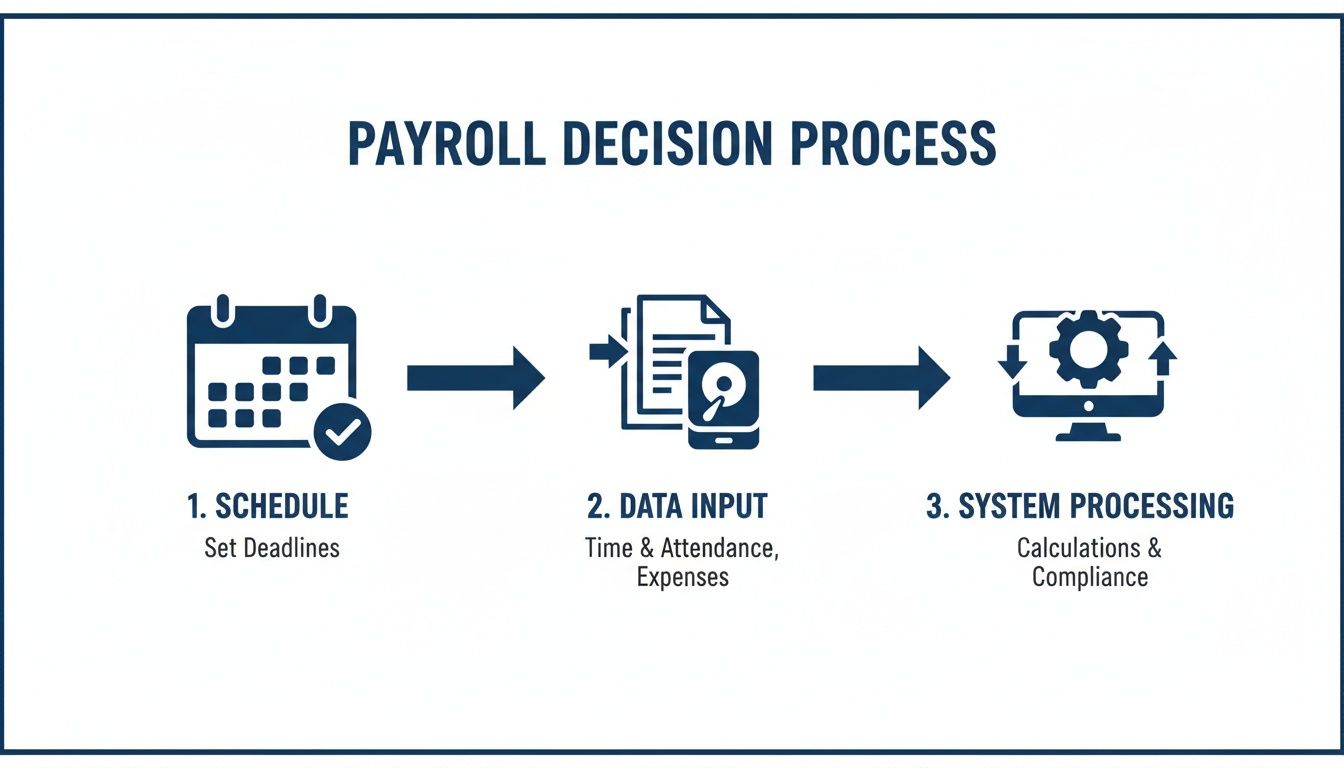
As you can see, a good payroll run is built on two things: a steady schedule and a system you can trust to do the math right.
Calculating Gross Pay
Everything starts with gross pay. This is the total amount an employee earns before any money is taken out for taxes or benefits. How you calculate it depends on how you pay them.
- For Hourly Employees: This is simple. You just multiply their hourly wage by the number of hours they worked. Don't forget about overtime—any hours worked over 40 in a week must be paid at 1.5 times their regular rate.
- For Salaried Employees: This one's even easier. Take their total yearly salary and divide it by the number of pay periods in the year. If you pay biweekly, that’s 26 pay periods. If you pay semi-monthly, that's 24.
Understanding Pre-Tax and Post-Tax Deductions
Next are deductions. These come in two types: pre-tax and post-tax. The order matters because pre-tax deductions are taken out before you figure out income taxes. This lowers the employee’s taxable income and saves them money.
Common pre-tax deductions include:
- Health, dental, and vision insurance payments
- Money put into retirement plans like a 401(k)
For example, if an employee’s gross pay is $2,000 and they put $100 into their 401(k), you'll calculate their income tax based on $1,900, not the full $2,000.
Post-tax deductions are taken out after all taxes have been calculated, so they don’t change the employee’s tax bill. Things like wage garnishments (when a court orders you to take money from a paycheck) are a common example.
The Tricky Part: Calculating Taxes
Now we get to the part that trips up most business owners. You are responsible for holding back taxes for federal, state, and sometimes local governments. Getting this wrong can lead to penalties, so you need to be careful.
Here’s what you need to calculate:
- Federal Income Tax: The amount you hold back is based on the employee’s Form W-4. Their filing status, dependents, and other info on the form tell you which tax bracket to use from the IRS.
- FICA Taxes: This covers Social Security and Medicare. You’ll hold back 6.2% for Social Security and 1.45% for Medicare. Importantly, you as the employer must also pay a matching amount for each tax.
- State and Local Taxes: Pennsylvania has a flat state income tax, which makes things simpler. But if your business is in Philadelphia, you also have to deal with the Philadelphia City Wage Tax, which applies to people who live or work in the city.
A Real-World Example
Let's say you have an employee in Philadelphia who earns $1,000 in gross pay for the week. They have a $50 pre-tax 401(k) deduction.
- Taxable Income: $1,000 (Gross Pay) – $50 (Pre-Tax Deduction) = $950
- Federal Tax Withholding (based on W-4): Let's estimate $90
- Social Security (6.2% of $1,000): $62
- Medicare (1.45% of $1,000): $14.50
- PA State Tax (3.07% of $950): $29.17
- Philly City Wage Tax (approx. 3.75% of $950): $35.63
Total Deductions & Taxes: $50 + $90 + $62 + $14.50 + $29.17 + $35.63 = $281.30
That employee’s final take-home pay, or net pay, is $1,000 – $281.30 = $718.70.
Finally, never forget your own tax payments as the employer. You have to pay your matching share of FICA taxes, plus federal (FUTA) and state (SUTA) unemployment taxes. These are not taken from your employee’s check; they are an extra payroll cost you must plan for. Getting this flow from gross to net pay right is the core of running payroll correctly.
Paying Your Team and Your Taxes on Time

You've done the math. Now it's time to get the money where it needs to go. This is a two-part job. You have to pay your employees, and you absolutely must send your tax payments to the government on time.
Building a smooth, predictable routine for both is the last important piece of the payroll puzzle.
How to Pay Your Employees
When it comes to paying your team, you've got a few options. Each has its good and bad points, but from what I've seen, one is the clear winner for almost every modern business.
- Direct Deposit: This is the best choice for a reason. You send money electronically, straight to an employee's bank account. It’s fast, safe, and leaves a perfect digital record. Your employees get their money without a trip to the bank, and your process becomes very efficient.
- Paper Checks: This feels a bit old-fashioned now, and honestly, it's a lot of extra work. You have to print, sign, and hand out every single check. Plus, there’s always the risk of a check getting lost or stolen.
- Pay Cards: Think of these as reloadable debit cards where you load an employee's pay. They can be a good option for workers who don't have a bank account, but be aware that they can come with fees for the employee.
For most businesses I work with, direct deposit is the best choice. It's the safest and most efficient way to pay your people. To get it started, you just need each employee to fill out a form with their bank's routing and account numbers.
A quick tip I always share: ask employees to attach a voided check to their form. This simple step helps you make sure the numbers are correct and avoids the headache of a payment failing because of a typo.
Paying Your Payroll Taxes Correctly
Paying your team is only half the job. Now you have to send in all the taxes you held back, plus your own employer share. Let me be clear: this part is not optional. The IRS and state tax offices have strict deadlines, and the penalties for being late are no joke.
The federal government will require you to deposit your payroll taxes either monthly or semi-weekly. Which one you use depends on how much tax you reported in the past, but most new businesses start on a monthly schedule. You'll make these payments through the government's Electronic Federal Tax Payment System (EFTPS).
Here in Pennsylvania, you'll also make payments to the state through its own online site, e-TIDES. This is where you’ll send the state income tax you held back, along with your state unemployment (SUTA) tax payments.
Following the rules is the foundation of a healthy payroll system, yet it's where so many small businesses have trouble. Recent data from over 400,000 small businesses shows a worrying number are missing payroll deadlines. The results can be bad, sometimes leading to an 8-10% cut in staff and a recovery period that can take at least two years.
When you think that a payroll service might cost just $5–$10 per employee each month, it's a small price to pay to avoid huge penalties.
Building a solid routine for tax payments is key. Our team provides accounting and payroll services that can take this whole task off your hands, making sure you stay on the right side of the law from day one.
Just because everyone got paid doesn't mean your payroll job is done. What comes next—keeping clean, organized records—is your best defense against audits and legal problems. Think of it as your business's financial insurance policy.
By law, you need to keep all payroll-related papers for at least four years. This creates a solid record proving you’ve done everything correctly. I've seen simple government questions turn into huge problems for business owners with messy or missing records.
The Essential Payroll File Checklist
You don’t need a fancy filing system. A simple digital folder for each employee, plus one for your business tax filings, will work just fine. Here’s what you must keep.
For each employee:
- Forms W-4 and I-9: The original, signed forms they filled out when you hired them.
- Pay stubs or payroll reports: A full history of every paycheck, showing gross pay, every deduction, and the final net pay.
- Timesheets: This is your proof that you paid for all hours worked, and it's very important for your hourly staff.
- Direct deposit authorizations: The signed form showing where they asked you to send their money.
For your business:
- Proof of tax payments: Keep the confirmation receipts from EFTPS and your state's system.
- Quarterly and annual tax filings: Copies of your Form 941s, Form 940, and any state tax forms.
- Annual W-2 and W-3 forms: The forms you send to employees and the Social Security Administration each year.
I once worked with a small shop in Philly that got hit with big fines, all from a simple mistake. They had been paying a worker as an independent contractor, but the government said she was an employee. Because their records were a mess, they couldn't clearly prove the worker's status or pay history, which made the fines much worse. This is a clear lesson: good records protect your business.
Common Payroll Mistakes and How to Dodge Them
After years of helping business owners with this, I see the same payroll mistakes over and over. Learning from them now can save you a lot of trouble later.
The single biggest mistake is misclassifying workers. Paying someone as a 1099 contractor when they really work like a W-2 employee is a huge red flag for the IRS. The rules all come down to one thing: control. If you decide their hours and how they do their work, they are almost definitely an employee.
Another common mistake is messing up overtime pay. It's not optional. Any hourly employee who works over 40 hours in a single workweek must be paid at 1.5 times their regular rate for those extra hours. There are no exceptions.
Finally, be careful with final paychecks. When an employee leaves your company, many states have strict deadlines for paying out their final wages. Forgetting this can lead to painful fines. Building good habits around these common issues is the best way to keep your payroll process smooth and your business safe.
Frequently Asked Payroll Questions
Setting up payroll is a big step. Even with the best plan, a few questions always seem to come up. I get it. Here are the answers to the most common questions business owners ask me.
How Much Does It Really Cost to Run Payroll?
When you plan your budget for payroll, you need to think about more than just service fees. Yes, if you use DIY software, you might pay a base fee of around $40 to $200 per month, plus another $5 to $15 per employee.
But that’s only part of it. The real costs also include your employer taxes—your matching share of Social Security and Medicare (7.65% of each employee's pay) and federal and state unemployment taxes. An outside provider can often bundle all these costs and filings into one clear price, which can save you a lot compared to the fines from making just one mistake.
Do I Have to Report New Hires to the Government?
Yes, you must do this. Federal law requires every employer to report new hires to their state, usually within 20 days of their start date. For businesses in Pennsylvania, you'll do this through the Department of Labor & Industry's website.
The main reason for this law is to help enforce child support payments. It’s a simple step that’s easy to forget but very important for staying on the right side of the law. The good news? Most modern payroll software can do this for you automatically.
When Should I Seriously Consider Outsourcing My Payroll?
Honestly, the moment you hire your first employee is the right time to start thinking about it. Getting help is an easy choice the minute you find yourself spending more than a couple of hours a month on payroll, or if you feel even a little unsure about tax laws and deadlines.
It’s an especially smart move if your business is complicated. Think tipped employees in a restaurant, commissions for a sales team, or jobs in different towns with their own local tax rates—a common headache in the greater Philly area. Hiring an expert just makes sure it gets done right, saving you time and giving you peace of mind.
Feeling overwhelmed by the details of setting up payroll? The expert team at MyOfficeOps can take the entire process off your plate, ensuring your team is paid correctly and your business stays compliant from day one. Learn more about our stress-free payroll and bookkeeping services at https://myofficeops.com.