
Friday payroll is due, but the bank balance looks smaller than the sales report suggested. The café was busy, supplier invoices are waiting, and a card deposit still hasn't landed. That's the kind of squeeze that makes restaurant owners wonder whether the problem is low profit or just bad timing.
Start with timing. A restaurant can show a profit on paper and still run short of cash when payroll, rent, taxes, inventory and loan payments come due before sales deposits arrive. Good accounting for a small restaurant business starts with a daily cash routine and a forward-looking forecast. Margin reports matter too, but they're only useful when the underlying records are dependable.
Restaurant Chart of Accounts to Copy Today
A two-location café owner books every bill under Supplies. By March, the coffee margin is hiding a loss on food. The problem isn't a lack of transactions. It's that the books combine costs and sales that the owner needs to compare separately.
A restaurant chart of accounts gives each kind of transaction a clear home. Use this list as a practical starting point, and adjust the detail to match how you make decisions. A restaurant chart of accounts guide can also help you understand how account categories shape your reports.
| Account | Type | What Goes In It | Common Mix-Up |
|---|---|---|---|
| Food Sales | Income | Dine-in and takeout food | Delivery payouts booked here instead of gross orders |
| Beverage Sales | Income | Alcohol, soft drinks, coffee and tea | Mixed into food sales, which hides beverage margin |
| Delivery Platform Sales | Income | Gross orders before commission | Booking only the net payout |
| Gift Card Liability | Liability | Gift cards sold but not yet redeemed | Counting gift card sales as income on the day they sell |
| Sales Tax Payable | Liability | Tax collected from guests, waiting to be paid to the state | Spending it on bills before the filing date |
| Tips Payable | Liability | Card tips owed to staff until they're paid out | Leaving tips inside sales totals |
| Food Cost (COGS) | Cost of sales | Food and packaging actually used | Booking invoices as cost on delivery day |
| Beverage Cost | Cost of sales | Alcohol, mixers and bar supplies used | Lumped in with food cost |
| Hourly Wages | Labor | Paid hourly staff, including tipped staff direct wages | Mixed with manager pay |
| Management Salaries | Labor | Salaried managers and owners on payroll | Recorded as owner draws by mistake |
| Payroll Taxes and Benefits | Labor | Employer taxes and the employer share of health cover | Hidden inside the wage line |
| Rent and Occupancy | Occupancy | Rent, property tax and building insurance | Paid in lumps with no monthly accrual |
| Utilities | Occupancy | Gas, electric and water | Kitchen gas buried in repairs |
| Merchant Card Fees | Operating | Card processing and terminal fees | Netted against sales so sales look smaller |
| Repairs and Maintenance | Operating | Fixes that keep equipment working | Upgrades booked here instead of equipment |
Income accounts should show where sales came from. Keep delivery platform sales at the gross order amount, then record the commission as an expense. Otherwise, the deposit can look like the sale, and you'll lose sight of what guests ordered.
Liability accounts hold money that belongs to someone else or represents something the restaurant still owes. That includes sales tax, tips waiting to be paid and unredeemed gift cards. Cost of sales should reflect what the restaurant used during the period, not just the date an invoice arrived.
Keep labor and overhead visible
Separate hourly wages, management pay, employer payroll taxes and benefits. When these expenses are combined, it's hard to tell whether a payroll increase came from more hours, overtime, a manager's salary or employer costs.
Rent, property costs, building insurance and utilities belong in occupancy accounts. Card fees, delivery commissions and routine repairs belong in operating expenses. Equipment that will serve the restaurant over time generally belongs on the balance sheet and is depreciated, rather than being treated as an ordinary supply purchase. The IRS explains the difference between current expenses and long-lived business property in its small-business tax guidance.
The table works for a ten-seat café and a large diner because the account groups stay much the same. A diner may need more detail under labor, such as kitchen and front-of-house wages, and more detail under delivery channels. Create the core accounts before the first invoice of the new year. It's easier to code bills correctly from the start than to rebuild a year of mixed entries.
Daily Cash, POS and Card Routine
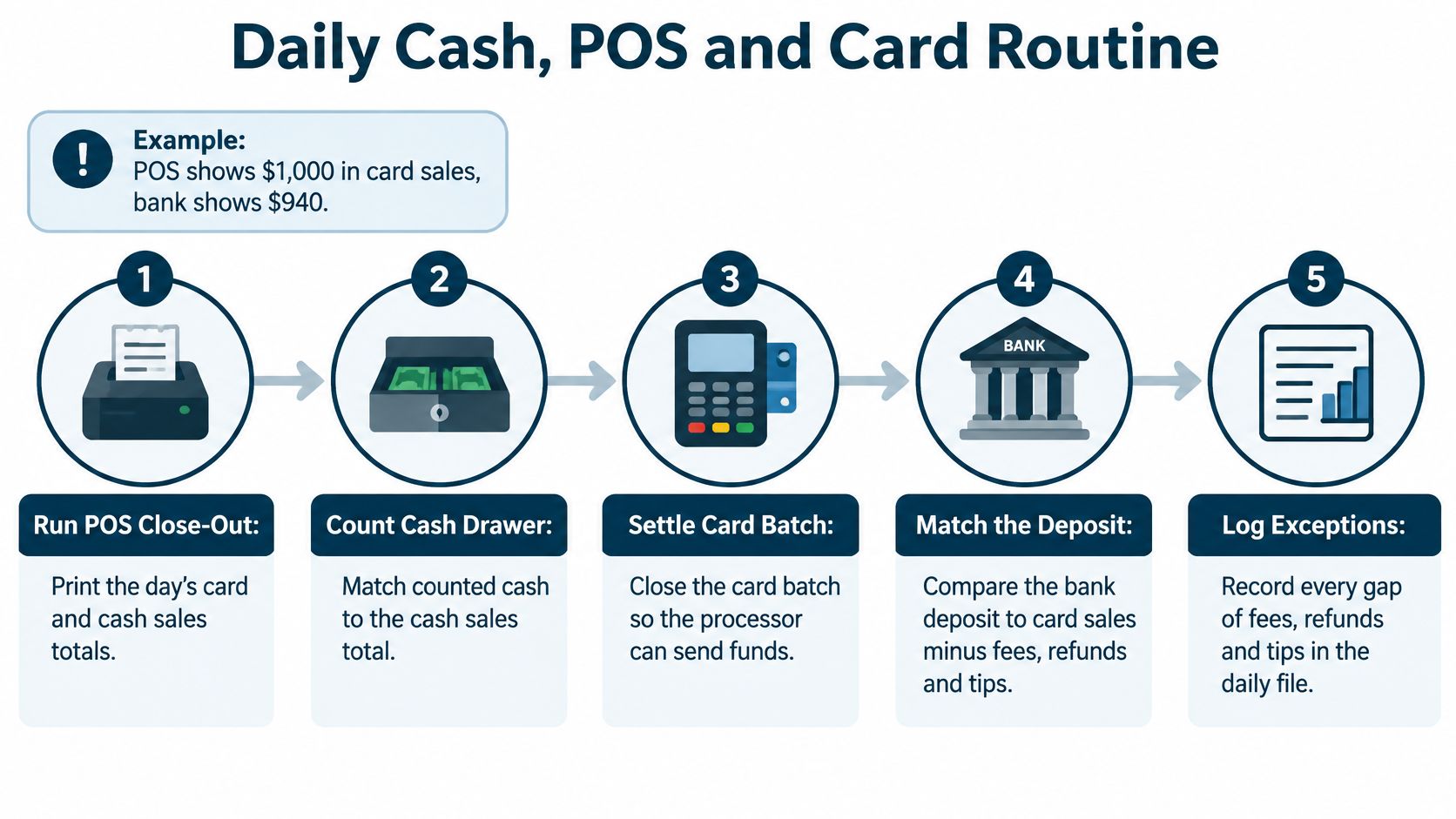
A café can finish Friday with a profit on paper and still struggle to make payroll if card settlements arrive late or cash does not match the POS. Reconcile each day's sales and payments first, then use the reports to understand performance.
Nightly close
Use the same routine every night. Save reports and receipts together so a bookkeeper can trace a difference back to the shift.
Run the POS close-out. Save the end-of-day report before closing the terminal. It records sales, tips, refunds, discounts and voids while the details are available.
Count the cash drawer. Record the starting float, add cash sales and subtract approved cash payouts, tips or refunds. Keep the float separate from the day's sales.
Compare the count with expected cash. Log any overage or shortage in an over-and-short account, and note who counted the drawer. Add a short explanation, such as a refund or change error, rather than recording only the dollar amount.
Make the deposit or safe drop. Keep the deposit slip with the POS report. The two records connect the counted cash to what went to the bank or into the safe.
Separate card totals. Record gross card sales, tips, refunds and the processor batch total separately. Compare the batch report with the processor's settlement information, not just the bank deposit.
Enter delivery orders at gross. Record the guest's full order as sales, then post the platform commission as a separate expense. The platform may settle later and pay less than the order total after fees.
Save every paid-out receipt. Photograph each receipt and attach it to the transaction. A cash purchase of limes without a receipt is difficult to verify months later.
Weekly reconciliation
Once a week, match bank deposits to POS card totals after accounting for fees, refunds and chargebacks. Record a reason for each difference, and check the over-and-short log for repeated issues, such as the same closing shift coming up short.
Follow up promptly on missing or delayed settlements while the batch is easy to trace. Keep unexplained gaps identified instead of plugging them into sales or fees to make the books balance.
Record charged tips correctly
Record charged tips as a liability, not restaurant sales. When the restaurant pays the server, clear the liability through the payroll entry.
For a $100 card charge that includes an $80 meal and a $20 tip, record the meal as food sales and the tip as tips payable. The processor settlement reflects the full charge, while the tip payable clears when the server is paid.
For $1,400 in cash sales and a $200 float, expected cash is $1,600. If the drawer contains $1,592, record an $8 shortage and note the reason, such as a change error. This makes it easier to distinguish a one-time mistake from a recurring problem.
Tip Credit Rules That Shape Payroll Records
Test tip-credit pay every workweek. A monthly average won't fix a week in which a server's direct wages and qualifying tips fall short of the applicable minimum wage. The federal rule applies week by week, so daily sales reports alone can't prove the payroll calculation.
For a server paid $2.13 an hour who works 40 hours, direct wages total $85.20. Reaching the federal minimum of $7.25 an hour requires $290 in total pay for the week, including at least $204.80 in qualifying tips. If the server reports only $180 in tips, the restaurant owes a $24.80 make-up payment. The U.S. Department of Labor sets out the weekly calculation in its federal tip rules.
A tipped employee is generally one who regularly receives more than $30 in tips each month under federal law. The maximum federal tip credit is $5.12 per hour, the difference between the federal minimum cash wage and the federal minimum wage. Those are federal figures, not a guarantee that the same pay setup is allowed in your state.
Track hours by role
A server might spend six hours serving guests and two hours doing separate maintenance work. Payroll needs to show those hours by role, because an employer generally can't apply the tip credit to hours spent in a separate, non-tipped job. Record the task and wage treatment clearly, and check current federal and state rules before setting up the payroll codes.
Keep the following information for every employee and workweek:
- Hours by role: Separate tipped work from distinct non-tipped work.
- Direct wages: Record the hourly rate and the wages paid.
- Reported tips: Keep the employee's tip report with the payroll records.
- Make-up pay: Record any extra wages needed to meet the minimum.
- Tip-pool split: Keep the calculation and the people included in the pool.
Practical rule: Don't use a monthly average to cover a shortfall in a particular workweek.
An incorrect tip pool can create back wages, payroll-tax corrections and penalties. Many states set a higher cash wage or limit the tip credit, so check the rules where the restaurant operates before relying on federal thresholds. A clear payroll workflow also helps staff see how their hours, tips and any wage adjustment were calculated. For more on the bookkeeping side of wage records, see this guide to payroll accounting.
Food Cost and Inventory Accounting
What you started with, plus what you bought, minus what's left, equals what you used. That's the basic food-cost calculation. Count accurately and use current prices, or a small inventory error can make a restaurant look more profitable than it is.
| Calculation | Amount |
|---|---|
| Opening food inventory | $9,000 |
| Add purchases | $24,500 |
| Subtract closing inventory | $8,000 |
| Food used | $25,500 |
| Divide by food sales | $80,000 |
| Food cost percentage | 31.9% |
The formula is beginning inventory + purchases − ending inventory = cost of goods sold. The IRS describes this approach for businesses carrying inventory and explains that purchases should be supported by records such as invoices and payment documents (IRS Publication 334).
If the closing count is entered as $12,000 instead of $8,000, recorded food cost falls to $21,500. Against $80,000 in food sales, that looks like 26.9%. The $4,000 count error understates cost and overstates gross profit by the same amount.
Make the count repeatable
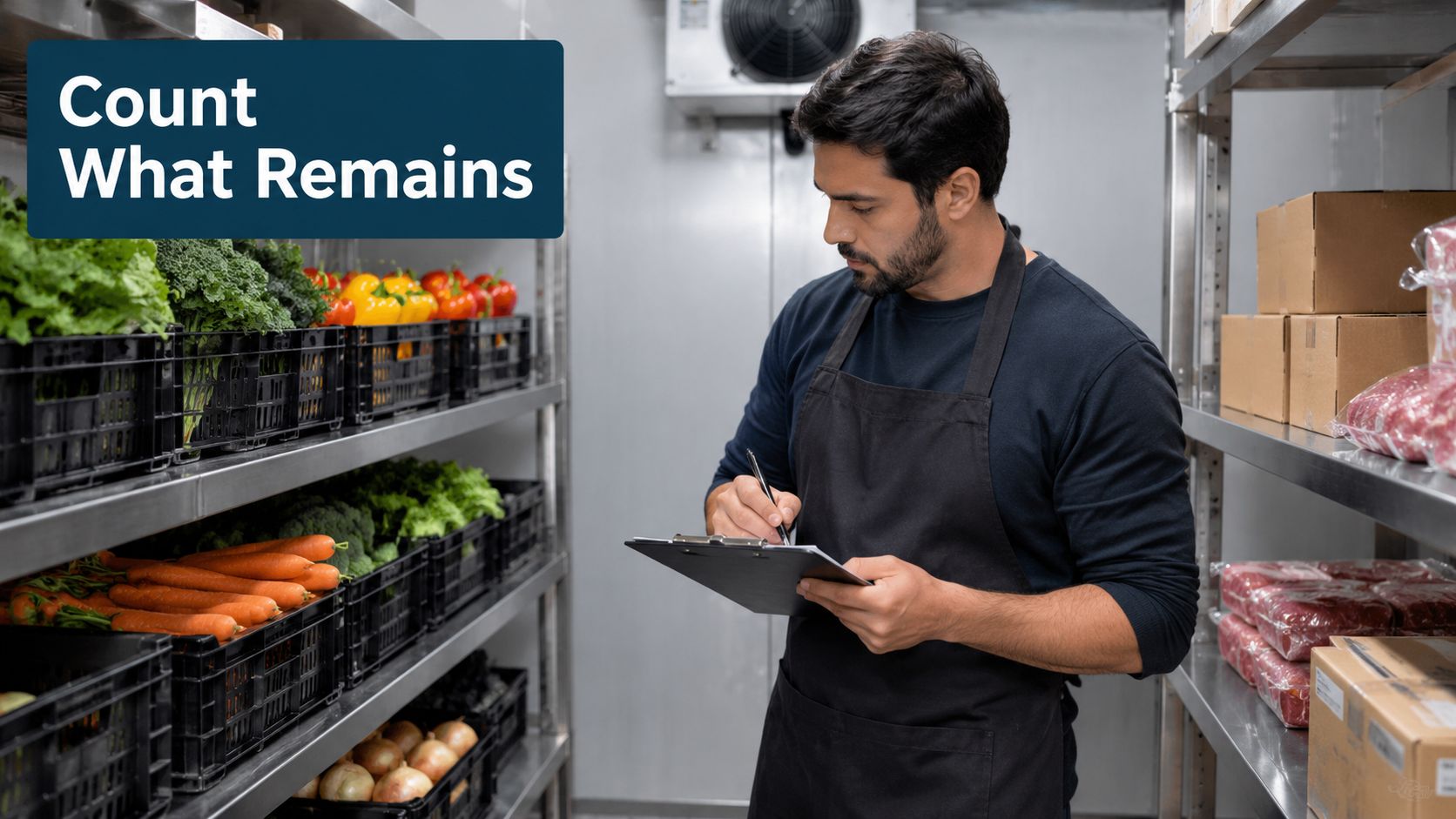
Count the walk-in, freezer, dry storage and bar on the same day each month, before the first delivery arrives. Use unit prices from current supplier invoices, not an old price list. That way, the count reflects what the stock actually cost the restaurant.
Keep food, beer, wine, liquor and packaging in separate categories. Record spoilage, staff meals and comped food on their own lines, so those costs don't vanish inside a general food total. Match purchases to vendor statements each month and follow up on missing invoices or price differences.
A free digital menu maker can help you present menu items clearly, while your recipe costs and sales records show what each item contributes. Keep menu presentation separate from the accounting record: the books still need reliable ingredient costs and actual sales.
Use a weekly check to compare what recipes should have used with what the restaurant bought or used. A gap can point to over-portioning, waste, theft, supplier price increases or a recipe cost that hasn't been updated. For a fuller explanation of how inventory records fit into the books, see inventory accounting.
Monthly Close Checklist
Run the close in the first three working days of each month, using the steps in order. A close is more than producing a profit-and-loss statement. It's the check that makes sure sales, purchases, inventory, payroll and cash all belong in the right period.
Lock the POS period and export sales totals. Save food, beverage and delivery totals so the books can be compared with the register reports.
Use the month-end physical count. Count the walk-in, freezer, dry storage and bar on the last day of the month, before the first delivery arrives.
Enter supplier invoices and compare them with vendor statements. Follow up on missing bills and amounts that don't match.
Reconcile every bank and card account. Include processor fees, refunds and the balance in tips payable.
Calculate food and beverage cost. Use opening stock plus purchases minus closing stock, then divide by the matching sales category.
Check payroll against timesheets. Confirm hours and tips, and verify that each tipped employee passed the weekly tip-credit test.
Match sales tax payable to the filing period. Keep the collected tax separate from operating cash.
Record costs used but not yet billed. Add rent, utilities and loan interest for the month, and put equipment purchases on the balance sheet rather than in supplies.
Compare the profit and loss statement. Review it against the prior month and the same month last year. Write down any line that moved by more than two percentage points and check what caused it.
Lock the month after review. That stops someone from changing a closed period without a clear reason.
The inventory count is one place where a small keying error can distort the whole report. If a café enters $12,000 instead of an actual $8,000 closing count, its food cost appears to fall to 26.9% in step five. Recheck the count and unit prices before treating that lower figure as a real improvement.
Prime Cost and Weekly KPIs That Matter
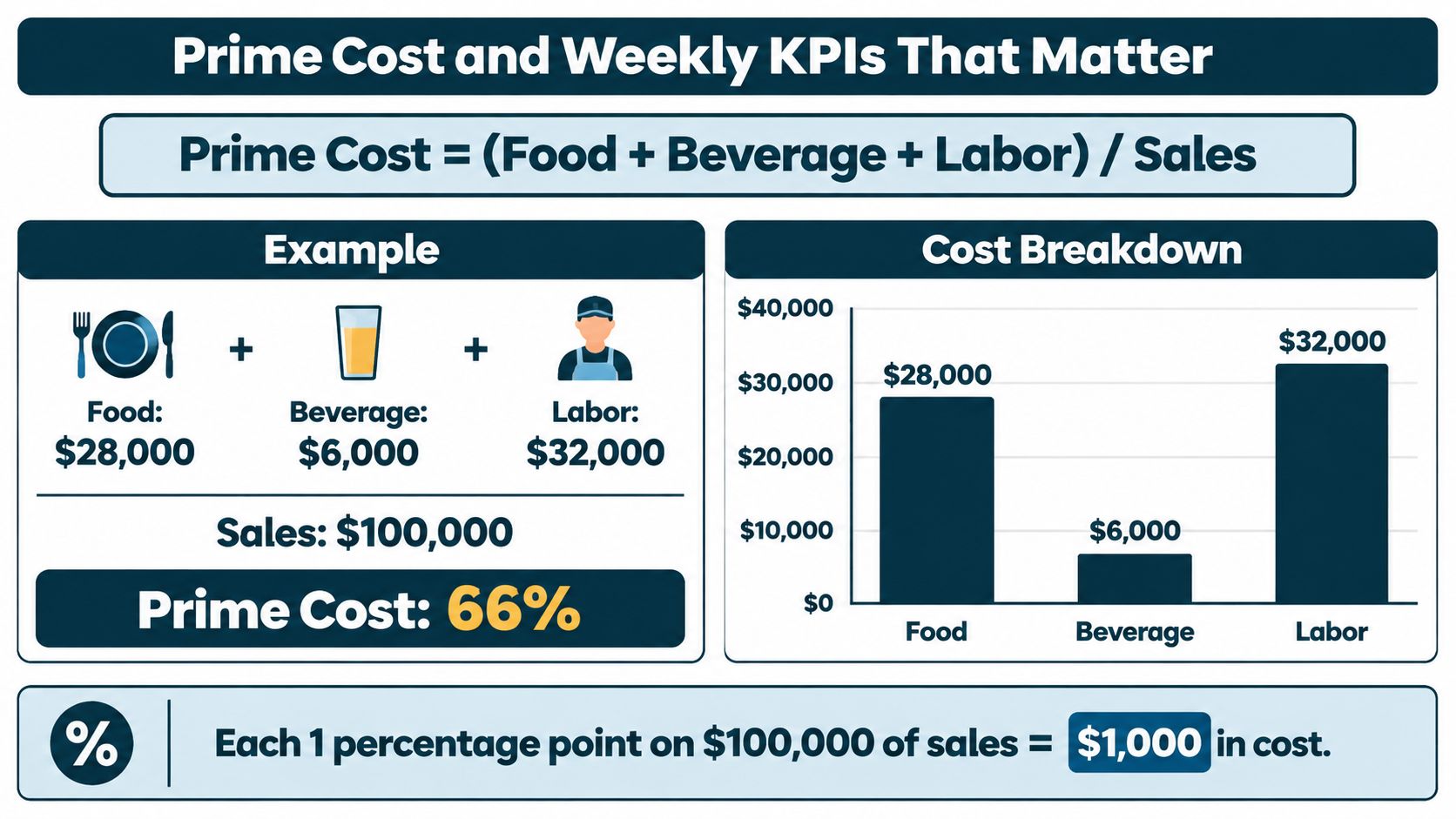
Prime cost is food, beverage and labor cost divided by sales. It's a weekly control number because it shows how much of each sales dollar goes to the costs most directly tied to serving guests. If prime cost worsens by one percentage point on $100,000 in sales, operating profit falls by roughly $1,000, assuming sales and other expenses stay the same.
The National Restaurant Association's 2025 operations data reported median prime costs of approximately 65% of sales in limited-service restaurants. Its data also put salaries and wages, including benefits, at a median 36.5% of sales for full-service restaurants (National Restaurant Association operations data). Those are reference points, not targets that automatically fit every menu or service model.
| KPI | Formula | Rough Range | Check How Often |
|---|---|---|---|
| Food cost % | Food COGS ÷ food sales | 28%–35% | Weekly |
| Beverage cost % | Beverage COGS ÷ beverage sales | 18%–24% | Monthly |
| Labor cost % | Total labor ÷ total sales | 30%–37% | Weekly |
| Prime cost % | (Food + beverage + labor) ÷ sales | Around 65% for limited-service restaurants | Weekly |
| Sales per labor hour | Sales ÷ paid labor hours | Track your own trend | Weekly |
| Occupancy cost % | Rent and occupancy ÷ sales | 6%–10% | Monthly |
| Average check | Sales ÷ number of checks | Set from your menu | Weekly |
Treat the ranges as rough comparisons, not promises. Your own results over the last six months are often more useful because they reflect your menu, hours, service style and local sales patterns.
Read the change, not just the total
If food cost climbs sharply in a week, first check the count, invoices and sales cutoff. If labor percentage rises while sales stay flat, review scheduling and paid hours by daypart. Don't cut shifts automatically: fewer staff can slow service and reduce sales, which may push the labor percentage up even when payroll hours fall.
Track sales per labor hour beside labor percentage. Paying $1,500 in weekly wages on $6,000 in sales is a different operating picture from paying the same amount on $9,000 in sales. Put overtime and training hours beside the measure too. A new employee's training time can raise payroll before they're fully productive.
On Monday, pull the prior week's numbers, flag any KPI that moved by more than two points, and write one question for the kitchen and one for the floor. Ask what changed before changing prices or cutting hours. The answer might be a late invoice, a counting mistake, a shift that didn't match sales or a portion that's grown without anyone noticing.
Cash Flow and Sales Tax Timing
A café can report a profit for the quarter and still scramble to make Friday payroll. Inventory purchases and a loan payment may land in the same week, while a card deposit is still in transit. Profit tells you how the period performed. A cash forecast tells you whether the money will be in the bank when bills are due.
That gap between paper profit and bank balance is common. Many restaurant operators report tight cash and pressure around payroll even in periods where the business shows a return (National Restaurant Association analysis of restaurant conditions). A profitable month can still produce a short week if the money arrives after the wages go out.
Build a rolling 13-week forecast
List the expected cash movements by week, not just by month:
- Start with the bank balance. Use the actual balance, not the number from last week's forecast.
- Add expected deposits. Estimate sales receipts by channel and allow for processor fees, refunds and settlement timing.
- Subtract payroll and payroll tax payments. Put each payment on the week it's due.
- Add rent, supplier bills, sales tax and loan payments. Use the actual due dates and vendor terms.
- Find the lowest projected balance. That's the week to plan for, not the week with the strongest sales.
Then stress the forecast. Cut projected sales by 20% in week six and check whether the balance drops below a buffer of about two weeks of fixed costs. If it does, call suppliers about terms, review upcoming purchases and decide what can move before the account runs short.
Keep tax money out of operating cash
Sales tax collected from guests belongs to the state. Move it to a separate account as sales come in, file on your state's schedule, and keep exemption certificates for sales that qualify for tax-free treatment. Restaurants operating under a different regime face different rules: if any part of your business sells where VAT applies rather than U.S. state sales tax, this guide to food VAT rules for restaurateurs explains how food sales are treated there.
Update the forecast every Monday using real bank balances and confirmed bills. The Monday update matters more than the model itself, because a 13-week sheet built on stale balances is a guess with a grid. A late card settlement or two large payments landing in the same week is the sort of problem that only shows up when you look weekly.
Choose Your Bookkeeping Path Before the Next Close
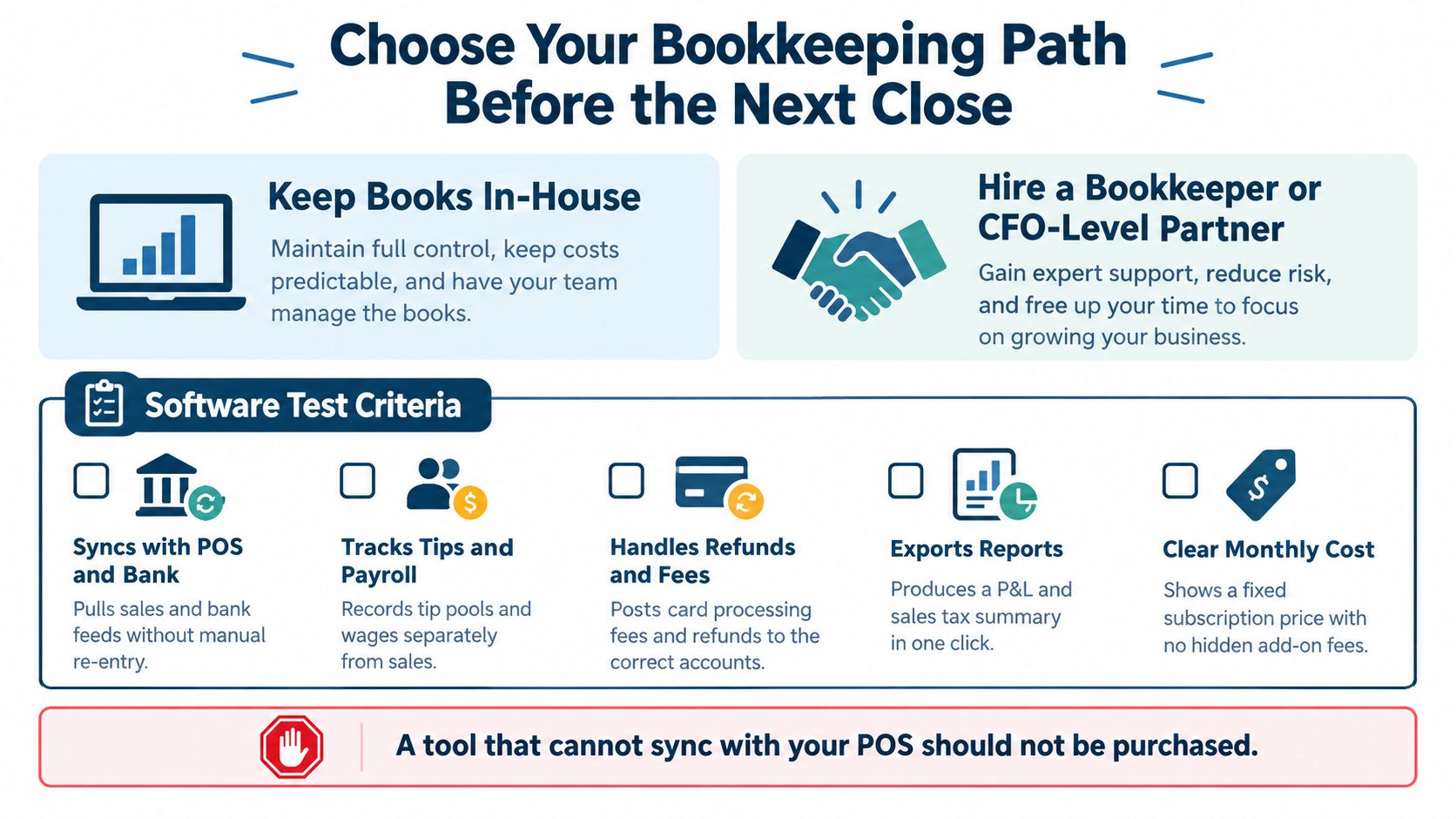
You can keep the books in-house with software, or hire a bookkeeper or CFO-level partner. Either path can work. The deciding question is whether the records arrive in a form you can use without hours of manual correction.
Before paying for a bookkeeping tool, test whether it handles the restaurant's actual flow of sales, tips, payroll and deposits. A system that can't sync POS tips and refunds, or can't separate tip-credit hours in payroll, may only move the manual work from a spreadsheet into another screen.
| Criterion | What to Check | Why It Matters |
|---|---|---|
| POS sync | Sales, tips, refunds and voids import daily | Stops retyping and keeps the nightly routine short |
| Payroll link | Tips and tip-credit hours carry into payroll reports | Lets you prove the weekly wage test |
| Inventory and recipes | Counts by category and recipe costing | Gives actual food cost instead of guesses |
| Bank and card feeds | Automatic import and matching of deposits | Catches processor fee gaps early |
| Sales tax | Rates by location and filing reports | Avoids surprise bills from the state |
| Multi-location reporting | Separate profit and loss per site | Shows which location is losing money |
| Cost and support | Monthly fee per location and how fast support answers | Cheap software with slow help costs more at close |
Know when another set of hands helps
Outside help is worth considering if month-end takes more than three days, you can't state last month's food cost without guessing, or you run two or more locations and can't compare them side by side. The same goes for tip or tip-credit payroll errors, a coming bank loan, lease renewal or business sale, or POS and bank records that haven't been reconciled in weeks.
The trade-off is plain: bookkeeping support costs money, but keeping everything in-house costs owner time and can leave errors sitting until tax season. MyOfficeOps, a bookkeeping and advisory firm based in West Chester, PA, is one option for restaurant owners seeking bookkeeping, accounting, payroll integration and financial analytics. Compare that kind of support with what your team can handle reliably, not just the monthly fee.
Run a one-week test before deciding. Complete the nightly routine for five days, reconcile one week of card deposits, and calculate last month's food cost. If the deposit reconciliation alone takes more than two hours, that's a strong sign you need a simpler system or outside help.
MyOfficeOps offers bookkeeping, payroll integration, cash-flow forecasting and financial reporting for small and midsize businesses. If you want help cleaning up restaurant records and turning them into practical decisions about cash, costs and staffing, visit MyOfficeOps to discuss a plan.