An accounts receivable aging report is a simple tool that answers a big question: who owes you money, how much do they owe, and for how long? Think of it as a health check-up for your business's cash. It shows you which payments are coming in on time and which ones are late. Our free template helps you see this picture clearly.
What Is an AR Aging Report and Why You Need One
Let’s say you run a small bakery. A local café buys a big batch of your cookies every week. They have 30 days to pay you. The money they owe you is called "accounts receivable," or AR. An AR aging report is just a list that keeps track of all the money customers owe you.

It’s one of the most important reports for a small business owner. Without it, you might not notice that the friendly café owner is now 60 days late on their payment. That could cause a cash problem that puts your business at risk.
The report helps you see these problems before they get serious. But before we get to the report, it helps to start with the basics by understanding what an invoice is and why it matters.
A Quick Look at the Aging Buckets
The best part of an AR aging report is how it sorts your unpaid invoices into groups, or "buckets," based on how old they are. This simple setup shows you right away where your biggest money risks are.
The report uses standard aging buckets to group unpaid invoices. This helps you figure out which customers to call first. These common buckets—like 0–30, 31–60, 61–90, and 90+ days—are used by almost everyone to see when an invoice goes from "current" to "risky." Once an invoice is in the 61-90 day bucket, it’s a clear sign you need to try harder to collect the money. You can learn more about how finance teams use these reports as a key financial tool on gbq.com.
Why Every Small Business Needs This Report
For a small business, having cash is everything. An aging report is your map to keep that cash coming in. It’s not just about chasing late payments; it’s about making smarter decisions for your business.
An accounts receivable aging report doesn't just show you who owes you money. It tells a story about your customers' payment habits and the overall financial health of your business.
By looking at your report regularly, you can:
- Spot late-paying customers early: You can see which clients always pay late. Maybe you need to change their payment terms or ask them to pay upfront.
- Improve your collection process: If you see a lot of invoices in the "31-60 days" bucket, it might mean your reminder emails aren't working. It might be time to pick up the phone.
- Make better cash flow forecasts: Knowing when you can expect payments helps you plan for your own bills, like payroll and rent, without stressing out.
Basically, this one report helps you stay ahead of your finances instead of always trying to catch up.
How to Fill Out Your Free AR Template
Alright, you've got the template. Let's get it working. It doesn't matter if you like Excel or Google Sheets, the steps are the same. I’ll walk you through it with a real-world example so you can see exactly how it’s done.
Imagine you run a small graphic design agency. You just finished a logo for a startup called "Innovate Tech" and designed new menus for a regular client, "The Corner Bistro." Now it's time to track those invoices.
Getting Your Invoice Info Together
First, you need your data. Grab every invoice you've sent that hasn't been paid yet. This is the information you'll put into your report.
For our example, let's say you have two unpaid invoices:
- Innovate Tech: Invoice #101 for $1,500, sent on October 15th with a due date of November 14th.
- The Corner Bistro: Invoice #102 for $800, sent on October 25th with a due date of November 24th.
Have these details ready. It makes the next part super easy.
Plugging the Data into Your Template
Now, open the template you downloaded. You’ll see columns that match the invoice details we just gathered. All you have to do is copy and paste the information into the right spots.
Don't worry about the aging buckets (30-60 days, 61-90 days, etc.). The template has formulas that do all that math for you.
Here’s exactly how our graphic designer would fill it out for Innovate Tech and The Corner Bistro.
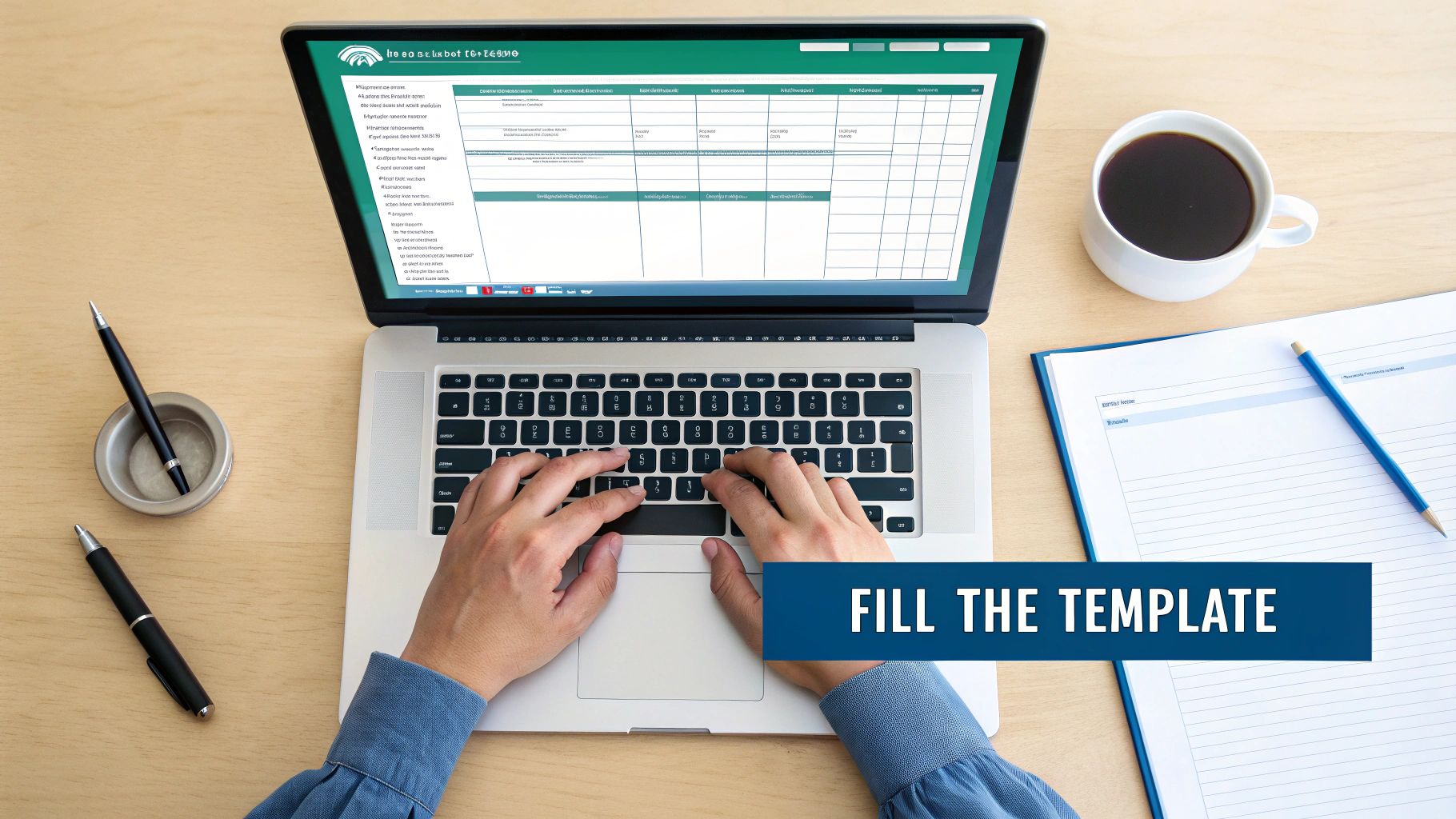
See that? Because neither invoice is past its due date yet, the amounts automatically go into the "Current" column. As time goes on, the formulas will move those balances into the older buckets for you.
Every piece of information here is important. The invoice number is what you'll use if a client calls with a question. The due date tells the template how old an invoice is.
Making the Template Your Own
I built this template to be useful from the start, but you should definitely change it to fit your needs. Think of it as a starting point. Your business is unique, and your tools should be too.
For example, the aging buckets are set to 30-day periods. This is great for businesses that give customers 30 days to pay. But what if you ask for payment in 15 days? Those 30-day buckets won't give you the early warning you need.
Pro Tip: Don't be afraid to change the aging buckets in the template's formulas. If you use shorter payment terms, changing them to 1-15, 16-30, and 31-45 days will give you a much clearer picture of your cash flow.
You might also want to add a few columns to track other important details. Here are a couple of changes I see small businesses make all the time:
- "Assigned To" Column: If you have more than one person trying to collect payments, this makes it clear who is responsible for which client. No more confusion.
- "Last Contact Date" Column: This is a huge help. Write down the last time you sent a reminder or made a call. It helps you stay on a regular follow-up schedule.
- "Notes" Column: A simple spot for important details like, "Client promised payment on Friday" or "Question about one of the charges." These little notes are very helpful when you're trying to collect.
Making these small changes turns a basic spreadsheet into a powerful tool made just for you. In the end, these details help build a clear financial picture, which is key to good bookkeeping. For a deeper look at organizing your financial categories, check out our guide on what is a chart of accounts—it’s another important piece of the puzzle. The goal is to make this document work for you, helping you get paid faster and keep your cash flow healthy.
Reading the Story Your AR Report Tells You
Once you fill out your accounts receivable aging template, you have more than just a spreadsheet. You have a story about your company’s financial health. Learning to read it is like a doctor checking a patient’s chart—you can see what’s healthy and what needs attention right away.

Think of your "Current" and "1-30 Days" columns as the green zone. These invoices are either not due yet or just a little behind. Most of the time, a quick, friendly reminder is all you need to get them paid.
But the story changes as you move to the right side of the report. An invoice in the "61-90 Days" column isn't just late; it’s a serious red flag that you might not get paid at all.
The Danger Zone of Aging Invoices
Why is an invoice that’s 90 days past due so much scarier than one that’s 10 days late? Because your chances of getting that money drop fast with each passing week. This isn’t just a gut feeling; the data shows it.
An invoice that’s 90 days old has a very low chance of ever being collected. This is why you have to act fast when you see balances moving into those older columns. The 90+ day bucket is where money goes to be forgotten. Your job is to keep that column as empty as possible.
The longer an invoice is unpaid, the less likely you are to ever collect the money. Your aging report is your early warning system to stop unpaid bills from getting this old.
A 2022 study showed that an invoice unpaid at 90 days had only an 18% chance of ever being collected. This is why a good accounts receivable aging report template always highlights this high-risk group. Some types of businesses have it worse than others. Studies show that in some fields, over 10% of all unpaid invoices are stuck in the 91+ day bucket. You can get more insights on the impact of aging invoices on Stripe.com to understand how software is helping businesses fight this problem. This information is key for focusing your collection efforts where they matter most.
How to Prioritize Your Collection Calls
Your report doesn’t just show you how much money is late—it tells you who to call right now. The first thing I do is a quick scan for two things: the oldest invoices and the biggest dollar amounts.
Let’s use a real-world example. Imagine you run a catering business, and your report shows this:
- "The Corner Cafe" has a $300 invoice that is 75 days past due.
- "Corporate Events Inc." has a $5,000 invoice that is 45 days past due.
Who do you call first? The cafe's invoice is older, but the corporate client's unpaid bill is a much bigger risk to your cash flow. In this situation, you have to focus on the $5,000 invoice. It’s almost always better to go after the largest overdue amounts first because collecting them makes the biggest difference right away.
Spotting Customer Payment Patterns
After you’ve used your report for a few months, you’ll start to see patterns. These patterns are gold for making smarter business decisions and protecting your cash flow.
Here’s what you should look for:
- The Consistent Late Payer: Do you have a client who always ends up in the 31-60 day column? This is a sign that they pay slowly, or maybe they have their own cash problems. You might need to change their terms and ask for a deposit upfront.
- The Disappearing Act: A good client who always paid on time suddenly has an invoice that is 60+ days late. This is a huge red flag. It could mean they are in serious trouble, and you need to call them today.
- Concentration Risk: Does one client owe you 70% of your total unpaid invoices? Your report will make this very clear. This is a risky situation because if that one client pays late, your whole business could be in trouble.
By looking at these trends, you go beyond just tracking who owes you money. You start to understand your customers' financial habits. This information also helps you measure your business performance. If you're interested in how this data connects to other metrics, you might want to learn more about the accounts receivable turnover ratio. Reading your aging report is all about turning data into action and making sure the money you've earned gets into your bank account.
From Report Data To Real Collections
You’ve filled out your accounts receivable aging report, and it’s telling you a story. So, what’s next? A report is just numbers; its real power comes from what you do with it. This is where we turn those numbers into actions that get you paid.
The plan is simple: how you try to collect should match how late the invoice is. A customer who’s 15 days late needs a different approach than one who is 75 days past due. Let's break down how to handle each stage.
The Gentle Nudge for Recently Due Invoices
For invoices in the “1-30 Days” bucket, there’s no need to panic. People get busy, and invoices can be forgotten. Most of the time, a friendly reminder is all it takes to get things sorted out.
The goal here isn't to be pushy. You want to keep a good relationship with your client while reminding them that a payment is due.
Here’s a simple email template I've seen work really well:
Subject: Quick Question about Invoice #123
Body:
Hi [Client Name],Hope you're having a great week!
This is just a friendly reminder that invoice #123 was due on [Due Date]. I've attached another copy for you.
Could you please let me know when we can expect payment?
Thanks so much,
[Your Name]
This approach is polite, professional, and gets to the point without making anyone feel bad.
Stepping It Up For The 31-60 Day Bucket
Once an invoice is more than 30 days late, it's time to be a bit more direct. The "oops, I forgot" excuse starts to get old. You should still be professional, but your tone needs to change from a gentle reminder to a clear request for payment.
At this stage, you want to find out if there's a problem. Is the invoice lost? Is there a question about the work? A direct email or, even better, a phone call can help you figure out the real issue quickly.
Consider sending a follow-up email like this:
Subject: Following up on Overdue Invoice #123
Body:
Hi [Client Name],I'm following up on invoice #123 for [Amount], which is now 30 days past due. My records show we haven't received payment yet.
Is there an issue with the invoice or a reason for the delay? Please let me know the status of this payment as soon as you can.
Best,
[Your Name]
If you don't get a response to that email in a day or two, pick up the phone. A real conversation is much harder to ignore than another email.
The Serious Conversation For 61-90 Day Invoices
When an invoice is more than two months late, the situation is serious. I've seen it over and over—the chances of collecting this money have dropped, and you need to sound more urgent. It’s time to stop emailing and start calling.
Your goal on this call is to get a firm promise: a specific date when the payment will be made.
Here’s a simple way to start the conversation:
"Hi [Client Name], I'm calling about invoice #123, which is now over 60 days past due. We need to get this paid this week. Can you take care of the payment today, or do we need to talk about a payment plan?"
Notice the words. It’s not a question of if they will pay, but when and how. If they can't pay the full amount, offer a payment plan. Getting some of the money is always better than getting none of it.
To keep your collection efforts organized, it helps to have a simple plan. Here’s a sample of how you can structure your actions based on how old an invoice is.
Sample Collection Actions by Aging Bucket
| Aging Bucket | Recommended Action | Communication Tone |
|---|---|---|
| 1-30 Days Past Due | Send a polite reminder email. Attach a copy of the invoice. | Friendly & Gentle |
| 31-60 Days Past Due | Send a direct follow-up email, then call if no response. | Professional & Firm |
| 61-90 Days Past Due | Make a direct phone call. Request a firm payment date. | Urgent & Serious |
| 90+ Days Past Due | Send a final demand letter. Consider a collection agency. | Formal & Final |
Having a clear plan like this takes the stress out of collections and makes sure every overdue invoice gets the right amount of attention at the right time.
Prioritizing Your Follow-Ups For Maximum Impact
If you have a lot of overdue invoices, who do you call first? Don't just start at the top of the list. You need a strategy.
- Start with the biggest dollar amounts. Collecting one $5,000 invoice will help your cash flow more than chasing five $100 invoices.
- Then, focus on the oldest invoices. That $500 invoice in the 90+ day column is at high risk of never being paid. Try to collect it before it's too late.
This two-step plan makes sure you’re putting your energy where it will make the biggest difference to your bank account. Managing this process helps you stay on top of your money, which is key for good financial planning. If you want to get better at planning your finances, you might be interested in our guide on creating a cash flow forecasting template, which can help you predict your future financial health.
Smarter Ways to Manage Accounts Receivable
Once you're comfortable with the basics, your AR aging report can become a powerful planning tool. Think of it less like a simple list and more like an early warning system. I've seen many experienced business owners use their aging report not just to see who's late, but to spot money risks before they turn into big problems.
One of the biggest risks for a small business is customer concentration. It’s just a fancy way of asking: are you relying too much on one customer?
Spotting Your Biggest Risks
Imagine you're a marketing consultant and you get a huge contract with a big tech company. It feels great! They now owe you 60% of all the money that's due to you. But what happens if they have a bad month and their payment is 45 days late? Suddenly, your entire business could be in trouble.
Your aging report makes this kind of risk easy to see. A quick look at the "Total Amount Due" column will show you if one or two clients owe you a huge chunk of your money. This is a key insight that helps you run your business with less risk.
Pro Tip: Take five minutes each month to sort your aging report by the total amount due, from largest to smallest. This quickly shows you your top customers and helps you see if your cash flow depends too much on any single client.
This simple habit doesn't just show you who to thank; it shows you exactly where your cash flow is most at risk.
A good collections plan changes as the invoice gets older, becoming more direct over time. The workflow below shows a common way to step up collection efforts as an invoice ages.

As you can see, the plan moves from a gentle email reminder to phone calls and more serious warnings as time goes on.
Keeping Your Numbers Honest
Another smart habit is to regularly check your aging report against your main accounting records, like your general ledger. Think of this as double-checking your work. It's a quick way to catch small mistakes before they turn into big financial headaches.
Why do this? Because mistakes happen. A payment comes in but gets put on the wrong invoice. Or maybe a customer paid, but it wasn't recorded correctly. These small errors can make your aging report wrong, causing you to waste time chasing a client who has already paid you.
Here are a few common mistakes this can help you find:
- Unapplied Payments: A customer sent money, but it was never matched to a specific invoice, so the invoice still looks unpaid.
- Credit Memos: You gave a credit for a return or a discount, but it wasn't taken off the total amount they owe.
- Data Entry Errors: A simple typo in an invoice amount can mess up your totals and lead to confusing talks with clients.
Making this a monthly habit makes sure the data you're using to make decisions is correct. It's a simple step that builds a much stronger financial foundation for your business.
From Manual Reports to Smarter Systems
Let's be real. Managing receivables often means focusing on the few customers who owe you the most money. Many businesses run a "Top 20 AR Aging" report just to see if their top clients owe them a dangerously large share of their money. When a few customers owe you most of your money, your risk of a cash crunch goes way up.
As your business grows, updating a spreadsheet by hand can become a big job. When you find yourself spending more time entering data than looking at it, it's time to think about a better way. Special software can create reports automatically and make the whole process easier. For example, looking into options like Sage 100 accounting software can make you much more efficient.
These systems automatically create aging reports, send payment reminders, and give you a live look at your finances without all the manual work. Moving to a real accounting tool is the next step when your template starts to feel too small for your needs.
Common Questions About AR Aging Reports
Even with a great template, you’re going to have questions once you start using it. That’s normal. Here are a few answers to the questions I hear most often from business owners who are new to this.
How Often Should I Update My Report?
The simple answer is: often enough that it gives you a true picture of your cash.
For most small businesses, running your accounts receivable aging report once a week is a great habit. It’s often enough to catch late payments before they become a big problem, but not so often that it feels like a huge chore.
If you’re running a busy online store with lots of invoices, you might want to look at it every day. On the other hand, if you're a consultant who only sends a few invoices a month, updating it twice a month might be enough.
The key is to be consistent. Make it a regular part of your money routine, just like checking your bank account. An old report can make you feel safe when you're not, which is worse than having no report at all.
What Do I Do If a Customer Disputes an Invoice?
It's going to happen. A customer will call and say, "This amount is wrong," or "I never got this." When that happens, your first move is to stay calm and listen. Don't get defensive.
Here’s a simple process to follow:
- Acknowledge and Investigate: Thank them for letting you know and promise to look into it. Then, find the original invoice, your project notes, and any emails related to that charge.
- Communicate Clearly: Get back to them quickly with what you found. If you made a mistake, admit it. Say you're sorry and send a corrected invoice or a credit right away.
- Provide Proof: If the charge is correct, politely explain why. Show them the signed contract, the project plan, or the email where they approved the work. Be firm but professional.
The most important thing here is to be fast. A wrong invoice on your aging report doesn't just annoy your customer; it messes up your financial data and makes it impossible to know how much cash you really have.
When Should I Upgrade from a Spreadsheet to Software?
Look, a spreadsheet is a great place to start. It’s free, it's flexible, and for many small businesses, it's all you'll need for a long time. But as your business grows, that spreadsheet can start to feel like you’re trying to row a cruise ship with a paddle.
You’ll know it’s time to move to real accounting software when you see these signs:
- You're Drowning in Data Entry: Are you spending more than an hour or two a week just typing in numbers? That's time you're not spending on finding new customers.
- Mistakes Are Creeping In: Typing things in by hand leads to mistakes. If you’re always finding typos, wrong dates, or broken formulas, you've outgrown the spreadsheet.
- You Need the Full Picture: Accounting software does much more than just track who owes you money. It handles payroll, manages expenses, and creates profit and loss statements. When you need that complete view of your financial health, a spreadsheet just isn't enough.
Moving to software can feel like a big step, but it’s a normal part of growing a successful business. It automates the boring work, reduces errors, and gives you the powerful information you need to make smarter financial decisions. Think of it as hiring a super-efficient assistant who works 24/7 and never makes a mistake.
At MyOfficeOps, we help business owners move beyond manual spreadsheets to build strong, clear financial systems. If you're ready to get your time back and gain real insight into your numbers, let's talk. Learn more about our bookkeeping and advisory services.